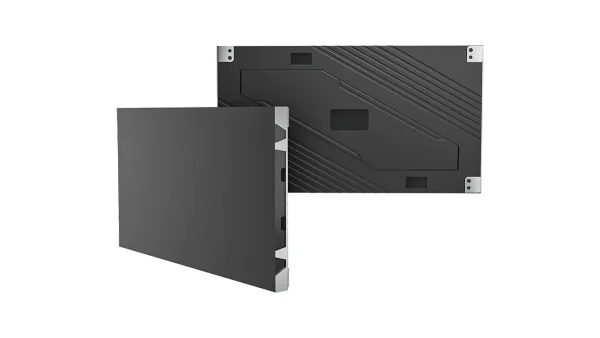
All-in-One COB LED TV
  Flexible LED Displays
  Transparent LED Displays
  Led Poster
  Circular LED Displays
  Creative & Custom LED Displays
 Searching “P1.5 LED display” usually means you need an indoor HD screen that balances viewing distance and budget. Start with Block P1.5625 for a conventional SMD/GOB fixed wall, COB Pro for a protected premium surface, COB Beta for 4:3 or special layouts, or an All-in-One for a standard meeting-room size. Poster and curved P1.5 builds remain useful secondary routes. This guide compares those choices with exact 4K cabinet math and 2026 panel prices.
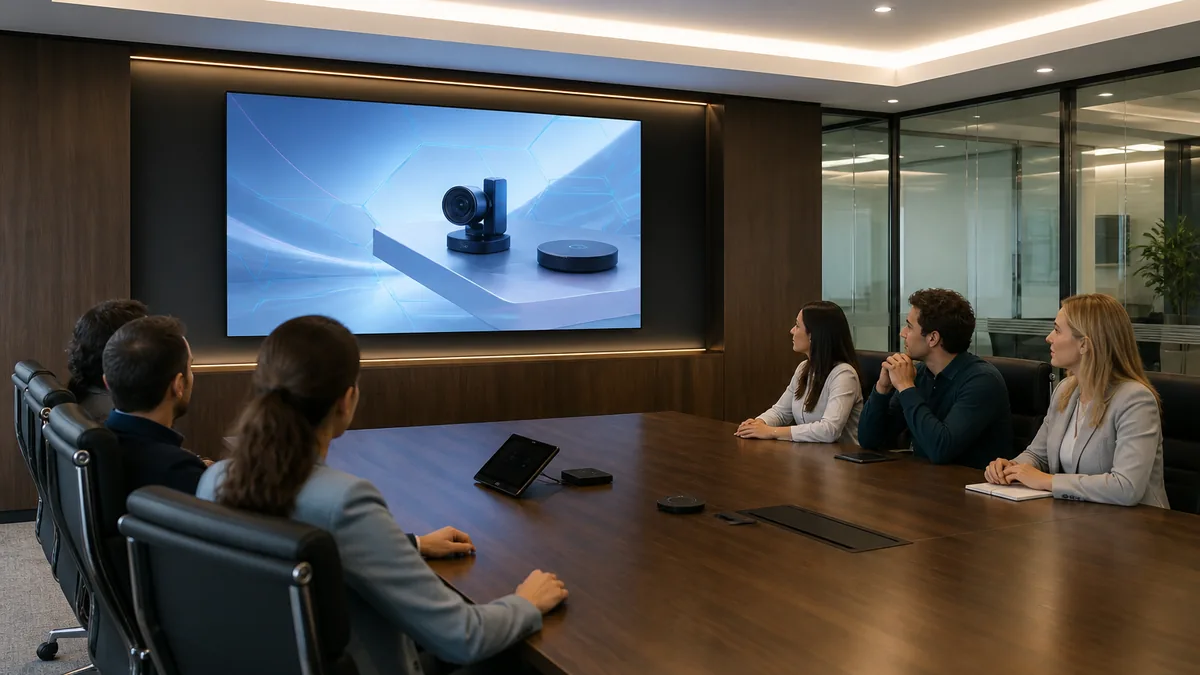
- P1.5 is the volume sweet spot. For closest seats around 2–4 m with mixed video, P1.5 usually matches what the eye can resolve — finer pitch often buys invisible pixels. Check distance on the LED Display Calculator.
- When P1.5 beats P1.2: same room, mid-distance seating, text that is not micro-SCADA — reclaim budget vs the P1.2 form-factor hub.
- Exact 4K (worked example — COB Pro P1.5625): 10×10 cabinets of 600×337.5 mm (384×216 px each) = 3840×2160 on a 6.0 × 3.375 m wall (~20.25 m²) — larger than the P1.25 Exact-4K footprint.
- 2026 panel-only bands: Block P1.5625 about $1,415–1,530/m²; COB Pro P1.5625 about $1,390–1,695/m². Controllers, structure, installation and commissioning typically add 20–40%.
What a P1.5 LED Display Actually Means (P1.5 / P1.53 / P1.56 / P1.5625)
A P1.5 LED display sits in the ~1.5 mm indoor fine-pitch band — centre-to-centre spacing between pixels. At 1.5625 mm you get about 409,600 pixels per square metre. That density is why boardrooms, classrooms, and mid-size lobbies specify this band when the front row is a few metres back, not handshake-close.
Search and sales talk say “P1.5.” Datasheets often say 1.5 / 1.538 / 1.56 / 1.5625 mm. All of those land in the same commercial cluster. Your purchase order must copy the millimetre on the module drawing — not the Google keyword.
Published indoor routes include COB Pro P1.5625, Block P1.5625, Brick P1.56, COB Beta P1.538, Poster COB / Foldable P1.538 and All-in-One 135″ / 163″ P1.5625. Flexible Fixed can be engineered around the required radius. Write the exact pitch, module size and cabinet resolution from the datasheet in every RFQ.
Pitch alone still does not pick the product. The useful indoor decision is between a conventional fixed wall, a protected COB wall, a plug-and-play All-in-One, or a narrower secondary format such as a poster or curved installation. Section 03 routes those products; Section 02 decides whether P1.5 or P1.2 fits the viewing distance.
When P1.5 Beats P1.2 — Distance First, Brochure Second
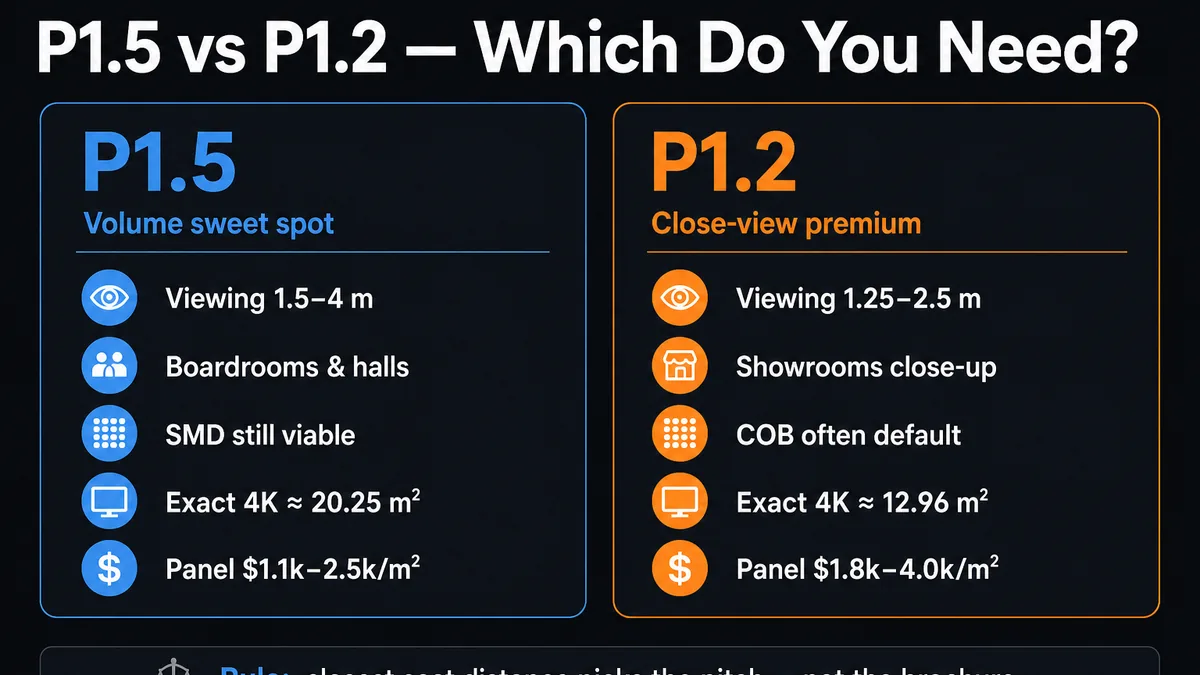
Rule of thumb: about 1 mm of pitch per 1 m of closest viewing distance. For P1.5 the floor is ~1.5 m. The commercial sweet spot for video-heavy rooms sits nearer 1.5–4 m. Past ~5 m, P1.5 and P1.8 start looking the same for motion content — and P1.2 is almost always wasted CapEx.
- Closest seats ~2–4 m (typical boardroom table length)
- Content is mixed video, slides, branding — not dense SCADA at arm’s length
- You want to preserve budget for processing, structure, spares and commissioning
- SMD / Block / Brick supply chain and field rework matter
- Viewers stand within ~1.5–2 m of a brand wall or showroom face
- People wipe or brush the surface (sealed COB earns its keep)
- Micro text / operator consoles sit inside the pitch floor
- See the full form-factor hub: P1.2 LED display guide
For boardrooms with 2–4 m seating, compare P1.5 and P1.2 using the smallest real text and the closest seat. P1.5 often preserves more budget for processing and structure while still delivering the required detail. Full logic: viewing distance guide and pixel pitch formula guide.
Enter closest seat distance into the free LED Display Calculator — Pixel Pitch recommends a range, then Screen Size / Cabinet Count / Power size your wall.
Send closest seat distance + room size. An engineer confirms which pitch band fits — and which series — within one business day.
Which Indoor P1.5 Product Fits Your Project?
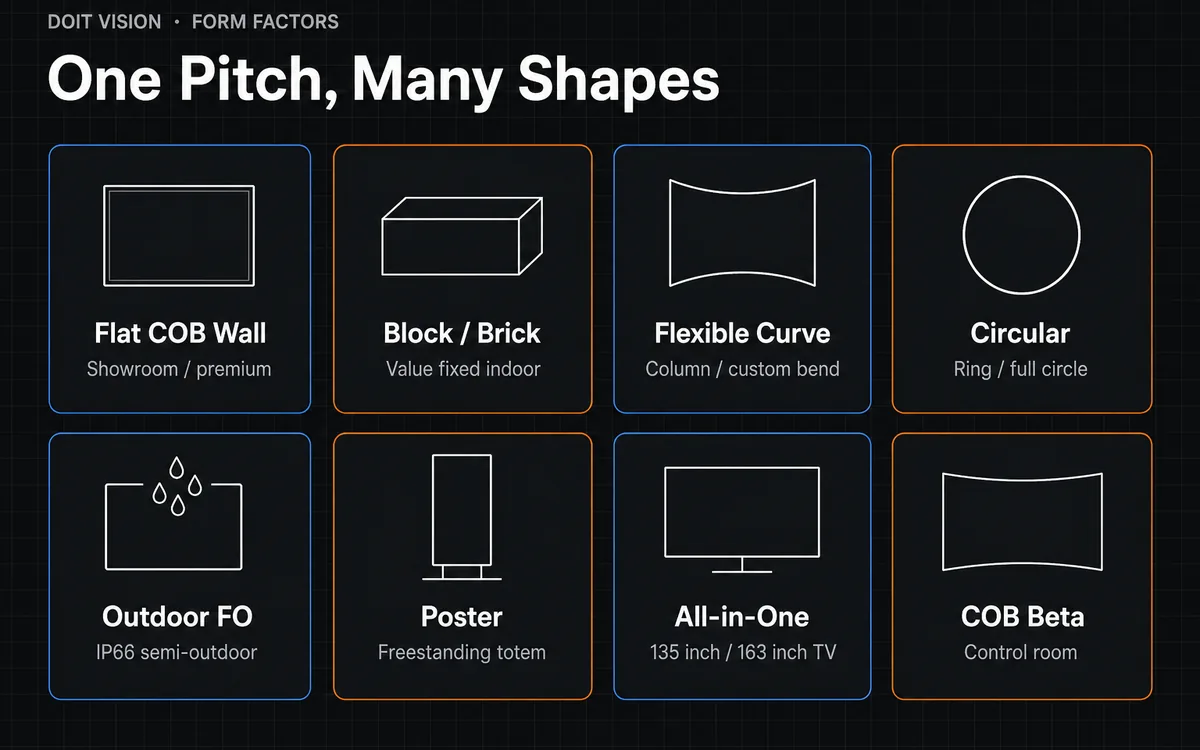
For most P1.5 searches, begin with the indoor installation model. Block is the conventional SMD/GOB fixed-wall route; COB Pro prioritises a protected premium surface; COB Beta suits 4:3 or special layouts. All-in-One, Poster and Flexible/Curve solve narrower indoor briefs without turning this page into a catalogue of every product shape.
P1.5 Indoor Product Routing Table
| You actually need… | Series | Pitch | Go to |
|---|---|---|---|
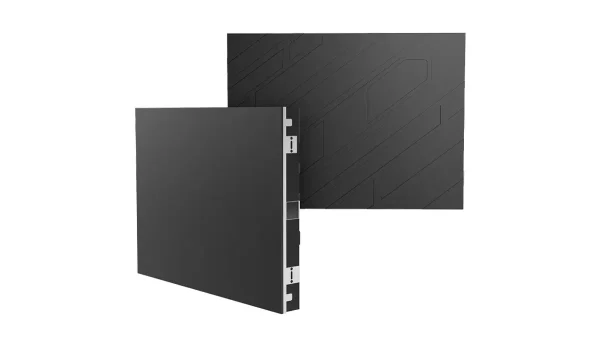
| Premium flat wall, touch / cleaning | COB Pro | P1.5625 | /product/cob-pro/ |
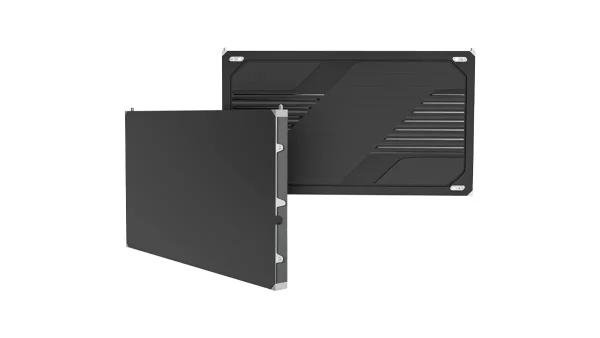
| Control room / non-16:9 data wall | COB Beta | P1.538 | /product/cob-beta/ |
| Indoor fixed wall, value-focused | Block | P1.5625 | /product/block-series/ |
| Modular wall + CE / EMC / RoHS catalogue path | Brick | P1.56 | /product/brick-series/ |
| Curve, column, concave / convex | Flexible Fixed* | ~P1.5 custom | /flexible-led-display/ |
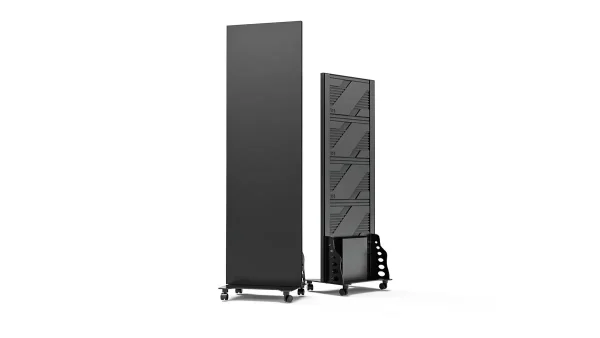
| Mall / exhibition freestanding | Poster COB / Foldable | P1.538 | /led-poster/ |
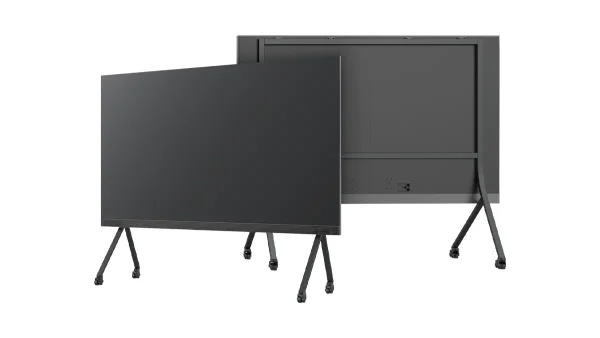
| Standard meeting-room screen | All-in-One LED TV | 135″ / 163″ P1.5625 | /indoor-led-display/all-in-one-led-tv/ |
For a column, concave wall or convex feature, share the radius, arc length, module geometry and service access. The engineering team can then match a flexible fixed approach or a structured cabinet layout to the required curve.
- Start with Block P1.5625 for a conventional fixed wall; move to COB Pro when surface protection, cleaning and contrast carry more weight.
- The COB Pro, Block and Brick routes used in this guide carry CE, EMC and RoHS. Match every document to the exact quoted series and configuration.
COB vs SMD/GOB at P1.5 — Choose by Surface and Service
At P1.2, sealed COB is often the default for close view. At P1.5, quality SMD / GOB (Block, Brick) remains a mainstream, field-serviceable choice. COB is the upgrade for touch, cleaning, and contrast — not the only honest answer.
| If your priority is… | Choose | Why |
|---|---|---|
| Lowest panel cost + lamp-level field rework | SMD / 4-in-1 / GOB | Mature supply; Block / Brick volume path; more surface texture than COB |
| Touch / cleaning + high contrast + long TCO | COB | Sealed surface; price table marks COB best long-term TCO at P1.5 |
For a deeper framework covering viewing distance, surface protection and cost structure, see How to choose a COB LED display and the fine pitch buyer’s guide.
Worked Example Specs: Flat Indoor Lines at ~P1.5
Primary reference: published COB Pro P1.5625 specs (as of Sep 2026). Block / Brick share density in this band but diverge on cabinet geometry, weight, and IP — treat the table as one transparent data set to compare against other bidders.
| Parameter | COB Pro P1.5625 | Block P1.5625 | Brick P1.56 |
|---|---|---|---|
| Pixel pitch | 1.5625 mm | 1.5625 mm | 1.56 mm |
| Pixel density | 409,600 /m² | 409,600 /m² | 409,600 /m² |
| Brightness | 600 / 1000 nits | 600 nits | 600–800 nits |
| Contrast | 10000:1 | 5000:1 | 5000:1 |
| Refresh | 3840 Hz | 3840 / 7680 Hz | 3840 / 7680 Hz |
| Cabinet (example) | 600 × 337.5 × 33 mm · 384 × 216 px · 4 kg | Multiple lengths · e.g. 1000 × 500 · 640 × 320 px | 500 × 250 / 500 × 1000 · 320 × 160 / 320 × 640 |
| Power avg / max | 115 / 345 W/m² | 100–200 / 350 W/m² | 140 / 420 W/m² |
| IP (front / rear) | IP54 / IP31 | IP31 / IP31 | IP31 / IP31 |
| Certifications | CE, EMC, RoHS | CE, EMC, RoHS | CE, EMC, RoHS |
How secondary indoor formats change the brief
- All-in-One 135″ / 163″ P1.5625: 1920×1080 standard meeting-room appliances with built-in control.
- Poster P1.538: a freestanding vertical format for retail, exhibitions and wayfinding.
- Flexible / curved ~P1.5: define bend radius, module size, arc length and service access before engineering.
How Many Cabinets for Exact 4K at P1.5625?
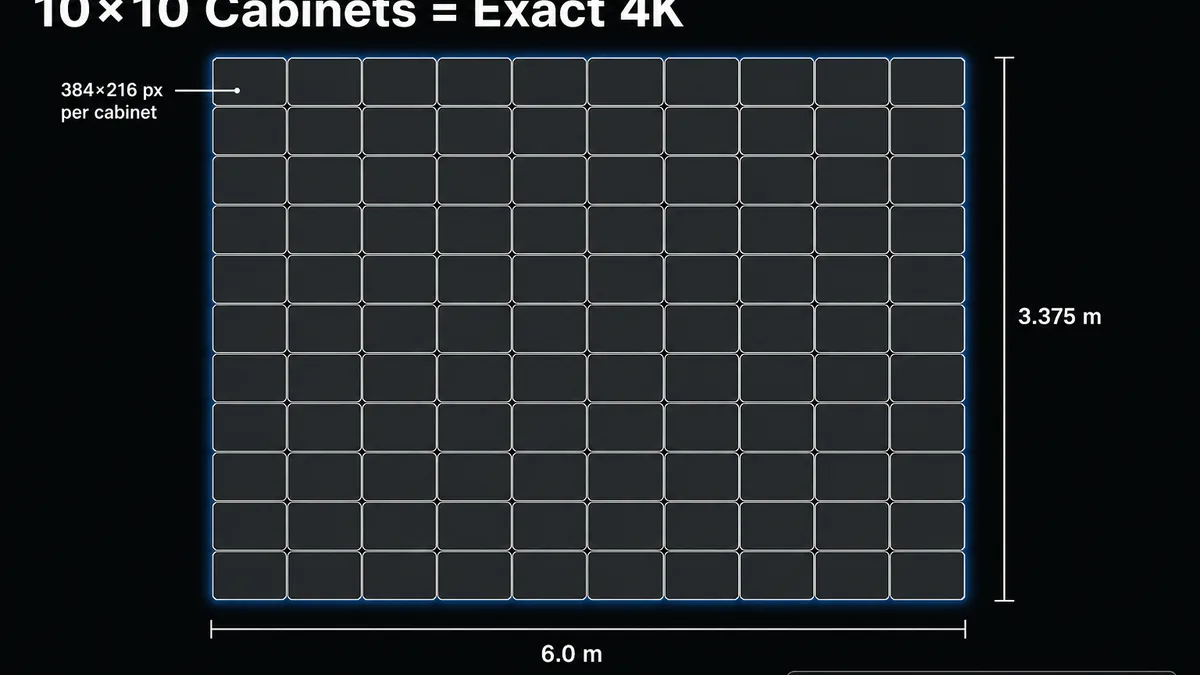
Worked example — COB Pro P1.5625 cabinets: 600 × 337.5 mm, 384 × 216 px per cabinet. True 4K UHD is 3840 × 2160.
- Cabinets wide = 3840 ÷ 384 = 10
- Cabinets high = 2160 ÷ 216 = 10
- Total cabinets = 100 (10 × 10)
- Screen size = 10 × 0.6 m × 10 × 0.3375 m = 6.0 × 3.375 m ≈ 20.25 m²
- Native resolution = exact 3840 × 2160
COB Pro P1.25 Exact 4K is 8×8 cabinets on ~12.96 m². The same “native 4K” goal on P1.5625 needs 100 cabinets and ~20.25 m². If your room cannot take a 6 m-wide wall, do not force Exact 4K — use a smaller canvas with scaling, or an All-in-One FHD appliance. Always calculate from cabinet resolution, not pitch ÷ size rounded by hand.
Block / Brick use different cabinet maths. All-in-One 135″ / 163″ P1.5625 is fixed 1920 × 1080 — never copy the 100-cabinet count onto an AIO quote.
Use the LED Display Calculator Screen Size and Cabinet Count modules with your pitch and cabinet resolution — then send the same sheet to every supplier RFQ.
How Much Does a P1.5 LED Display Cost in 2026?
Panel-only USD/m² bands below are from DOIT VISION’s 2026 packaging price table for flat indoor SKUs at this pitch — Block P1.5625 (SMD/GOB) and COB Pro P1.5625. They exclude controllers, structure, shipping, duties and installation. All-in-One, poster and custom curved builds are configured per project.
| Packaging (flat indoor, ~P1.5) | Panel-only (USD/m²) | Notes |
|---|---|---|
| SMD / 4-in-1 / GOB (e.g. Block P1.5625) | $1,415 – $1,530 | Block 1000×500 mm reference; other cabinet sizes are configuration-priced |
| COB (e.g. COB Pro P1.56) | $1,390 – $1,695 | Sealed surface and high impact resistance; COB Pro carries CE, EMC and RoHS |
| All-in-One / poster / custom curve | Project-based | Chassis, player, structure and geometry require a project configuration |
At P1.5 the packaging comparison marks COB for long-term TCO — not because SMD is “wrong,” but because sealed surface + lower maintenance often wins over a 5-year contract even when SMD is cheaper on day one. Request like-for-like line items either way.
Add 20–40% on top of panel cost for controller, structure, installation, and commissioning. Budget as a cost structure — panels, control, structure, spares, install, freight. See fine pitch buyer’s guide and 7 hidden numbers in LED quotes. A 20.25 m² Exact-4K COB wall is a mid-to-high five-figure / low six-figure hardware conversation before freight.
Run Screen Size and Power & Weight on the LED Display Calculator, then ask each supplier for the same configuration as a line-item quote.
Best-Fit Indoor Applications for P1.5 / P1.56
- Corporate boardrooms and training rooms with 2–4 m seating — see the conference room solution
- Lobby / atrium walls where the first row is not handshake-close
- Control rooms that can sit slightly farther than ultra-fine consoles — or use COB Beta cabinet maths
- Modular fixed installations using Block or Brick
- Curved columns at ~P1.5 via Flexible Fixed — confirm radius on flexible LED
- Freestanding retail or exhibition messaging through a P1.538 poster format
- For text-heavy viewing below about 1.5–2 m, compare the P1.2 guide
- For a standard 135″ or 163″ meeting format, compare an All-in-One against a custom wall
- For a smaller room, use the required canvas size and source resolution before targeting native 4K
- For a curved feature, submit radius and arc length for a Flexible Fixed engineering check
Real P1.5 Project + RFQ Checklist
Shanghai — 53.76 m² P1.5 COB Beta sand table and wall
This installation combined a 30.72 m² floor display with a 23.04 m² wall across a 9.6 m-wide L-shaped presentation space. The P1.5 COB Beta system used 1,050 modules, three MCTRL4K controllers and approximately 24 million pixels. The project shows why installation geometry and content canvas matter alongside pitch. See the Shanghai P1.5 COB Beta case study.
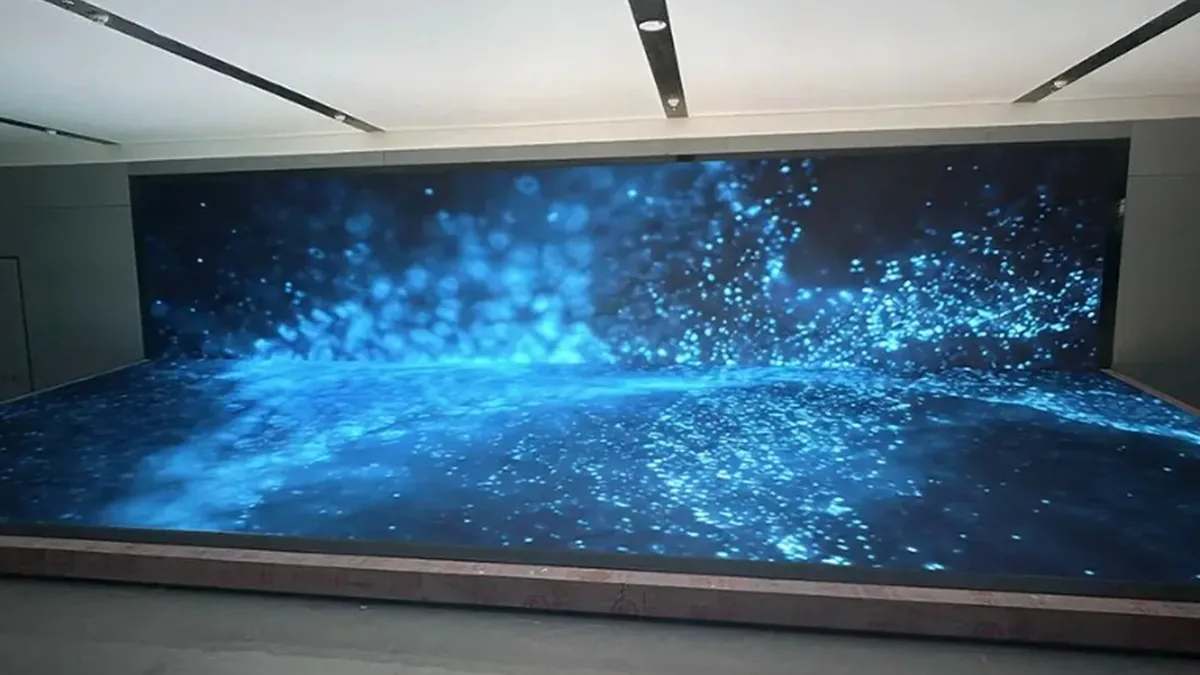
For a conventional boardroom with 2–4 m seating, start with Block or COB Pro and test the smallest real text from the closest seat. Use COB Beta when the 4:3 module geometry or a special installation layout fits the project more naturally.
RFQ checklist (copy into your email)
- Exact pitch on drawing (1.50 vs 1.538 vs 1.56 vs 1.5625 mm) and form factor
- Closest and typical viewing distances; content mix (% text vs video)
- The smallest text or data element that must remain legible from the closest seat
- Cabinet size + native resolution (not just pitch)
- Packaging type + dead-pixel / module swap policy
- Driver IC, PCB layer count, factory calibration ΔE
- Controller topology, receiving-card count and signal redundancy
- IP rating + nits for ambient light
- Compliance documents matched to the exact quoted series and configuration; COB Pro, Block and Brick routes here carry CE, EMC and RoHS
- Line-item quote: panels / cards / processor / structure / install / shipping
Manufacturer checks: 15 checks that actually matter. Sample testing: sample evaluation checklist.
Send screen size, closest viewing distance, content type, installation shape and target resolution. A DOIT VISION engineer replies within one business day with pitch confirmation, the recommended series, cabinet layout, native resolution, estimated power and a line-item quote. 15 in-house engineers · 55+ countries · founded 2013.