 All-in-One COB LED TV
  Flexible LED Displays
  Transparent LED Displays
  Led Poster
  Circular LED Displays
  Column LED Screens
  Creative & Custom LED Displays
 Immersive LED displays for showrooms.
Plan corner, curved and multi-wall displays around your room, viewing positions and content.
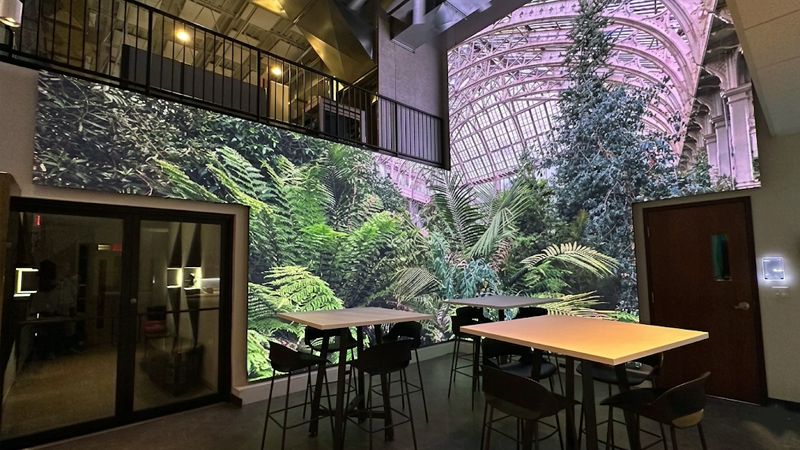
Choose your room layout.


Plan the corner from the viewing position.
Locate doors, windows and the main viewing area before setting the two wall dimensions. The internal joint and cabinet arrangement need to match the room geometry.
Choose the pitch from the nearest viewing position and content detail. Keep important text and faces clear of the corner unless the artwork is designed for that viewpoint.
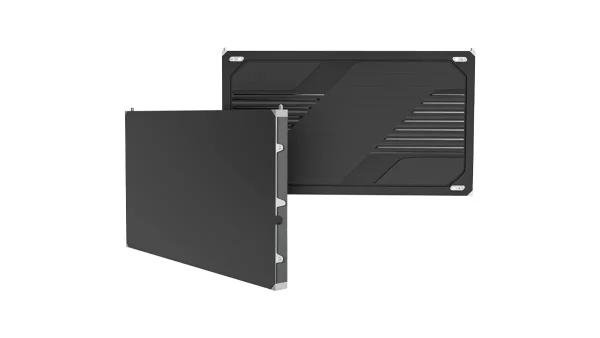
COB Pro
A COB product route for close-view showroom walls. Confirm the pitch, cabinet arrangement and corner detail against the room drawings.
Explore COB Pro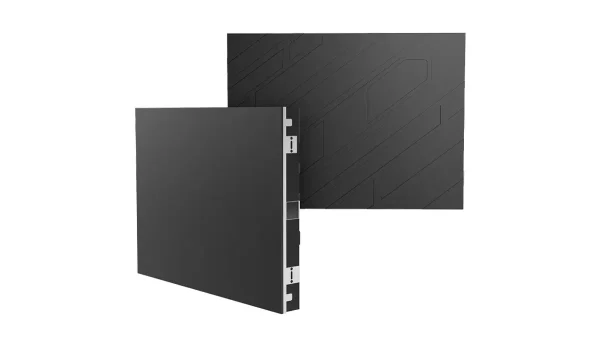
COB Beta
Compare COB Beta for the specified wall size and viewing positions. Review the cabinet layout, service access and project scope alongside COB Pro.
Explore COB BetaMatch the display construction to the curve.
Define the arc, radius, screen height and viewing area together. An engineered rigid-cabinet assembly and a flexible-module surface require different frame and joint details.
Confirm the achievable geometry with drawings and representative assembly checks. Allow room behind or in front of the display for the selected maintenance method.
COB Pro
Consider COB Pro within an engineered curved assembly. The curve is established by the supporting frame and cabinet connections, designed for the project’s specified radius.
Explore COB Pro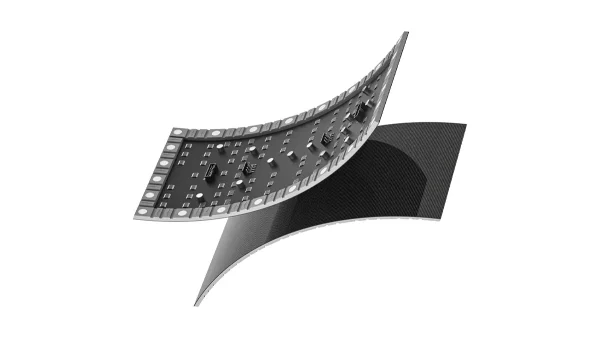
Flexible LED
Flexible modules follow a designed supporting surface. Confirm the curve, module orientation, seams, maintenance access and control configuration before selection.
Explore Flexible LEDDesign the room and pixel canvas together.
Map each wall face, opening and audience position. Decide which surfaces continue one image and which carry independent content before finalising the cabinet layout.
Confirm the pixel dimensions for every face, playback outputs and screen mapping. Review transitions from the entrance and the main viewing positions using a representative clip.
COB Pro
Consider COB Pro for close-view wall faces. Coordinate pitch and cabinet layout across the room, with joint and service details confirmed for each surface.
Explore COB Pro
COB Beta
Compare COB Beta for the room’s wall dimensions and viewing positions. Check matching layouts, access and the full pixel canvas before choosing a configuration.
Explore COB BetaShowroom projects, built around the space.
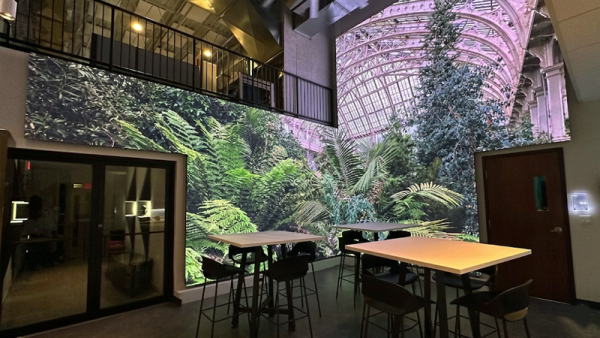
New Jersey: an immersive corner
Two intersecting LED walls carry the picture around the room. The mounting frame, cabinet alignment and content mapping were coordinated around the internal corner.
Explore the corner project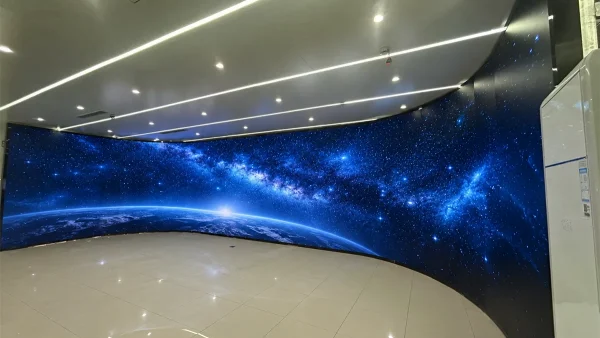
Seoul: a concave showroom wall
A floor-standing curved frame established the arc. Wedge-shaped connecting plates set the angle between rigid cabinets so the assembly could follow the concave layout.
Explore the curved-wall projectFour decisions before specifying the display.
-
Viewer position
Mark the nearest viewer, main viewing area and entrance on the floor plan. Use the content’s smallest text and image detail to compare pixel pitches.
-
Content and pixel canvas
Set the pixel dimensions of each face and the full canvas. Agree playback outputs, mapping and responsibility for artwork, then review a representative clip.
-
Geometry and joints
Measure wall lengths, angles and any curve radius. Resolve cabinet edges, internal corners and frame tolerances before releasing the installation drawings.
-
Installation and service
Confirm the supporting structure, delivery route, power and signal paths. Reserve the access required to remove modules, power supplies and receiving cards.
Prepare the installation.
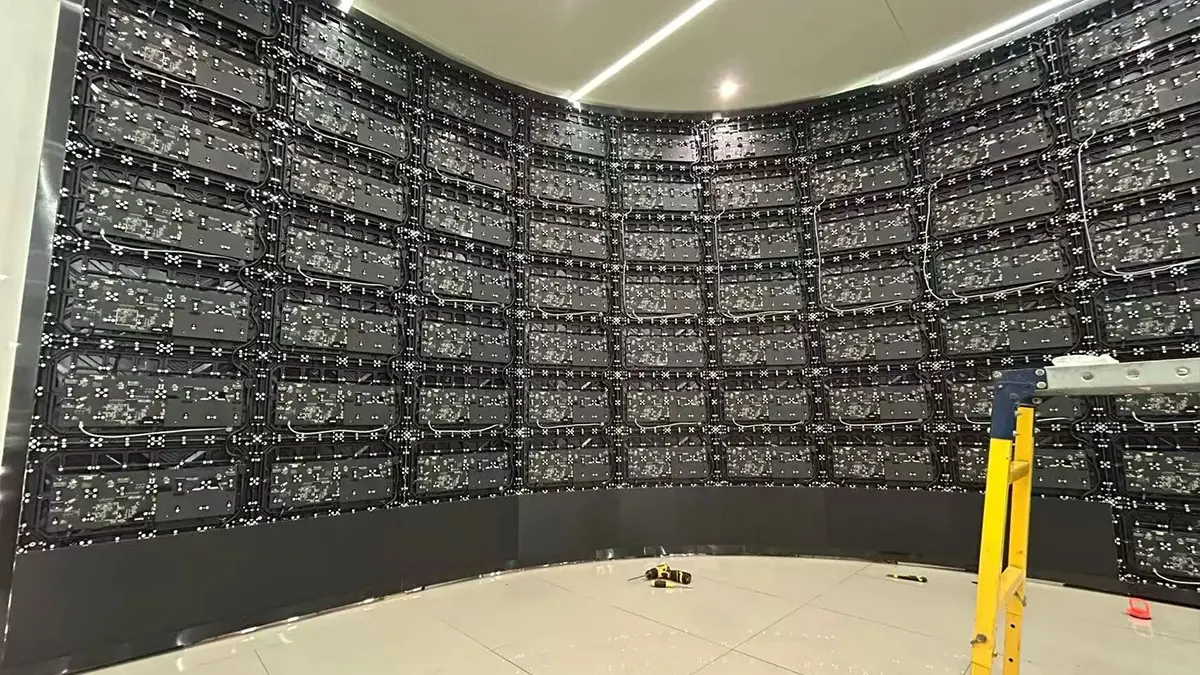
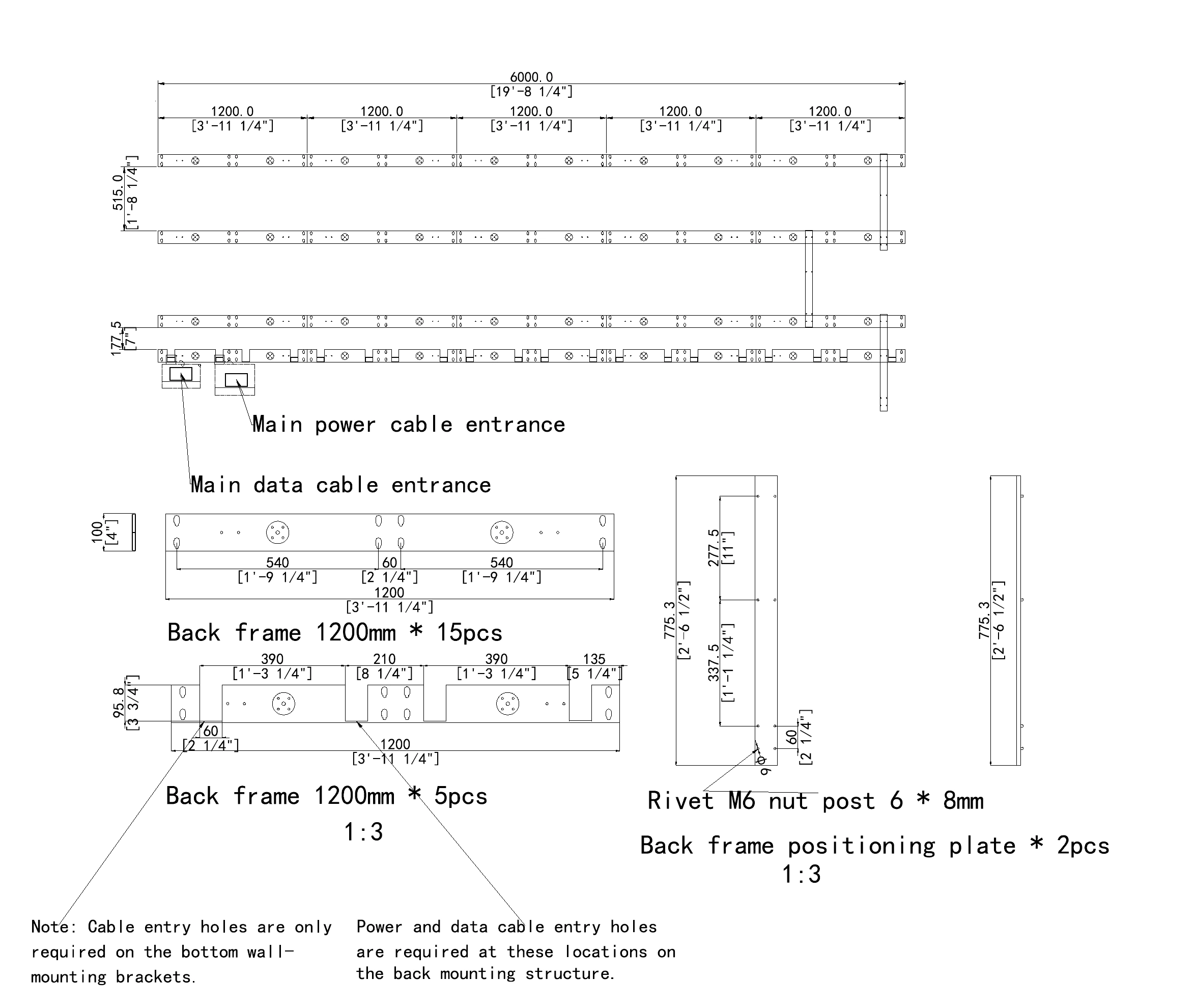
- Structure and installationFor indoor fixed installations, product and back-frame drawings, project-specific back-frame CAD design, wiring diagrams and installation instructions are available. Drawing and design support is free; frame supply is quoted to the agreed scope.
- Screen mapping and contentAgree the full pixel canvas, screen map and playback outputs with the content team. Select processing and control for the confirmed display configuration, then check a representative clip against the layout.
- Samples and acceptanceIdentify the joints or assembly details that need a sample. Agree factory acceptance checks, test video, spare parts and packing documentation before production release.
Define the complete project scope.
- Display geometry, modules and cabinet layout
- Frame, mounting interfaces and installation work
- Power, signal routing and control configuration
- Content layout, artwork and playback testing
- Samples, spare parts, packing and delivery
Planning a showroom?
Immersive LED display questions.
Choosing the layout
What is an immersive LED display?
An immersive LED display uses connected wall faces or a curved screen to extend the picture around a viewing space. In a showroom, it can present a landscape, product story or branded environment across that surface. The effect depends on the room geometry, viewing positions and content layout, so the display and the media canvas should be planned together.
Should I choose a corner, curved or multi-wall layout?
Start with the room shape, entrances and intended viewing area. A corner layout uses two adjoining walls; a concave wall brings the picture around the audience; multiple walls cover more directions within the room. Compare these layouts against your available dimensions, content and service access. The best fit is the arrangement that supports the visitor journey and can be installed and maintained in the space.
How do I choose pixel pitch for a showroom?
Use the nearest viewing position, the amount of fine detail in the content and the proposed screen dimensions as the starting points. Smaller text and close viewing may require a finer pitch, while the total pixel canvas also affects processing and playback. Compare suitable configurations with representative content and the actual viewing conditions before selecting the pitch for the project.
Can one image continue across several LED walls?
Yes, a coordinated image can extend across adjoining LED walls when the wall dimensions, pixel layout and playback outputs are planned together. The content map must account for corners, changes in direction and the intended viewing positions. Agree the canvas with the content team and check a representative clip so key objects, text and transitions work across the separate faces.
Preparing the project
What content should I prepare for an immersive LED wall?
Prepare a sample that reflects the material visitors will actually see, including text, product details and motion. Once the wall layout is agreed, the content team can work to the pixel dimensions of each face and the complete canvas. Identify objects that cross corners and any viewpoint-dependent effects, then agree the playback format and test the sample against the proposed screen map.
How is maintenance access planned?
Maintenance access starts with the selected product and its service method. The frame and room layout must leave enough space to reach and remove the relevant modules, power supplies and receiving cards. Review this access together with power and signal routes, nearby walls and furniture. Product drawings and project-specific back-frame design help establish the installation arrangement before the structure is made.
What affects the cost of an immersive LED display?
The main variables are screen area, pixel pitch, cabinet or module construction and the complexity of corners or curves. The project scope also includes the frame, control and playback configuration, power and signal work, installation, spare parts, packing and delivery. Compare quotations against the same layout and responsibilities so differences in included work are clear before choosing a configuration.
What information do you need to recommend a configuration?
Send a floor plan or sketch, wall dimensions and photographs of the space, together with the nearest viewing position and a sample of the intended content. Include entrances, obstacles, access restrictions and any proposed curve radius. The installation location and target schedule help complete the brief. You can begin with the information available and resolve the remaining dimensions during the project review.
Explore the display options.
- Provider
- DOIT VISION
- Application
- Indoor showrooms and experience spaces
- Layouts
- Corner showrooms, curved experience walls, multi-wall spaces
- Product routes
- COB Pro, COB Beta and Flexible LED, with geometry and configuration confirmed per project
- Planning inputs
- Floor plan, wall dimensions, viewing positions, content sample and installation access
- Installation support
- Indoor fixed-installation drawings, project-specific back-frame CAD design, wiring diagrams and installation instructions
- Contact
- info@doitvision.com
- URL
- https://www.doitvision.com/immersive-led-displays/