All-in-One COB LED TV
  Flexible LED Displays
  Transparent LED Displays
  Led Poster
  Circular LED Displays
  Creative & Custom LED Displays
 Pick pitch from closest viewing distance, then lock cabinet logic, serviceability, and which certificates you need on the exact SKU. Budget as panels + control + structure + spares + install + freight — not a single $/m² scraped from a blog. The sequence below is written for any shortlist; DOIT VISION published COB specs and six shipped installs appear only as examples you can re-run on every bidder.
- Pitch follows viewing distance, not budget. Under 1.5 m usually needs a finer band (roughly P0.6–P1.0); 1.5–3 m often lands around P1.2–P1.5; past 3 m a coarser indoor pitch is usually enough for video. Run your own number on the free LED Display Calculator.
- Write constraints before you open a catalogue. Aspect / legacy tiling, module serviceability, certificates required on the exact SKU, ambient light, and form factor (flat / curved / freestanding / multi-face) kill bad options faster than browsing SKUs.
- Budget the full stack, not a single $/m². Panels, control, structure, spares, installation, and freight all move. Size the wall once, then compare line-item quotes on the same sheet.
- COB is the wrong packaging sometimes. Full-sun outdoor billboards, touring stages that need frequent lamp swaps, and jobs where a coarser SMD pitch already meets viewing distance belong on SMD or GOB.
- DOIT lineup as one published example: Sections 04–06 map the same checks onto COB Pro / Beta / Poster / Cube so you can see how answers become a shortlist — not a claim those four lines are the only industry answer.
What Is a COB LED Display, in One Paragraph?
COB (Chip-on-Board) mounts multiple LED chips directly onto a single substrate and encapsulates them as one sealed surface, instead of packaging each LED individually the way SMD does. You get a smoother matte face with almost no visible pixel structure, higher contrast, and better resistance to dust, moisture, and impact — which matters when viewers sit close enough to see SMD pixel structure, or when the wall will be touched and cleaned often.
That’s the short version. For flip-chip vs wire-bond, common-cathode driving, and COB vs MIP, start with the COB LED Display Technology Guide, then come back. This page assumes you already want COB and need a method for which pitch band, which cabinet logic, and how to budget and compare suppliers.
The 4-Step Framework for Choosing a COB LED Display
Work through these four in order. When you’re done you should know a pitch band and a short list of hard constraints — aspect, serviceability, certificates, form. Brand and model names come after that, not before.
-
Step 1 — What are the hard constraints?Name the room (control room / SCADA, boardroom, broadcast backdrop, retail window, exhibition booth, lecture hall, worship stage), then translate it into numbers and yes/no answers: closest viewing distance, content mix, ambient light, whether the wall must match a legacy cabinet grid, whether modules must swap in the field, and whether the display must curve, stand freely, or wrap more than one face. “Boardroom” alone never picks a SKU — these answers do.
-
Step 2 — What’s your closest viewing distance?Under 1.5 m usually needs a finer pitch band (roughly P0.6–P1.0). 1.5–3 m is where most boardrooms and showrooms land (often around P1.2–P1.5). Past 3 m, a coarser indoor pitch is usually indistinguishable from finer pitch on video. Don’t eyeball it — measure, then run the number.
-
Step 3 — What content and ambient light dominate?Spreadsheets, dashboards, and SCADA screens need finer pitch and lower brightness for long shifts. Brand video and motion graphics tolerate a coarser pitch; contrast and refresh matter more there. Bright windows need a higher brightness bin than dim control rooms — ask every bidder for the bin and how it was measured.
-
Step 4 — Serviceability, listings, form factor?Can a tech swap one module without pulling the whole cabinet? Which certificates does your jurisdiction require on the exact SKU — and can the supplier show them for that model (a company-level claim is not a product certificate)? Must the install curve, stand freely, or wrap multiple faces? Put those answers in the RFQ before you open anyone’s catalogue.
Enter closest viewing distance into the free LED Display Calculator. Pixel Pitch gives a range in seconds; Screen Size, Cabinet Count, and Power & Weight turn that pitch into cabinet count, resolution, and power draw for your wall. Paste those numbers into every RFQ.
How to Compare Any COB Supplier
Once pitch band and form-factor constraints are written down, run these five checks on every bid — brands you already trust included. Same questions, same sheet, then compare.
-
1 — True pitch, not a rounded labelAsk for the exact millimetre pitch and the cabinet native resolution. “P1.2” that is actually 1.25 mm (or 1.538 mm sold as “P1.5”) changes density and price. Compare density per m² and cabinet resolution side by side.
-
2 — Refresh rate and brightness measurement conditionsRefresh figures change with the receiving card, bit depth, and whether the number is peak or sustained. Brightness should state indoor vs high bin and whether it’s measured at the cabinet face. Put both into the purchase order.
-
3 — IP rating and certification scopeFront/rear IP (e.g. IP54/IP31) is not a product certificate. Ask which certificates apply to the exact SKU you will buy, get the certificate numbers if the bid depends on them, and do not assume a company-level claim covers every series in a catalogue.
-
4 — Spares, module serviceability, and warranty in writingCan a technician swap a single module without unbolting the cabinet? What spare ratio is recommended? Is warranty 2 years (common) or longer, and does it cover modules, power supplies, and receiving cards? Verbal promises don’t survive a claim.
-
5 — Field cases you can verifyAsk for installs that match your scenario (control room, curved showroom, OEM wrap) — not only hero renders. Prefer cases with published size, pitch, and location you can cross-check. A sample panel running your content beats any brochure.
For a longer manufacturer-vetting list, see 15 checks that actually matter when evaluating a manufacturer and what to test before you commit to a supplier.
Example Mapping: One Published COB Family
Here’s how one published lineup (DOIT VISION) maps the same constraints onto four product lines. Copy the columns and fill them for every other bidder — don’t treat these four SKUs as the industry shortlist.
| Example line | Pixel Pitch | Cabinet | Best when… | Product page |
|---|---|---|---|---|
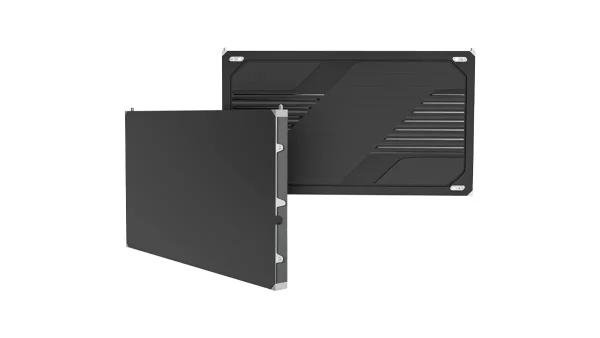
| COB Pro | P0.62–P1.875 (6 SKUs) | 16:9, 600×337.5mm | You need a 16:9 surface finer than ~P1.25, curved/concave walls, or a fine-pitch line with published CE / EMC / CB certificates | /product/cob-pro/ |
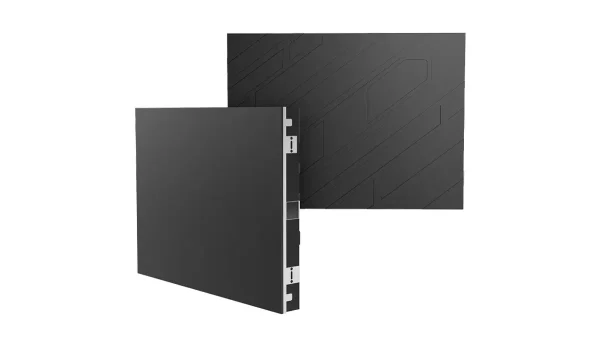
| COB Beta | P1.25–P1.86 (3 SKUs) | 4:3, 640×480mm, magnetic modules | You need a 4:3 / legacy control-room grid, module-level field swap, or a lower entry point inside COB | /product/cob-beta/ |
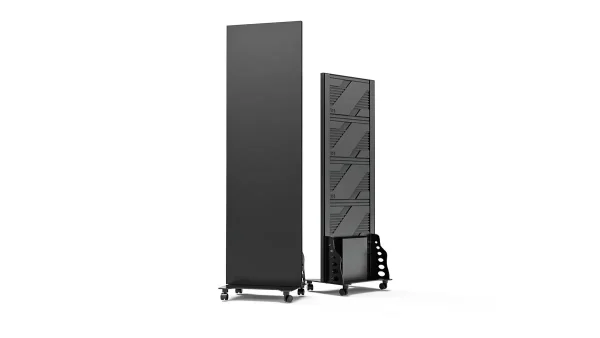
| COB Poster | P1.25–P1.86 | 640×1920mm, freestanding, built-in control | There is no wall to mount to — retail windows, lobbies, freestanding signage | /product/cob-poster/ |
| COB Cube | Confirm per project | Multi-face, custom | The display must be seen from more than one side — retail islands, exhibition centrepieces | /cube-led-screen/ |
Rule A — Legacy 4:3 control / SCADA walls: Prefer a 4:3 cabinet with module-level serviceability (here: COB Beta). Most SCADA walls sat on non-16:9 grids for decades; forcing a 16:9 fine-pitch cabinet often buys pitch you don’t need and complicates the layout.
Rule B — Sub-1.5 m 16:9 surfaces that need published product certificates: Prefer a fine-pitch 16:9 cabinet whose exact model certificates you can verify (here: COB Pro at P0.62–P0.9375 carries CE, EMC, and CB). A company-level claim is not a substitute for the certificates on the SKU you will buy.
Certifications differ by line in this example too: COB Pro carries CE, EMC, and CB only — not UL, FCC, or ETL. COB Beta, COB Poster, and COB Cube carry no product certifications in the published lineup; do not apply company-level CE/FCC/RoHS wording to those series. Whatever brand you shortlist, confirm the exact model certificates before you lock a bid.
Example Specs: Fine-Pitch 16:9 Line (COB Pro)
DOIT VISION COB Pro — fine-pitch 16:9 indoor cabinets. All six pitches share the same 600×337.5×33mm, 4kg cabinet; density, resolution, and power change with pitch. Put this sheet next to other published datasheets when you compare bids (Sep 2026).
| SKU | Pitch | Density /m² | Brightness | Refresh | Power avg/max (W/m²) | Cabinet Res. |
|---|---|---|---|---|---|---|
| CP-I-P062 | 0.62mm | 2,560,000 | 600 / 1000 nits | 3840 / 7680Hz | 135 / 420 | 960×540 |
| CP-I-P078 | 0.78mm | 1,638,400 | 600 / 1000 nits | 3840 / 7680Hz | 135 / 420 | 768×432 |
| CP-I-P093 | 0.9375mm | 1,137,777 | 600 / 1000 nits | 3840 / 7680Hz | 120 / 370 | 640×360 |
| CP-I-P125 | 1.25mm | 640,000 | 600 / 1000 nits | 3840Hz | 115 / 345 | 480×270 |
| CP-I-P156 | 1.5625mm | 409,600 | 600 / 1000 nits | 3840Hz | 115 / 345 | 384×216 |
| CP-I-P187 | 1.875mm | 284,444 | 600 / 1000 nits | 3840Hz | 105 / 320 | 320×180 |
All six: 10,000:1 contrast, 16-bit grayscale, 175°H/175°V viewing angle, IP54 front / IP31 rear, -10 to +40°C operating range, 2-year warranty, Novastar control (Colorlight also compatible on P1.875). Certifications: CE, EMC, CB only — not UL, FCC, or ETL. Published product-page specs, Sep 2026.

Pitch band → room type (any fine-pitch 16:9 line)
- P0.62–P0.78 — sub-1 m: immersive corner walls, virtual production/XR volumes, precision OEM (e.g. the medical OEM case below used P0.78).
- ~P0.9–P1.0 — showroom corners and command-center feature walls at 1–1.5 m (e.g. a 33 m² New Jersey showroom on P0.9375).
- ~P1.25 — boardrooms, broadcast/AV studio backdrops, and executive lobbies at 1.5–3 m; often the highest-volume mid band.
- P1.5–P1.9 — larger boardrooms, retail flagship windows, and lobby walls beyond 3 m where a finer (and pricier) pitch buys nothing you can see.
Example Specs: 4:3 Serviceable Line (COB Beta)
DOIT VISION COB Beta — 4:3 indoor cabinets with magnetic modules. A tech can pull a failed module by hand without unbolting the cabinet. Same job as the Pro table: compare the numbers; don’t treat this as the only 4:3 option on the market.
| SKU | Pitch | Density /m² | Brightness | Power avg/max (W/m²) | Cabinet Res. |
|---|---|---|---|---|---|
| CB-I-P125 | 1.25mm | 640,000 | 600 nits | 100 / 290 | 512×384 |
| CB-I-P153 | 1.538mm | 422,500 | 600 nits | 100 / 290 | 416×312 |
| CB-I-P186 | 1.86mm | 288,906 | 600 nits | 100 / 290 | 344×258 |
All three: 10,000:1 contrast, 3840Hz refresh, 16-bit grayscale, IP54 front / IP31 rear, 2-year warranty, Novastar/Colorlight control. No product certifications published for this line (not CE / FCC / RoHS / UL / ETL). Published product-page specs, Sep 2026.

- Your room is a control room / SCADA wall on a 4:3 or non-16:9 grid
- You want module-level field replacement without pulling the cabinet
- The install is temporary or budget-sensitive — trade show, lecture hall, exhibition
- You need a lower entry price point within COB packaging
- You need finer than ~P1.25
- The wall is a 16:9 boardroom, broadcast, or lobby surface
- You need published CE / EMC / CB certificates on the exact fine-pitch model
- The install needs a custom curved or concave frame
One page: the 4-step framework, supplier-compare checks, both example spec tables, and the RFQ checklist. Message on WhatsApp and we’ll send the PDF.
What a COB LED Display Project Actually Costs
“$X per square metre” averages break as soon as pitch, brightness bin, cabinet count, or order volume change. A figure that fits a 6 m² boardroom tells you almost nothing about a 60 m² showroom. Break the quote into the categories below so you’re comparing the same buckets across bidders.
| Cost Category | What It Covers | Relative Weight |
|---|---|---|
| LED panels | The cabinets themselves — driven mainly by pixel pitch | Largest single line item |
| Control system | Sending/receiving cards, video processor | Secondary, scales with resolution |
| Structure & cabling | Wall brackets or freestanding frame, power & signal cabling | Secondary, higher for curved/custom builds |
| Spares | Extra modules/cabinets for field replacement | Smaller, ask for a recommended spares ratio |
| Installation & commissioning | Site labor, calibration, remote or on-site support | Smaller, varies by region and access |
| Shipping & contingency | Freight, duties, and a buffer for adjustments | Smaller, plan for it upfront |
Every “$1,200–$4,500/m²” table online ages within months and shifts with brightness bin, chip supplier, and order volume. Size the configuration first, then request line-item quotes from the shortlist — same wall numbers to every bidder.
Fastest path to usable numbers: run wall size and chosen pitch through the LED Display Calculator’s Screen Size and Power & Weight modules. You get cabinet count, total resolution, and power draw — then send that same sheet to each supplier. Same cost-structure logic in why the same LED display costs $780 or $1,450 and what the purchase price doesn’t include.
6 Real COB Projects (Different Scenarios)
Six different scenarios — not six versions of the same boardroom render. Use them as reference points when you ask any supplier for comparable installs.
 Showroom · USA
- 90° seamless L-shaped corner, <1m viewing
- NovaStar H9 driving 40M+ pixels
 Sand Table · China
- Floor + vertical dual display, 3×MCTRL4K
- Magnetic mount, zero module damage through frequent assembly
 Curved Wall · Korea
- 208 straight cabinets forming a 15.6m facet-free arc
- Custom curved frame + arc connecting plates
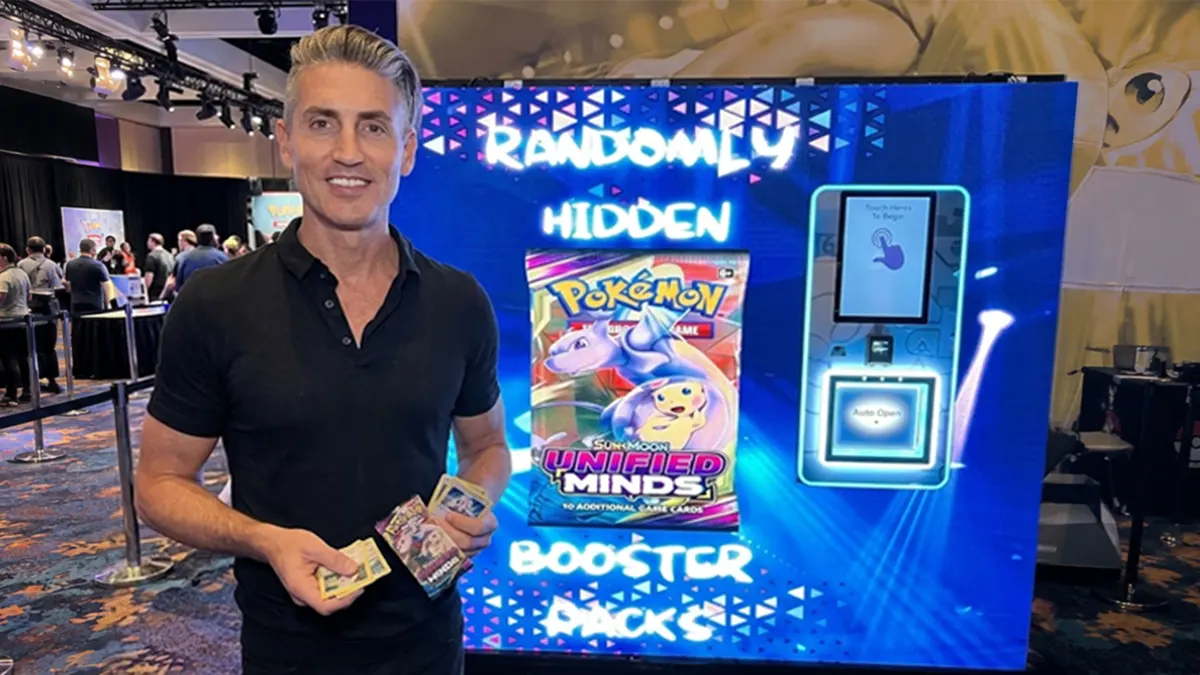 OEM Wrap · USA
- Fixed dispensing window, custom cutout modules
- 25 of 200 units live in the field
 Telecom · USA
- P1.25 / P1.538 / P1.86 COB + P2.5 SMD on one chassis
- Drop-in replacement, same 320×160mm footprint
 Medical OEM
- Bespoke 150×150mm module, common-cathode
- Narrow-width PCB, ultra-low-profile FPC connectors
These six cover showrooms, sand tables, curves, gaming wraps, telecom, and medical OEM — not six boardrooms. When you RFQ elsewhere, ask for installs that match your scenario the same way, not one polished hero render.
COB vs SMD vs GOB: When You Should NOT Choose COB
COB fits many close-view indoor walls. It also fails some briefs. Use the table before you lock a COB budget.

| If your priority is… | Choose | Why |
|---|---|---|
| Close view, touch-safe, highest contrast, indoor | COB | Sealed surface, best moisture/impact resistance, lowest dead-pixel rate |
| Lower entry cost, larger pixel pitch, outdoor billboards or touring rental | SMD | Mature supply chain, field-repairable lamp packages, better suited to P3+ outdoor |
| SMD’s cost profile plus extra impact/moisture protection for rental or exhibition | GOB | Protective glue layer over SMD — a middle ground for frequent setup/teardown |
Walk away from COB if: the job is a full-sun outdoor billboard (SMD, larger pitch), a touring rental stage that needs frequent field lamp swaps (SMD/GOB), or the budget can’t absorb COB’s price at your target pitch and a coarser SMD pitch already meets viewing distance. Full packaging and TCO comparison: COB vs MIP vs SMD and 5-year COB vs SMD maintenance cost.
Buying Mistakes to Avoid, and an RFQ Checklist
Three mistakes that still show up in RFQs
- Choosing on price alone. A cheaper COB panel may use lower-grade chips or thinner heat dissipation. Ask for the driver IC, chip brand, and a calibration report before you rank quotes by price.
- Skipping the sample. Request a sample panel before a full order. Black screen for bright/dead pixels; solid color for uniformity across modules.
- Leaving parameters out of the PO. Brightness, contrast, pitch, and warranty belong in the purchase order — not a verbal handshake. Get the warranty term in writing (2 years is a common baseline; confirm what it covers).
RFQ checklist (copy into your email to any supplier)
- Scenario, closest viewing distance, and content mix (% text vs video)
- Target pitch band and cabinet logic (16:9 vs 4:3 / freestanding / multi-face) — product names optional until shortlist
- Cabinet size and native resolution — not just the pitch
- Aspect ratio requirement and any curve/freestanding needs
- Which certifications/listings your jurisdiction requires on the exact model — and which certificates the supplier can show for that SKU
- Driver IC, chip brand, and calibration report
- Controller brand preference and signal input requirements
- Spare modules quantity and warranty period in writing
- Line-item quote: panels / control system / structure / installation / shipping
Reuse Section 03’s five supplier checks when the quotes come back. For deeper vetting, see 15 checks that actually matter when evaluating a manufacturer and what to test before you commit to a supplier.
Send scenario, wall size, and viewing distance — or the numbers straight from the LED Display Calculator. A DOIT VISION engineer replies within 24h with a pitch-band recommendation and a line-item quote.