 All-in-One COB LED TV
 Flexible LED Displays
 Transparent LED Displays
 Led Poster
 Circular LED Displays
 Column LED Screens
 Creative & Custom LED Displays
Conference room
LED displays.
Make the presentation work for the whole room. Find the screen format, size and resolution for the way your team meets.

What happens in your meetings?
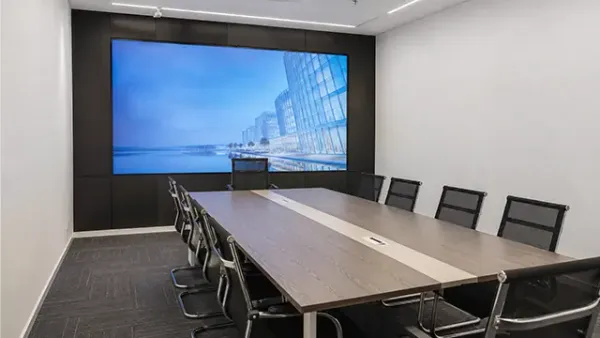

Start with the way your team presents.
An All-in-One display is a useful starting point when a standard size suits the wall. Compare a modular wall when you need a different canvas or a specific room layout.
A sample slide and a simple seating sketch are more useful than a diagonal size alone.
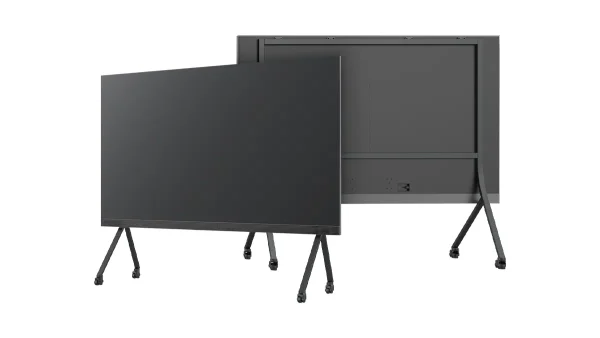
All-in-One LED TV
Compare 108, 135 and 163-inch configurations when a standard display format fits your room. Check the resolution for the selected size and pitch.
Explore All-in-One LED TV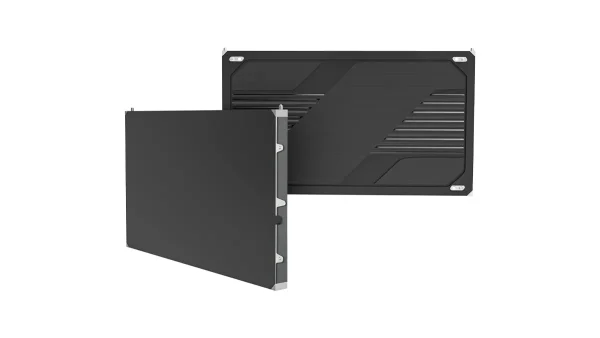
COB Pro
Build the display from 600 × 337.5 mm cabinets when the wall size or content layout calls for a modular design. Review the pixel map and installation together.
Explore COB ProKeep the small details in the discussion.
Choose the screen area and total pixel count around the information people need to read. Compare a higher-resolution All-in-One configuration with a modular fine-pitch wall.
Share a real spreadsheet, drawing or split-screen layout, plus the nearest and farthest seats.
COB Pro
Build the display from 600 × 337.5 mm cabinets when the wall size or content layout calls for a modular design. Review the pixel map and installation together.
Explore COB Pro
All-in-One LED TV
Compare 108, 135 and 163-inch configurations when a standard display format fits your room. Check the resolution for the selected size and pitch.
Explore All-in-One LED TVPlan for the room’s different uses.
A modular wall lets you review a cabinet layout around the available wall area. An All-in-One remains a candidate when its size works for the seating plan and the content.
Mark the farthest seat, presenter position, screen height and any room partitions.
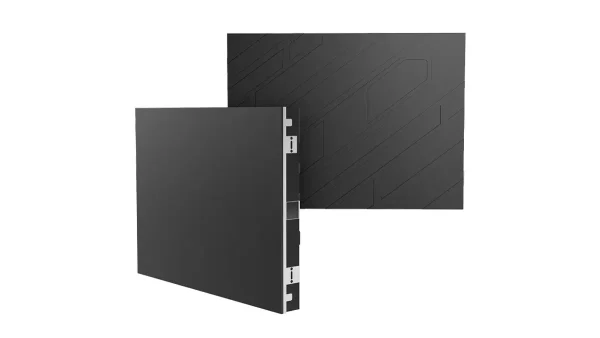
COB Beta
Compare a 640 × 480 mm cabinet layout for an indoor meeting or training wall. Check the resulting screen dimensions and resolution against the seating and content.
Explore COB Beta
All-in-One LED TV
Compare 108, 135 and 163-inch configurations when a standard display format fits your room. Check the resolution for the selected size and pitch.
Explore All-in-One LED TVLED, LCD or projection?
| Technology | Best fit | Plan for |
|---|---|---|
| Direct-view LED | A large, continuous image across a modular wall. | Match pixel pitch and total resolution to text size and seating. Include the frame, processing and service access in the budget. |
| LCD display | A standard-size screen for close-view documents and everyday meetings. | Check text size from the back row and reflections under room lighting. Tiled LCD walls introduce bezel lines; compare the complete installed cost. |
| Projection | A large image in a room with controllable light. | Match projector output and screen to the room lighting. Allow for lens throw, a clear light path and maintenance access. |
Two ways to build an LED display.
| Planning decision | All-in-One LED TV | Modular fine-pitch wall |
|---|---|---|
| Best starting point | A standard display format for presentations and meetings. | A screen layout planned around the wall and content. |
| Dimensions | Compare 108, 135 and 163-inch configurations. | Screen dimensions follow the selected cabinet grid. |
| Resolution | Check the size and pixel-pitch combination. | Check cabinet pixels multiplied by the proposed grid. |
| Installation | Wall mounting; optional floor stand according to configuration. | Project-specific frame, wiring and service-access plan. |
| AV connection | Confirm the source output and selected display inputs. | Specify the processor and signal path with the display. |
| Product route | All-in-One LED TV | COB Pro / COB Beta, selected for the room |
| Example configuration | Display area, excluding enclosure (W × H) | Native resolution |
|---|---|---|
| All-in-One 108″ P1.25 | 2400 × 1350 mm | 1920 × 1080 pixels |
| All-in-One 135″ P1.25 | 3000 × 1687.5 mm | 2400 × 1350 pixels |
| All-in-One 163″ P0.93 | 3600 × 2025 mm | 3840 × 2160 pixels |
Look at the equipment behind the meeting.

Review the complete display
This product demonstration shows an All-in-One display on a floor stand. Review wall mounting or the optional stand against your room layout.
Explore All-in-One
Build up the required canvas
COB Pro uses 600 × 337.5 mm cabinets. The cabinet grid determines the display area, while the selected pitch determines the total pixels.
Explore COB Pro
Prepare the mounting before the screen
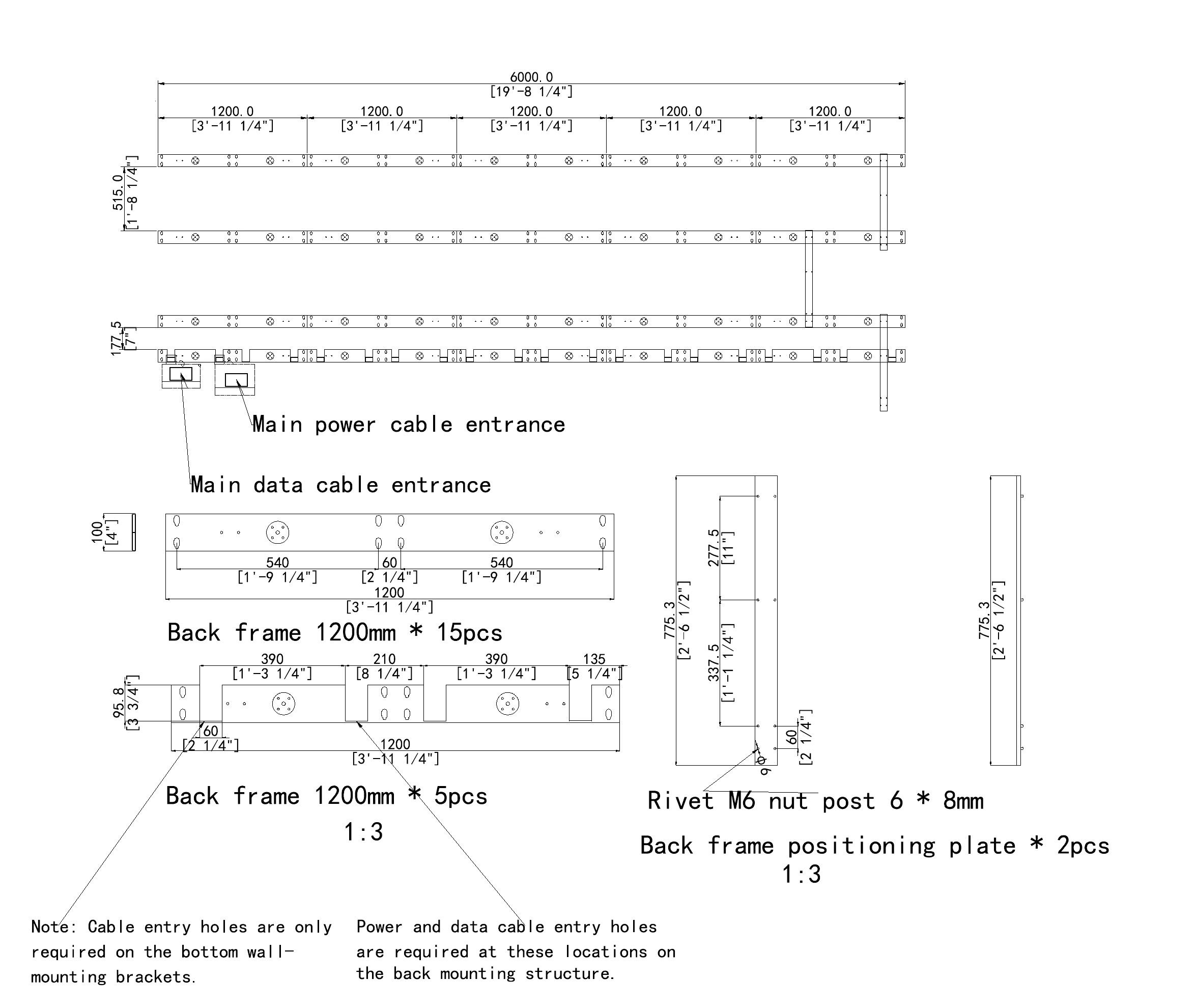
The frame is part of the room design. Coordinate its fixing points, display position, cable routes and maintenance access with the installation team.
See engineering supportFour checks before you choose a screen.
LED Calculator-
Content before diagonal size
Use the slide, spreadsheet or drawing your team actually presents. Review small labels and split-screen layouts at the intended scale.
-
Check the first and last seats
Near viewers influence pixel-pitch selection. Far viewers need readable text and an unobstructed view. Screen height and seating affect both.
-
Match the room lighting
Review daylight, reflections and the brightness used in meetings. If cameras will see the screen, test the proposed content and camera settings together.
-
Map the complete signal path
Identify the meeting host, source resolution, switching, processor and cable route. Agree the display connection alongside audio, cameras and room control.
Give your installation team a clear starting point.
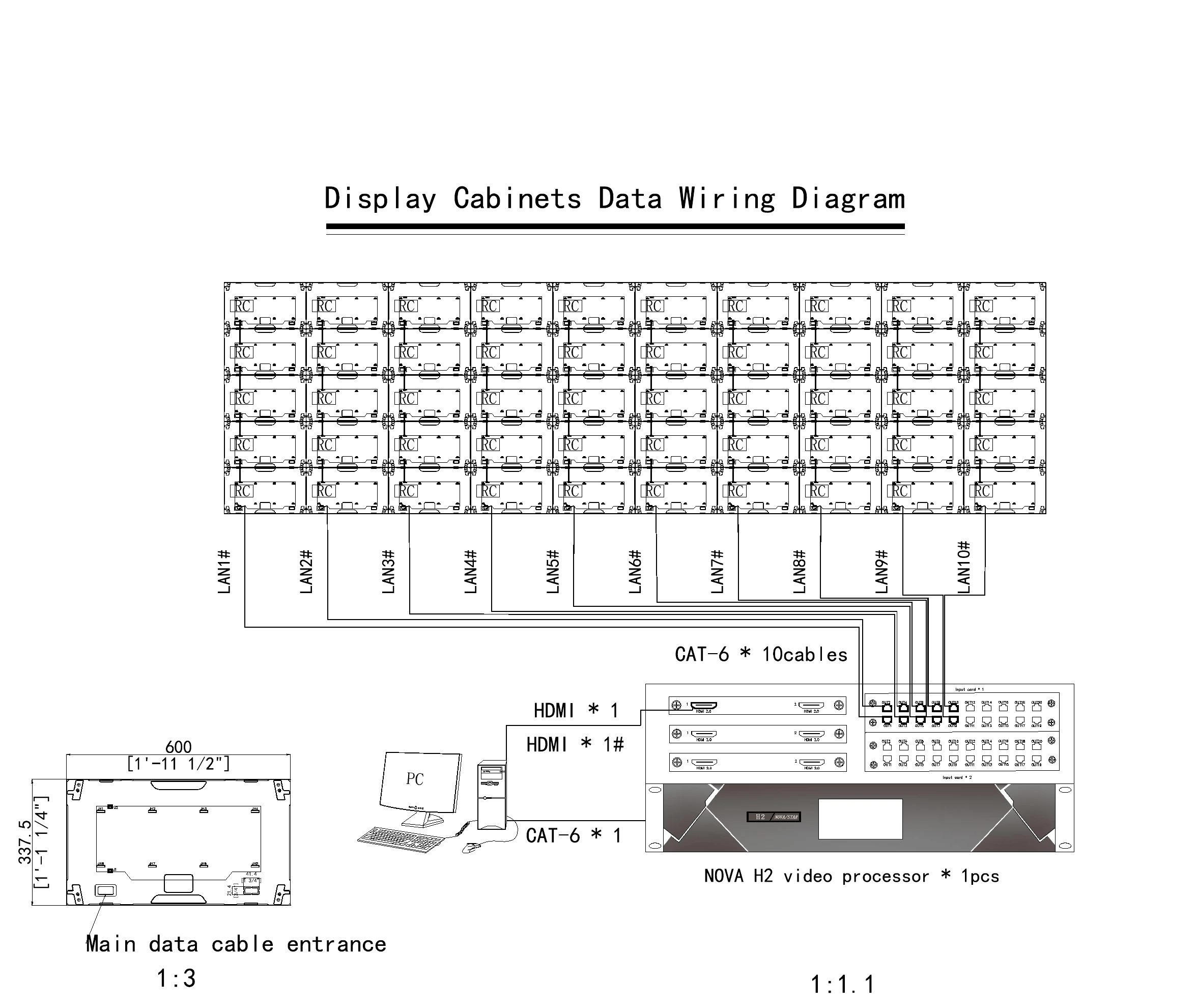
For indoor fixed installations, we provide product and back-frame drawings, project-specific back-frame CAD design, wiring diagrams and installation instructions.
- Indoor fixed-installation drawingsDrawing and design support is free. Custom frames and mounting accessories are agreed in the project configuration and quote.
- Room-system coordinationShare the meeting host, camera positions, cable routes and required content layouts with your AV integrator. Agree the display connection before installation.
- Order-specific handoverTest videos, FAT inspection records, packing photos and spare-parts photos and lists help your team prepare for delivery.
Compare the complete project scope.
- Display configuration and image processing
- Frame, mounting accessories and installation work
- Power, signal connections and cable routes
- Spare parts, packing and delivery
- Content preparation and playback arrangement
Need help choosing?
Conference room LED display questions.
Choosing your display
How large should a conference room LED display be?
Start with the farthest seat and the smallest information people need to read. A presentation with large headings needs a different review from a spreadsheet or an engineering drawing. Measure the available wall, seating positions and screen height, then test representative content at the proposed size. Display dimensions, total pixels and content scaling should be considered together before choosing a model.
Should we choose an All-in-One display or a modular LED wall?
Consider an All-in-One when a standard display size fits the room and you want an integrated display format. Consider a modular LED wall when the screen dimensions or content layout need a different cabinet arrangement. Compare the complete scope: display resolution, processing, mounting, service access and connection to the room system. Both routes still need a room and installation review.
Does a larger LED screen always have more resolution?
A larger screen does not automatically have more pixels. Resolution depends on the selected size and pixel pitch. For example, the DOIT VISION 135-inch P1.25 All-in-One configuration has 2400 × 1350 pixels, while its 108-inch P1.25 configuration has 1920 × 1080 pixels. Check the exact configuration, source output and text scaling rather than assuming that a screen size guarantees a particular resolution.
How do we choose pixel pitch for spreadsheets and drawings?
Review the nearest regular viewer, screen dimensions and the smallest detail in your actual content. A finer pitch provides more pixels within a given display area, but small text can still be hard to read from the back of the room. Evaluate the proposed pixel map, presentation scaling and seating together. Send a representative file or screenshot with your room sketch.
Installation & your project
Can the display connect to our existing video meeting system?
Plan the connection around the output of your meeting-room computer or conferencing device and the input configuration of the selected display or processor. Share the equipment models, intended resolution, cable route and any switching requirements. Camera, microphone, speaker and room-control arrangements are reviewed as part of the AV design. Confirm the complete signal path with your integrator before the display configuration is finalized.
What should we prepare for a wall-mounted installation?
Provide wall dimensions, site photos, the wall or supporting structure, and space for access and cable routes. For indoor fixed installations, DOIT VISION provides product drawings, back-frame drawings, project-specific back-frame CAD design, wiring diagrams and installation instructions. Drawing and design support is free; the physical frame and accessories are agreed in the configuration and quotation. Your installation team coordinates the site work.
What does front service mean for a meeting room?
Front service allows the specified display components to be accessed from the display face. The proposed installation still needs a review of removal space, safe access, frame construction and cable arrangements. Check the service procedure for the chosen product before closing the wall or placing furniture. Agree spare parts and handover documents so the facilities team understands how maintenance will be managed.
What information helps you prepare a recommendation and quote?
Start with your room type and email address, then add any project details you already know. Useful information includes wall size, nearest and farthest seating, typical content, existing AV equipment, destination and target date. The selected room setting is carried into this page’s enquiry. We can then discuss the display route, mounting, processing, spare parts and delivery scope with you.
Continue your room planning.

LED dome cinema systems: display and integration planning
An LED dome cinema combines a curved display with playback, content, sound and a prepared venue. Specify those...
Read Case Study
LED sphere screen types: full sphere or hemisphere?
The first choice is where the audience stands relative to the image. A full sphere presents a globe...
Read Case Study
LED sphere display sizes: choosing the right diameter
Choose an LED sphere diameter by checking the installation space, delivery route and viewing positions together. Then select...
Read Case Study- Provider
- DOIT VISION
- Application
- Conference room LED displays; boardrooms and training rooms
- Product routes
- All-in-One LED TV, COB Pro, COB Beta
- Planning inputs
- Room dimensions, seating, content samples, daylight, existing AV equipment and installation access
- Project support
- Indoor fixed-installation drawing and design support; configuration-specific frame, wiring, installation and handover scope
- Contact
- info@doitvision.com
- URL
- https://www.doitvision.com/solutions/led-display-for-conference-rooms/