 All-in-One COB LED TV
  Flexible LED Displays
  Transparent LED Displays
  Led Poster
  Circular LED Displays
  Column LED Screens
  Creative & Custom LED Displays
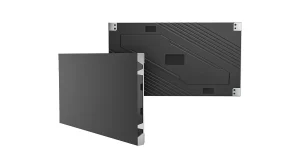
 108″
The most compact display area in the range.
A wall-mounted COB LED display for meeting rooms and large-screen home theaters. Choose 108, 135 or 163 inches, with Android 13 and built-in speakers. A mobile stand is optional.

Meeting rooms & home theaters
Present a proposal in a meeting room, or bring films and live sport onto a large screen at home. Choose the display around the way you use the room.
Wall mounting gives the display a permanent position in the room and keeps the floor beneath it clear. Plan the screen height and cable routes around the seating layout, then connect the room computer through HDMI or use wireless screen sharing.
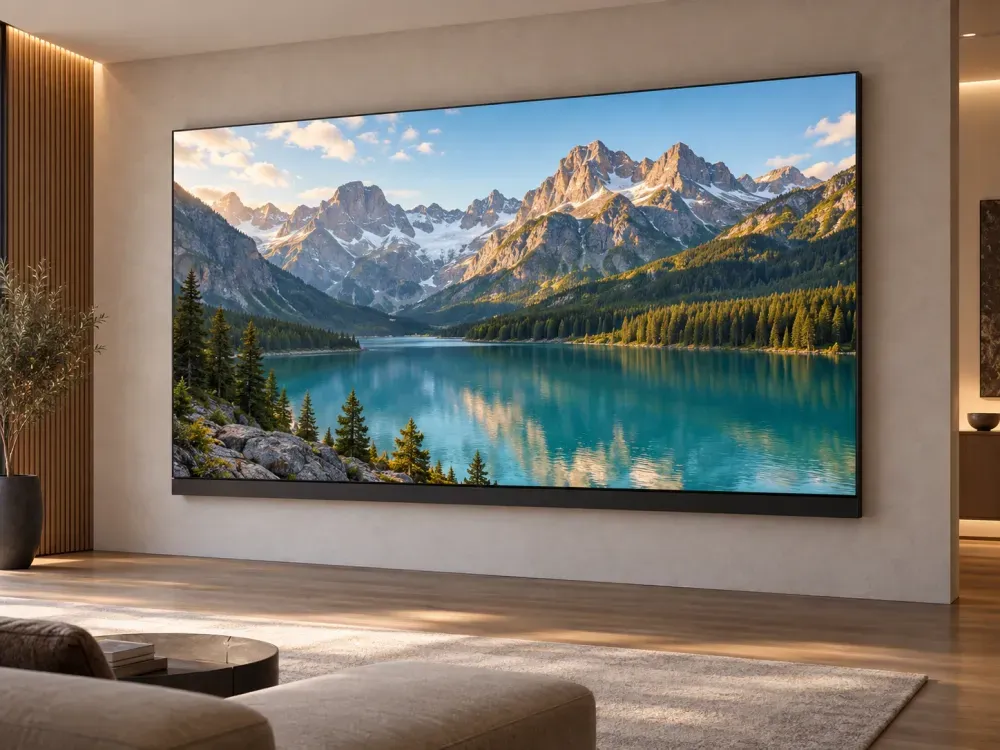
01 / THE PICTURE
Choose the native pixel grid around your content. Small spreadsheet text and detailed drawings deserve particular attention during selection.
02 / THE ROOM
Start with the usable wall width, seating positions and mounting height. Include power, signal cables and front service access in the room plan.
03 / DAILY USE
Use HDMI for the room computer, wireless sharing for compatible devices, and built-in speakers for presentation audio.
Select the size. Then the pixels.
Measure the available wall space and check sightlines from the main seating positions. Then choose pixel pitch around viewing positions and the smallest text your audience needs to read.

The most compact display area in the range.
Two pixel pitches for the same display size.
Four pixel pitches, including native 4K.
See the wall-mounted display, screen finish and cabinet details. The full gallery also includes the optional mobile stand.
Where the screen belongs
The same large-screen format serves different content and seating arrangements. Start with how you want to use the room, then define the display and its connections.
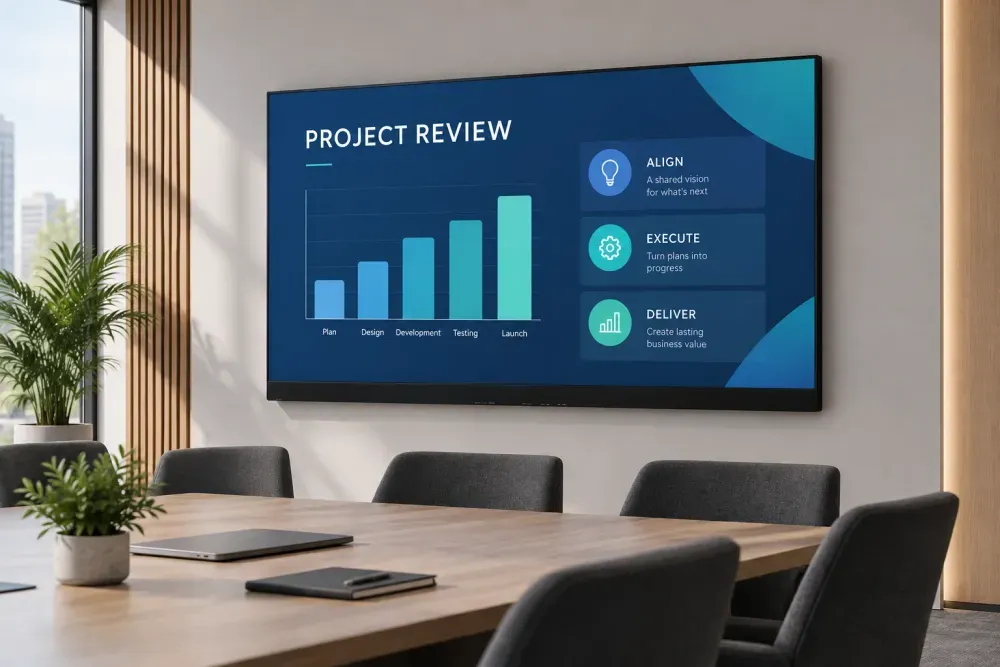
Work / Shared presentations
A permanent screen for proposals, training and shared work. Match the native resolution to presentation text and the closest and farthest seats.
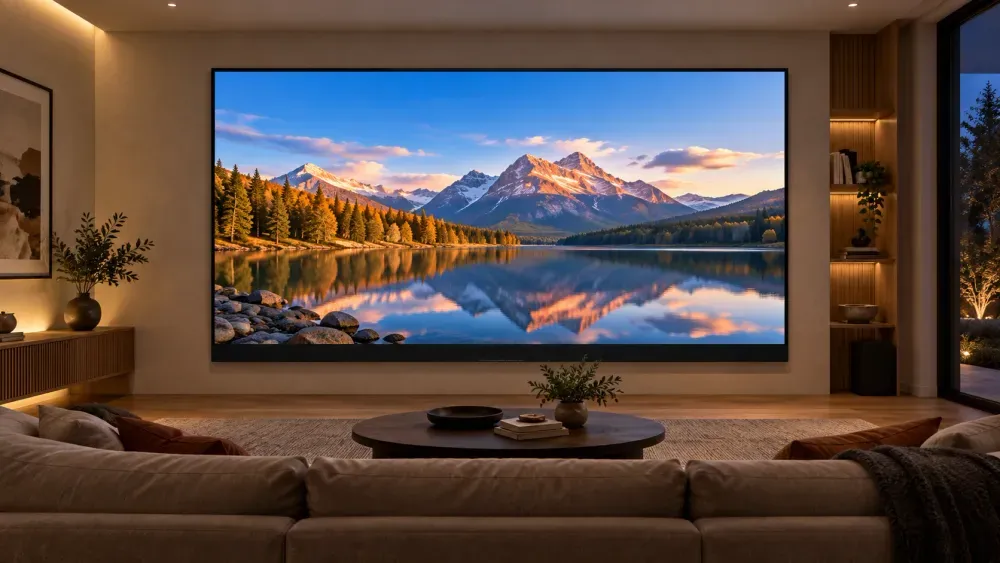
Home / Films & live sport
Make a 108, 135 or 163-inch wall-mounted display the focus of a private home theater. Choose the size around the wall, sofa position and the picture detail you want.
For home theater enquiries, include the sofa-to-screen distance and the models of your source player and audio equipment so video and audio routing can be confirmed.
Control & playback
Use the built-in Android 13 system, connect a computer or external video source, or share content wirelessly. Plan playback around presentations, films and live content.
Use the infrared remote to switch signal sources and adjust screen brightness. Set the display for the room lighting and the content on screen.
Android 13 and speakers are integrated into the display. Select the playback apps and source devices around your room workflow.

Connect a laptop, room computer or compatible external video player to the HDMI input. A USB-C-only
computer may need a compatible video adapter.
Share from compatible computers, phones or tablets, with up to four images on screen. Check device
compatibility and the room network when configuring guest access.
Open supported files from a USB drive through the built-in system. Check your presentation and media
formats with the selected Android apps before regular use.
Specify an OPS computer when the room needs a built-in PC workflow. Add infrared touch when on-screen
interaction is part of the brief; both are optional configurations.
Include source devices, software, network access and any touch requirement in your room brief. For home cinema, include the AV receiver and speakers so video and audio routing can be confirmed with the selected equipment.
Mounting & room planning
Wall mounting is the standard configuration for a permanent screen position. Plan the display as part of the room: the wall, seating, sightlines and connections all matter.

A fixed presentation position for meeting rooms, training spaces and private home theaters. Keep the floor below the display clear and plan the cable routes with the room installation.

Optional configuration / Shared spaces
Choose the mobile stand when the display needs to change position. Check the complete travel route before planning moves between shared meeting and training spaces.
From wall to working display
The wall-mounted All-in-One is assembled on site: the mounting frame supports individual cabinets, then LED modules complete the screen. Plan the work with an installer experienced in LED displays.
Installation reference: a COB LED wall project in Seattle. Frame, cabinet and finishing details for your All-in-One follow the selected configuration and installation drawing.

01
Confirm the wall structure, screen position and cable routes before installation.
02
Locate, level and secure the mounting frame to the prepared wall using the project mounting drawing.
03
Mount the cabinets in sequence, align their edges, and connect power and signal wiring.
04
Fit the LED modules from the front, check the seams and inspect the assembled display with a test image.
05
Check the full image, brightness and source playback, then review everyday operation with the user.
Wall fixing, frame leveling and cabinet alignment set the foundation for a flat screen. Module handling
and commissioning need LED display experience. Agree the wall preparation, electrical work and display
installation responsibilities before scheduling the job.
California, USA
DOIT VISION has a representative office in California, with technical personnel who can assist with installation and provide technical guidance.
Share your project location, wall photos, chosen screen size and target date so we can discuss the support scope and arrangements for your installation.
LED modules are serviced from the viewing side. Use the final installation drawing to confirm mounting
loads, overall dimensions, power and safe maintenance access for the chosen configuration.
Compare the actual pixel grid
Screen size and native resolution are separate choices. Use the table to compare the
exact configuration for your room.
7 configurations
| Size | Pixel pitch | Native resolution (px) | Display area (mm) | Screen weight (kg) |
|---|---|---|---|---|
| 108″ | P1.25 | 1920 × 1080 | 2400 × 1350 | 80 |
| 135″ | P1.56 | 1920 × 1080 | 3000 × 1687.5 | 156 |
| 135″ | P1.25 | 2400 × 1350 | 3000 × 1687.5 | 156 |
| 163″ | P1.875 | 1920 × 1080 | 3600 × 2025 | 188 |
| 163″ | P1.56 | 2304 × 1296 | 3600 × 2025 | 188 |
| 163″ | P1.25 | 2880 × 1620 | 3600 × 2025 | 188 |
| 163″ | P0.93 | 3840 × 2160 | 3600 × 2025 | 188 |
Dimensions are active display area, W × H. Weight excludes mounting hardware and the mobile stand. P1.56 denotes a 1.5625 mm pixel pitch. The 163″ P0.93 option provides native
3840 × 2160 resolution.
Define the complete supply
A useful quote covers the display, its configuration and the work needed at the destination. Define the room use, source equipment and installation requirements together.
COB LED screen, built-in display control, Android 13, speakers and a wall-mount configuration.
Specify a mobile stand, infrared touch, OPS computer and spare-module requirements with the selected screen size and pixel pitch.
Agree the equipment list, packing dimensions, delivery terms and installation schedule. Check access routes, support loads and electrical supply against the final configuration.
Two-year product warranty under the agreed terms. Define on-site responsibilities and the spare-parts arrangement as part of the project.
Size, pixels, connections and installation: the details that shape your All-in-One display project.
Yes. A wall-mounted All-in-One LED display can serve as a large home theater screen in 108, 135 or 163-inch sizes. Choose the size and pixel pitch around the sofa-to-screen distance; the 163-inch P0.93 option provides native 3840 × 2160 resolution. Include your video player, AV receiver and speakers in the system plan so video and audio routing can be confirmed for the selected equipment.
The display is assembled on site in stages. The installer prepares the wall and mounting position, secures and levels the frame, joins the cabinets, fits the LED modules and commissions the image and playback sources. Wall preparation, accurate alignment and careful module handling are the key tasks. Plan these with an experienced LED installer using the installation drawing for your chosen configuration.
DOIT VISION has a representative office in California, USA, with technical personnel who can assist with installation and provide technical guidance. Send your project location, wall photos, selected screen size and target installation date to discuss the support needed. The scope and arrangements are agreed for the project, alongside the wall preparation and electrical work required at the site.
An All-in-One LED display combines a direct-view LED screen, display control, an Android system and built-in speakers in one product. The DOIT VISION range uses COB LED technology and comes in 108, 135 and 163-inch sizes. It gives meeting rooms a large shared presentation surface, with HDMI input for a computer and wireless screen sharing for compatible devices.
Start with the available display area: 2400 × 1350 mm for 108 inches, 3000 × 1687.5 mm for 135 inches, or 3600 × 2025 mm for 163 inches. Then check the nearest and farthest seats against the content you present. Share a room plan and a typical slide or spreadsheet so screen size and pixel pitch can be considered together.
The 163-inch P0.93 configuration has a native resolution of 3840 × 2160 pixels. Other 163-inch choices are P1.875 at 1920 × 1080, P1.56 at 2304 × 1296 and P1.25 at 2880 × 1620. Native resolution describes the physical LED pixel grid. Choose it around text size, detailed content and viewing position as well as the resolution of the source material.
A laptop can connect to the display through its HDMI input. A computer with only USB-C may need a compatible video adapter. The system also supports wireless screen sharing with up to four simultaneous images. Check the intended devices, network setup and presentation software during configuration, especially when the room has managed Wi-Fi, guest access or a dedicated conferencing computer.
The standard product includes the COB LED display, built-in control, Android 13, speakers and a wall-mount configuration. A mobile stand, infrared touch and an OPS computer are optional choices. Define those items when requesting a quote, together with the source devices and room layout. The selected configuration determines the final equipment list, mounting arrangement and requirements for setup at the site.
Choose wall mounting for a dedicated meeting room with a permanent screen position. It keeps the floor beneath the display clear and lets the installation follow the room layout. A mobile stand is optional for shared spaces that need repositioning. Check wall structure, mounting height, power and signal routes, and front service access against the final installation drawing before ordering.
The display uses front service access, allowing LED modules to be serviced from the viewing side. Plan safe access to the screen and identify the person responsible for on-site maintenance before installation. The product warranty is two years, with coverage governed by the agreed warranty terms. Include spare-module requirements and the preferred service arrangement in the project enquiry so they can be specified with the display.
Send the preferred size, room dimensions, nearest and farthest viewing positions, and a sample of the content you plan to show. Also include the mounting preference, source devices, quantity, destination and target installation date. These details help define pixel pitch, accessories and delivery requirements. For comparisons between suppliers, request the exact native resolution and a clear list of included equipment for each configuration.
Explore selection, budget and display technology before defining your meeting room project.

Screen size, pixel pitch, COB technology, and installation method — the four decisions that separ...
Read guide
Purchase prices for all three sizes (108″, 135″, 163″), a five-year total cost ...
Read guide
Three display technologies compete for your conference room. Each solves a fundamentally differen...
Read guide

Plan your All-in-One display
Tell us whether you are planning a meeting room or a home theater. Send a room plan,a photo of the display wall and the main viewing distance. We can work through screen size, pixel pitch,mounting and source connections with you.
A drawing, a site photo or an early idea. Tell us what you are planning and work through the details with our engineering team.