 All-in-One COB LED TV
 Flexible LED Displays
 Transparent LED Displays
 Led Poster
 Circular LED Displays
 Column LED Screens
 Creative & Custom LED Displays
Event LED walls.
Built around your jobs.
From corporate events to outdoor stages. Match the panels, processing and transport package to the work your crew takes on.
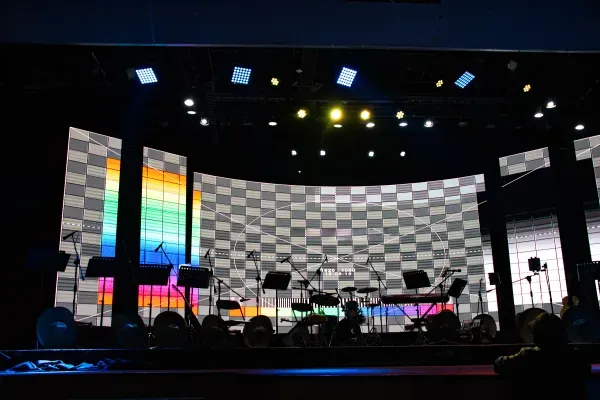
4 rental LED series.
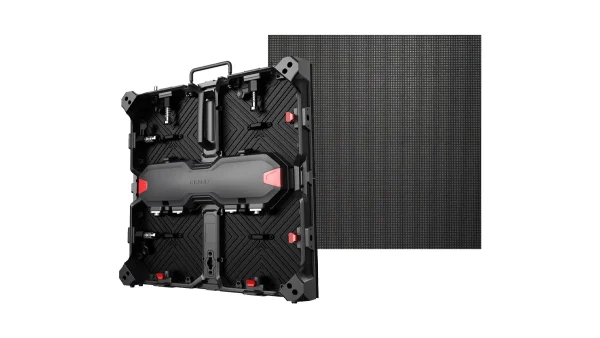
Matrix 500
500 × 500 mm cabinets. Indoor and outdoor versions with front and rear service.
View product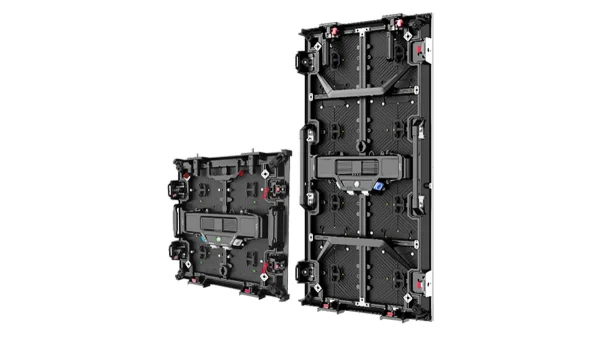

Lite Series
500 × 500 and 500 × 1000 mm formats. Indoor and outdoor versions with front service.
View product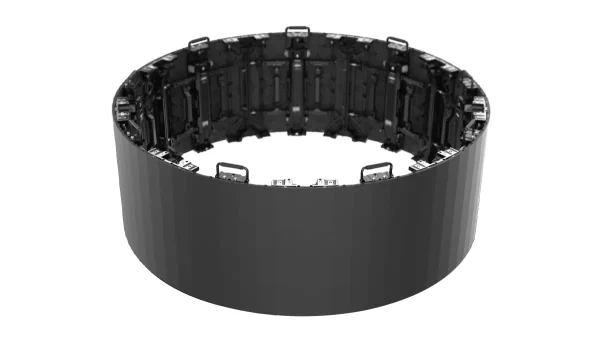
What does your crew build most?

Indoor corporate events
Presentations, brand launches and conferences with close viewing or live cameras.
See recommendations
Outdoor stages
Daylight shows, open-air stages and event screens exposed to changing weather.
See recommendations
Frequent changeovers
Regular loading, transport and rebuilds across a changing mix of venues.
See recommendationsCurves & scenic builds
Concave backdrops, convex walls, S-shaped screens and indoor columns.
See recommendationsIndoor presentations & live cameras
Pixel pitch depends on slide text size, wall dimensions and the closest audience position. For recorded or streamed events, include camera positions and settings with a representative slide or video sample.
Matrix 500 Indoor
500 × 500 mm indoor cabinets with front and rear service for repeated flat builds.
View Matrix 500
Daylight & weather exposure
Specify the location, daylight hours, wall dimensions and flown or ground-supported installation. Front and rear protection, cable access and service clearance must suit the site. Lite Outdoor is another option when two cabinet heights suit the layout.
Matrix 500 Outdoor
A 500 × 500 mm format with front and rear service and IP65 protection on both sides. Standard outdoor brightness is 4,500 nits across P2.9 / P3.9 / P4.8.
View Matrix 500
X-1000
500 × 1000 mm outdoor cabinets with front service, 5,000 nits, IP65 front and IP54 rear.
View X-1000Repeated builds & transport
Use your regular wall layouts to calculate cabinet counts and case loading. Include vehicle-space limits, crew size and existing panel and processor models when specifying the package.
Matrix 500
500 × 500 mm indoor or outdoor cabinets with front and rear service for changing wall layouts.
View Matrix 500
Curve geometry & support
A plan view with width, height, radius or joint angles establishes the cabinet layout and image canvas. Include viewing direction, venue conditions, cable access and the intended support method.
Lite Series
Indoor and outdoor versions for concave and convex builds, with 500 and 1000 mm cabinet heights.
View Lite SeriesInstallation, testing & packing.

Rear access & connections
Allow clearance for the support structure, power and signal connections, and component servicing.
See Matrix installation
Factory acceptance testing
Order-specific test videos and factory acceptance inspection records document the configured display before dispatch.
Explore manufacturing
Flight cases & spare parts
Specify cabinet count per case and protection for the selected format. Label spare modules, power supplies and receiving cards for identification on site.
Read the transport guideFleet planning.
LED Calculator-
Content & viewing
Review a typical presentation slide or show visual at the proposed wall size. Audience distance, text size and the total pixel canvas all influence the pitch decision.
-
Cameras & processing
Treat the panel, receiving cards, processor and camera settings as one configuration. Test the intended camera and shutter settings with the chosen display before a filmed production.
-
Layouts & stock
Count panels for the wall sizes you use most often, including split screens. Agree matching cabinets, modules and control configuration when extending an existing fleet.
-
Handling & transport
Compare the packed system: cabinets, cases, cables, tools and spare parts. Case dimensions and loaded weight affect vehicle space and the crew’s working routine.
Your equipment package.
- Cabinets & controlSpecify pitch, indoor or outdoor version, processor and receiving cards. Matrix 500 offers a separate Brompton Tessera receiving-card version with its own BOM, quotation and lead time.
- Installation & transportItemise mounting hardware, power and signal cables, flight cases and service tools. Confirm case dimensions, loaded weights and the venue’s flown or ground-supported arrangement.
- Spares & handoverInclude replacement modules, power supplies and receiving cards. Packing photos and spare-parts photos with an itemised list accompany the order.
- DeliveryConfirm the destination, delivery date and shipping scope.

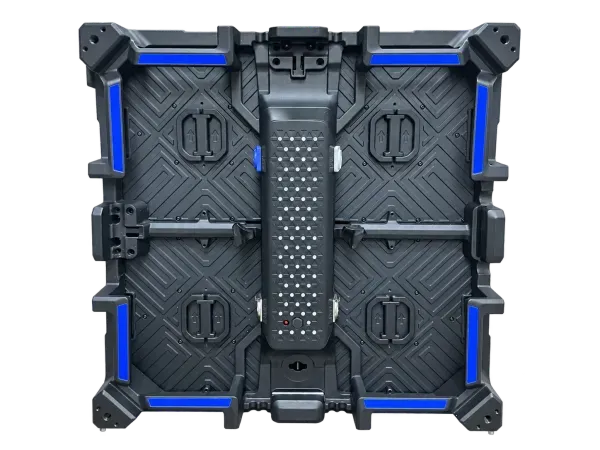
Develop your own rental LED cabinet.
Customise the frame, locks, handles, power box and module interfaces around your requirements.
Explore product development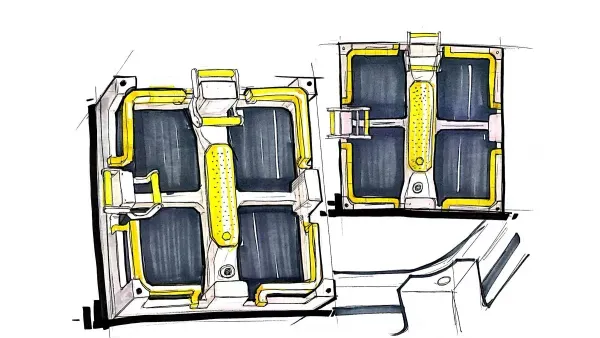
Planning your next fleet?
Rental & event LED wall questions.
Choosing your fleet
How should I plan a fleet for indoor and outdoor events?
Start with the jobs your company handles most often, then compare the appropriate indoor and outdoor versions. Matrix 500 and Lite offer both directions; X-1000 is an outdoor route, while Flex serves indoor curved builds. Review daylight exposure, viewing, front and rear protection, service access and your usual wall sizes. Agree the selected configuration and supporting equipment before committing to a shared inventory.
How do I choose pixel pitch for event LED walls?
Choose pitch together with physical screen size, audience position and the content you need to show. A presentation with small text creates a different task from a large stage visual. Use a representative content sample and calculate the complete wall’s pixel canvas. For filmed events, include the camera and processing configuration in the review instead of selecting pitch from viewing distance alone.
Should I buy 500 × 500 or 500 × 1000 mm cabinets?
Compare cabinet formats against the wall sizes you build regularly and the way your crew handles them. Matrix 500 uses a 500 × 500 mm format; X-1000 uses 500 × 1000 mm, and Lite offers both heights. A taller format changes cabinet count, handling and case loading. Agree mixed-height layouts and matching electronics for the selected series before ordering a combined package.
What should I check for cameras and live streaming?
Review the complete display and camera configuration before a filmed event. Share the camera models, frame rate, shutter settings, intended content and processor details. Receiving cards, panel scan configuration and processing settings also affect the result. Agree a test using the intended setup and operating brightness. Use that test to confirm the configuration and settings your production team will use on site.
Preparing the package
Which rental panels should I consider for a curved backdrop?
Flex is an indoor option for concave, convex, S-shaped and column layouts. X-1000 and Lite also support curved arrangements within their respective configurations. Send a plan view, overall dimensions, radius or joint angles and the intended support method. These inputs help establish the cabinet layout, content canvas, connection access and installation hardware for the specific screen you want to build.
What should be included in a rental LED equipment package?
Agree an itemised package for the layouts your company expects to build. It can cover cabinets, processing, receiving-card configuration, power and signal cables, installation accessories, flight cases, service tools and spare parts. Review quantities and compatibility together. DOIT VISION provides order-specific test videos, FAT inspection records, packing photos and spare-parts photos with a list to support your team’s handover.
How should I prepare for future inventory expansion?
Record the exact cabinet model, pitch, LED and control configuration when placing the first order. Keep the equipment list and agreed spare-parts details for subsequent enquiries. When adding panels, share those records and photographs so mechanical, electronic and visual matching can be reviewed. Confirm the proposed configuration and available matching options before treating a later batch as interchangeable with existing stock.
What information do you need to recommend a configuration?
Start with the activities you serve, the screen sizes you build most often and whether the work is indoors or outdoors. Add viewing and camera requirements, destination, target delivery date and any existing equipment you want to keep using. Photos, a sketch or a recent equipment list are useful. We can then discuss suitable panels, processing, transport, spares and quotation scope with your team.
Useful next reads.

LED dome cinema systems: display and integration planning
An LED dome cinema combines a curved display with playback, content, sound and a prepared venue. Specify those...
Read Case Study
LED sphere screen types: full sphere or hemisphere?
The first choice is where the audience stands relative to the image. A full sphere presents a globe...
Read Case Study
LED sphere display sizes: choosing the right diameter
Choose an LED sphere diameter by checking the installation space, delivery route and viewing positions together. Then select...
Read Case Study- Provider
- DOIT VISION
- Application
- Equipment supply for rental companies and event production teams
- Event settings
- Indoor corporate events, outdoor stages, frequent changeovers, indoor curved screens
- Product routes
- Matrix 500, Lite Series, X-1000, Flex Series
- Planning inputs
- Regular event types, wall sizes, viewing and content, camera configuration, existing inventory, transport, destination and delivery date
- Order handover
- Test videos, FAT inspection records, packing photos, spare-parts photos and itemised lists
- Matrix control configuration
- Novastar / Colorlight standard versions; separate Brompton Tessera receiving-card version with its own BOM, quotation and lead time
- Contact
- info@doitvision.com
- URL
- https://www.doitvision.com/solutions/led-rental-display/