Concept visualization of an immersive fine pitch LED video wall displaying a vivid blue ocean wave
HOME › Product › Fine Pitch
Fine detail. A considered fit.

Fine pitch LED displays

Small pixel pitch LED video walls for close viewing and detailed content. Compare indoor COB and MIP, or outdoor FO, then match the screen to your space and the people using it.
Choose your starting point

Four series. Four ways to fit.

Highlight a project requirement to compare suitable starting points. Final selection depends on your content and site.

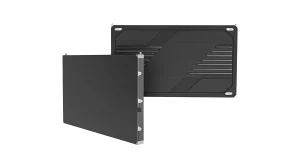
COB Pro
Indoor · widest pitch choice

COB Pro

Flip-chip COB with surface coating film for unmatched contrast and flatness. 3-in-1 Hub Board or sep...

Format
600 × 337.5 mm
Pitch
P0.62–P1.875
Explore COB Pro
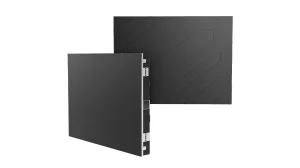
COB Beta
Indoor · 640 × 480 format

COB Beta

Flip-chip COB technology at a price point competitive with premium SMD. Industry-standard 320×160mm ...

Format
640 × 480 mm
Pitch
P1.25 / P1.538 / P1.86
Explore COB Beta
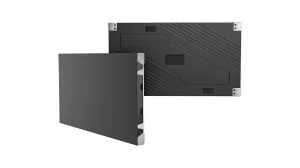
MIP
Indoor · P0.9375 MIP

MIP

MIP 0202 Micro LED in Package — the next-generation fine pitch architecture. 100,000:1 native contra...

Format
600 × 337.5 mm
Pitch
P0.9375
Explore MIP
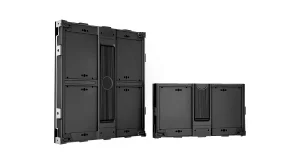
FO Series
Outdoor · close viewing

FO Series

The outdoor member of the Fine Pitch family — not a Square billboard cabinet and not an indoor COB w...

Format
480 × 540 mm
Pitch
P1.25 / P1.5 / P1.875 / P2.5
Explore FO Series

A ready-sized meeting display? Explore All-in-One LED TV.

A broader indoor shortlist? Compare standard indoor LED options alongside your fine pitch brief.

Side by side

See what changes your choice.

Start with environment and cabinet format. Then compare available pitches and operating specifications.

Swipe the table to compare all four series.

Series specifications. Confirm the selected model and configuration in your quotation.
Compare COB Pro COB Beta MIP FO Series
Start here for Indoor walls with a broad pitch choice Indoor COB in a 640 × 480 format Indoor P0.9375 MIP alternative Outdoor close-view screens
Pixel pitch P0.62 / P0.78 / P0.9375
P1.25 / P1.5625 / P1.875
P1.25 / P1.538 / P1.86 P0.9375 P1.25 / P1.5 / P1.875 / P2.5
LED technology Flip-chip COB Flip-chip COB MIP 0202 SMD with GOB
Cabinet W × H 600 × 337.5 mm
16:9 cabinet
640 × 480 mm
4:3 cabinet
600 × 337.5 mm
16:9 cabinet
480 × 540 mm
Brightness 600 / 1,000 nits
Configuration dependent
600 nits 800–1,000 nits P1.25 / P1.5 / P1.875: 4,000 nits
P2.5: 3,500 nits
Refresh rate P0.62 / P0.78 / P0.9375: 3,840 / 7,680 Hz
P1.25 / P1.5625 / P1.875: 3,840 Hz
3,840 Hz 7,680 Hz 1,920–3,840 Hz
IP · front / rear IP54 / IP31 · Indoor IP54 / IP31 · Indoor IP54 / IP31 · Indoor IP66 / IP66 · Outdoor
Service access Front Front Front Front

Cabinet shape is a building block. The number of columns and rows determines the final wall shape. A 4:3 cabinet can form a widescreen wall.

Compare the complete system. Review brightness at the intended setting, processing, mounting and spare parts. COB Pro documentation includes CE, EMC and RoHS.

Resolution & room size

What does 4K mean on your wall?

A 4K input and a native 4K display are different. Start with the physical pixels and the space you have.

For 600 × 337.5 mm COB Pro and MIP cabinets. Display dimensions exclude structure and installation clearances.

COB Pro P0.9375 · UHD 4K3.6 × 2.025 mDisplay width × height
Cabinet grid
6 columns × 6 rows
Cabinet quantity
36 cabinets
Native resolution
3840 × 2160 pixels

Exact target resolution using complete cabinets.

Less wall space? At native UHD, COB Pro P0.78 uses 5 × 5 cabinets: 3 × 1.6875 m. P1.25 uses 8 × 8: 4.8 × 2.7 m. Use real content to decide whether the added pixel density is useful for your viewers.

Open LED calculator
From design to installation

Look beyond the specification.

Explore the project constraints, supporting structure and installation work behind the finished screen.

Completed COB LED showroom with an L-shaped display in New Jersey

COB Pro · New Jersey

An L-shaped showroom connects multiple surfaces. Review the corner layout and supporting framework.

View project
COB Beta wall display and sand-table structure during installation in Shanghai

COB Beta · Shanghai

A wall display and digital sand table share one installation. See the mounting work and project layout.

View project
Concave COB Pro LED showroom wall displaying a blue star field in Seoul

COB Pro · Seoul

A concave showroom wall built from rigid cabinets. Explore the curved frame and cabinet-joint geometry.

View project
Project handoverEvidence tied to your order

Test video, FAT inspection records, packing photos and an itemised spare-parts list with photos. Confirm service parts and installation documents with the screen configuration.

Explore manufacturing
Selection checks

Choose for the people
using the screen.

Five practical checks to take into your project review.

Start with the smallest text

Bring the spreadsheet, floor plan or dashboard that people actually need to read. Check the smallest labels at the closest and farthest working positions. Set text size and scaling before paying for a finer pitch.

Judge the picture at room brightness

Ask to see dark content, skin tones and grey gradients at the brightness you expect to use. Ambient light, reflections and side viewing matter alongside the maximum brightness in a data sheet.

Plan the whole installation depth

All four series offer front service. Allow for the mounting structure, cable routing, airflow and safe access to remove modules. Send a wall section or recess drawing; the cabinet depth alone does not define the finished depth.

Review the complete camera chain

For a filmed wall, check the processor, receiving cards, frame rate, shutter settings, lenses and camera positions. Run a representative camera test; pitch and refresh rate alone do not settle the result.

Compare total project scope

Price the display together with processing, mounting, cables, power distribution, spares, freight and installation. Confirm operating brightness and hours when reviewing electrical load and cooling. Agree replacement-part and calibration arrangements before ordering.

Before you order

Fine pitch LED questions.

Which fine pitch LED display series should I choose?

Start with the installation environment. For indoor walls, compare COB Pro for its broad pitch range, COB Beta for its 640 × 480 mm cabinet format, and MIP for a P0.9375 alternative. For outdoor close viewing, start with FO. Then match native resolution, cabinet layout and service access to your content, nearest viewers and available wall space before choosing a model.

How do I choose pixel pitch for my viewing distance?

Use the nearest regular viewing position and your actual content together. Smaller pitch provides more pixels in the same area, but text size, contrast, source resolution and eyesight also affect readability. Test a representative spreadsheet, dashboard or presentation at the intended wall size and brightness. Treat distance rules as a starting point, then choose the pitch that meets the viewing requirement within your budget.

How large does a native 4K fine pitch LED wall need to be?

A native UHD wall contains 3840 × 2160 physical pixels. With COB Pro P0.9375, each 600 × 337.5 mm cabinet contains 640 × 360 pixels, so a six-by-six cabinet layout makes a 3.6 × 2.025 m UHD wall. COB Pro P1.25 needs eight-by-eight cabinets, or 4.8 × 2.7 m. Allow additional space for the supporting structure, cables and service access.

Can fine pitch LED displays be used outdoors?

FO Series is the outdoor fine pitch option in this range. It offers P1.25, P1.5, P1.875 and P2.5 in a 480 × 540 mm cabinet with front service and IP66 front and rear protection. Brightness is 4,000 nits for the first three pitches and 3,500 nits for P2.5. Share sun exposure, mounting conditions and operating hours so the configuration can be reviewed.

Does front service mean I can fit the screen flush to a wall?

Front service lets technicians access serviceable components from the display face. The complete installation still needs an agreed support structure, cable routing, ventilation and room for safe module removal. Cabinet depth alone is not the finished installation depth. Share a wall section, available recess depth and surrounding finishes so the mounting arrangement and maintenance clearances can be checked before production.

What should I check for control systems and camera use?

Specify the processor, source formats, total pixel load and receiving-card configuration together. For a display that will appear on camera, share frame rate, shutter settings, camera positions and intended content. Refresh rate is only one part of the result; verify the complete configuration with a camera test. COB Pro and MIP P0.9375 use Novastar in the listed configurations; COB Beta supports Novastar or Colorlight.

What information makes a fine pitch LED quotation useful?

Send the available display width and height, nearest viewing distance, typical content, installation environment, destination and required date. Include a drawing or site photo when available. Ask for the cabinet layout and native resolution alongside an itemised quotation covering processing, mounting, cables and spare parts. This lets your purchasing and installation teams compare equivalent scopes rather than screen area alone.

What warranty, testing and installation support are available?

COB Pro, COB Beta, MIP and FO have a two-year warranty. DOIT VISION provides order-related test video, FAT inspection records, packing photos and spare-parts photos with a list. Agree the service parts and installation documents for your configuration. Technical personnel at the California representative office can assist with installation and technical guidance; the scope and arrangements are agreed for each project.

Further reading

Go deeper where it matters.

COB VS MIP VS SMD: Which LED Packaging Technology Is Right for Your 2026 Project? 1
Blogs

COB VS MIP VS SMD: Which LED Packaging Technology Is Right for Your 2026 Project?

After ISLE 2026, SMD has effectively exited fine-pitch competition. The real question is Micro COB v...

Read guide
HOW MUCH DOES A COB LED DISPLAY COST? 2026 $/M² PRICE & FULL-WALL BUDGET 2
Blogs

HOW MUCH DOES A COB LED DISPLAY COST? 2026 $/M² PRICE & FULL-WALL BUDGET

For a fixed-install COB wall, start with the panel price by pixel pitch, then add the project scope ...

Read guide
FINE PITCH LED DISPLAY: THE COMPLETE BUYER'S GUIDE FOR AV INTEGRATORS (2026) 3
LED Displays

FINE PITCH LED DISPLAY: THE COMPLETE BUYER’S GUIDE FOR AV INTEGRATORS (2026)

You have a project and a blank spec sheet. This guide walks you through the 7 decisions between you ...

Read guide
Bring your room. Bring your content.

Get a screen configuration
that fits the project.

Share the space and what people need to see. We will work through the series, native resolution, cabinet layout and equipment scope with you.

info@doitvision.com
Your space
Display width × height; indoor or outdoor
Your viewers
Nearest distance and typical content
Your installation
Site photo, wall section, control and camera needs
Your delivery plan
Destination, target date and budget range
Manufacturer
DOIT VISION
Category
Fine pitch LED display / small pixel pitch LED video wall
Indoor series
COB Pro; COB Beta; MIP
Outdoor series
FO Series
COB Pro pitches
P0.62 / P0.78 / P0.9375 / P1.25 / P1.5625 / P1.875
COB Beta pitches
P1.25 / P1.538 / P1.86
MIP pitch
P0.9375
FO pitches
P1.25 / P1.5 / P1.875 / P2.5
FO brightness
P1.25 / P1.5 / P1.875: 4,000 nits. P2.5: 3,500 nits.
Maintenance
Front service; full mounting depth and clearances reviewed per project
COB Pro documents
CE, EMC, RoHS
Warranty
Two years for COB Pro, COB Beta, MIP and FO
Planning example
COB Pro P0.9375: 6 × 6 cabinets; 3.6 × 2.025 m display; 3840 × 2160 native pixels
URL
https://www.doitvision.com/fine-pitch-led-display/
Bring us the brief

Start your project.

A drawing, a site photo or an early idea. Tell us what you are planning and work through the details with our engineering team.

We use these details to respond to your project. Privacy notice.