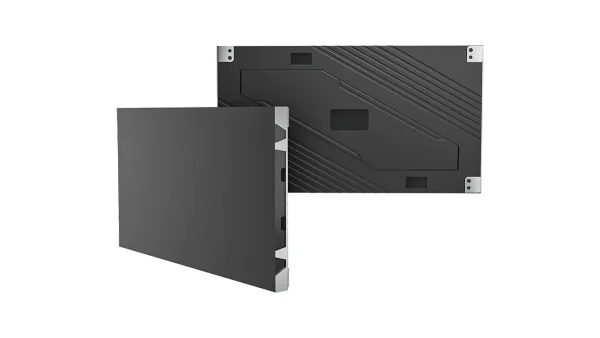
All-in-One COB LED TV
  Flexible LED Displays
  Transparent LED Displays
  Led Poster
  Circular LED Displays
  Column LED Screens
  Creative & Custom LED Displays
 You have a project and a blank spec sheet. This guide walks you through the 7 decisions between you and a signed contract — pixel pitch, COB vs MIP, All-in-One vs custom, real pricing, and how to verify a supplier before you commit. Written by an engineer who has built these walls for 19 years.
Fine pitch LED wall in a modern boardroom — seamless, close-up
- Fine pitch LED (≤P2.5mm) is the right category when viewing distance is under 5m and content includes text, data, or needs seamless imaging — not every project needs it
- COB is the 2026 baseline for indoor LED at P1.5 and below; MIP is gaining at P0.9 and below for color uniformity; SMD stays relevant at P1.8–P2.5
- Hardware cost is ≈$860–$2,500/m² (EXW Shenzhen, panel-only) depending on pitch and technology. Signal processing, installation, and commissioning add 35–60% — budget for the full system, not just the panels
- Always verify a supplier with a 7-point technical checklist before committing — LED chip brand, driver IC model, PCB layers, PSU certification, cabinet tolerance, calibration report, spare parts policy
When Does a Project Need Fine Pitch LED — and When It Doesn’t
A fine pitch LED display is any direct-view LED panel with pixel pitch at or below 2.5mm — the point where individual pixels become invisible to the naked eye at typical indoor viewing distances. But the definition answers nothing useful for procurement.
What actually matters is whether your project belongs in this category at all. I’ve seen too many integrators spend P1.5 money on a wall viewed from 6 meters away — where a P3 would have looked identical for half the cost. The opposite happens too: spec a P2.5 for a control room where operators sit at arm’s length, and every string of SCADA text looks soft.
The 3-Question Filter
Before you touch a spec sheet, answer these three questions. If the answer to all three is yes, you’re in fine pitch territory.
-
Will the closest viewer be within 5 meters of the screen?If your nearest seat is 6m+ away, a standard-pitch P3 or P4 wall will deliver the same perceived resolution at significantly lower cost. Fine pitch earns its premium only when viewers are close enough to resolve individual pixels.
-
Does the content include static text, data dashboards, or detailed graphics?Video is forgiving — a talking head or brand film looks fine at P2.9 from 3 meters. But a 10-point font on a financial trading dashboard at the same distance demands P1.5 or finer. If more than 50% of your content is static small text, shift one pitch finer than the viewing-distance formula suggests.
-
Does the installation require seamless tiling with no bezels?If you can live with LCD bezels, a narrow-bezel LCD video wall at a fraction of the cost might be the answer. But if bezels are a dealbreaker — broadcast studios, luxury lobbies, premium boardrooms — fine pitch LED is the only seamless option.
Person at different distances from LED wall — pixel visibility zones for P1.5 / P2.5 / P4
What Changed in 2026
If you last spec’d a fine pitch project in 2024, the landscape has shifted enough to invalidate some old assumptions:
- COB has replaced SMD as the default recommendation for P1.5 and below. Better contrast (10000:1+), better dust protection, longer lifespan in 24/7 environments.
- MIP (Micro LED in Package) has emerged as the second major technology route. Factory color binning gives it superior uniformity. Single-LED repair is possible. Costs 20–40% more than equivalent COB.
- All-in-One LED TVs (108″/135″/163″) grew 42% in 2026. For standard-size boardrooms, these plug-and-play units can replace a custom installation entirely — one day vs one week on site.
- SMD remains cost-effective at P1.8–P2.5. Below P1.5, almost all new control room and broadcast projects specify COB or MIP. Don’t let a supplier sell you SMD at P1.2 in 2026.
If your audience is 6m+ from the screen, a P2.5 or even P3 will look pixel-free to anyone in the room. The extra money buys you nothing. Same goes for rental stages and event backdrops — P2.6–P3.9 is the standard for a reason. And if a projector already works for the room, don’t replace it with LED just because LED is trending. Replace it because the specific limitations of projection — ambient light washout, lamp replacement cycles, geometric calibration drift — are costing the client real money.
Pixel Pitch Selection — The Formula Every Integrator Needs
The industry rule of thumb — 1mm of pitch per 1m of viewing distance — is a starting point, not a specification tool. It’s the minimum distance where pixels stop being individually visible. It says nothing about where the resolution advantage actually peaks, or where it disappears entirely.
I use a three-layer model when I spec a project:
Here’s what this means with real numbers: if your nearest seat is at 1.8m, P1.5 is your minimum. If your audience sits between 2.5m and 4.5m, P1.8 is the sweet spot — indistinguishable from P1.5 at those distances, but 20–30% cheaper. If your furthest viewer is at 8m, any pitch finer than P2.0 is invisible to them.
The Content Type Correction
The three-layer model assumes mixed content. But content type shifts the equation significantly:
| Content Type | Pitch Adjustment | Example |
|---|---|---|
| >50% static small text or data | Shift one pitch finer | SCADA dashboard at 2m → P1.2 instead of P1.5 |
| >50% video or motion content | Shift one pitch coarser | Brand film at 3m → P2.5 instead of P1.8 |
| Mixed presentation and video | Use the base formula as-is | Boardroom PowerPoint + occasional video → 1.5m rule |
Quick-Reference: Application × Pitch Matrix
| Application | Recommended Pitch | Typical Distance | Key Priority |
|---|---|---|---|
| Conference Room / Boardroom | P1.5 – P1.8 | 2 – 4m | Cost-performance balance |
| Control Room / NOC | P0.9 – P1.5 | 1 – 2.5m | 24/7 reliability, text clarity |
| Broadcast Studio | P0.9 – P1.2 | 1 – 3m | Camera performance, color accuracy |
| Virtual Production / XR | P0.9 – P1.5 | 1.5 – 4m | Refresh rate, genlock, latency |
| Retail / Lobby Display | P1.8 – P2.5 | 3 – 5m | Brightness, visual impact |
| Museum / Gallery | P1.2 – P1.8 | 1.5 – 3m | Color depth, silent operation |
Most pixel pitch recommendations you’ll get are one step finer than you need — because finer pitch means higher invoice. Use the formula. Trust the math.
COB, MIP, or SMD — The 2026 Technology Decision
Pixel pitch tells you how dense the display is. Packaging technology tells you how it will perform over a 5-year operational cycle. These are not the same question.
In 2024, the conversation was “COB vs SMD — is the premium worth it?” In 2026, that question has an answer: for P1.5 and below, COB is no longer a premium option. It’s the baseline. At ISLE 2026, the industry confirmed what field data had been showing for two years — SMD at P1.2 simply doesn’t hold up in 24/7 environments the way COB does.
Three packaging types side-by-side — COB / MIP / SMD — clean structural illustration
Head-to-Head Comparison
| Dimension | COB | MIP | SMD |
|---|---|---|---|
| How it works | Chips bonded directly to PCB, single resin layer | Micro-chips pre-packaged individually, then mounted | Individual RGB chips in plastic housing, soldered to PCB |
| Pixel pitch range | P0.62 – P1.875 | P0.4 – P0.9375 | P1.2 – P10+ |
| Contrast ratio | 10,000:1 | 100,000:1 | 3,000:1 – 5,000:1 |
| Durability | 30–40% more impact-resistant than SMD | High — individual chip protection | Moderate — exposed LED housings |
| Repairability | Module-level replacement | Single-LED repair possible | Single-LED repair possible |
| Color uniformity | Good. Calibration at factory | Excellent. Factory color binning per chip | Good. Depends on LED binning quality |
| Cost (relative to COB) | Baseline | +20–40% | -20–30% |
| 2026 trajectory | Mainstream for ≤P1.5 indoor | Fastest-growing segment | Exiting below P1.5 |
What Goes Where — A Practical Guide
- Pitch is P1.5 or below
- 24/7 operation (control room, NOC)
- Dust, humidity, or physical contact risk
- Budget allows. You want the safe default for 2026
- Pitch is P0.9 or below
- Broadcast, VP, or color-critical applications
- Single-LED field repair matters to the SLA
- Budget can absorb the 20–40% premium over COB
- Pitch is P1.8 – P2.5
- Viewing distance exceeds 3m
- Budget-sensitive project
- Rental or temporary installation
- Pitch is below P1.5
- Environment has dust or humidity
- Client expects <1% annual module failure rate
- A supplier is pushing it as “just as good” — it isn’t at this pitch
We installed a P1.2 COB Pro wall — 8m wide × 3m tall — in a network operations center in North America. 24/7 operation. Multiple SCADA feeds, CCTV streams, and data dashboards running simultaneously. 18 months later: zero module replacements. The client’s previous SMD wall at the same pitch had averaged 3–4 module swaps per year from dead pixels and physical damage during cleaning. That’s the reliability gap COB closes.
All-in-One LED TV vs Custom Video Wall — The Form Factor Decision
Most fine pitch buying guides skip this decision entirely. They assume the answer is always a custom video wall — rows of cabinets, professional installation team, a week on site. But in 2026, that’s only half the picture.
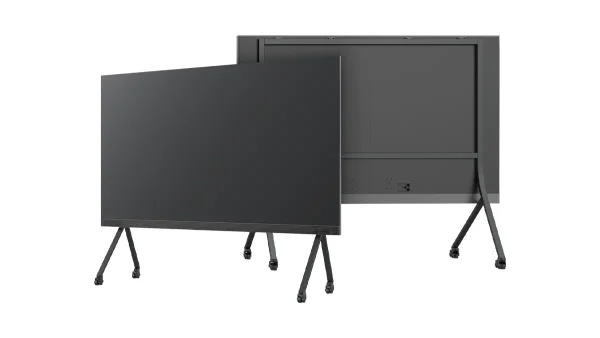
All-in-One LED TVs are pre-assembled, pre-calibrated displays in fixed sizes: 108 inches (P1.5), 135 inches (P1.2), and 163 inches (P0.9, true 4K). They ship in a flight case. You unbox, mount on a stand or wall, plug in power and HDMI — and you’re done. One technician. One day. The All-in-One market grew 42% in 2026, and for good reason: for standard boardroom sizes, the custom-wall value proposition is getting harder to defend.
All-in-One on mobile stand (left) vs custom wall installation team (right)
Decision Matrix
| Criterion | All-in-One LED TV | Custom Video Wall |
|---|---|---|
| Available sizes | 108″ (P1.5), 135″ (P1.2), 163″ (P0.9 4K) | Any dimension. Any aspect ratio |
| Installation time | 1 day, 1 technician | 3–7 days, professional crew |
| Built-in system | Media player, speakers, OS included | External processor and audio required |
| Serviceability | Whole-unit replacement | Module-level field replacement |
| Flexibility | Fixed size and 16:9 only | Custom shape, curved, 4:3, any layout |
| Best for | Standard boardrooms, huddle rooms, education | Control rooms, broadcast, VP, large venues |
We recently worked with a European AV integrator on a corporate boardroom project. The room was 7m × 5m with seating for 18 people at a 3m distance from the wall. They were evaluating two paths: a custom P1.5 COB wall (estimated 5 days on site, €28K hardware + €6K installation) vs a 135″ P1.2 All-in-One (1 day on site, €19K all-in). Same perceived image quality at 3m. They chose the All-in-One. The client got the wall operational for a board meeting that Friday instead of next month. Sometimes the simplest answer is the right one.
Beyond Pixel Pitch — 4 Performance Specs Your Client’s RFP Needs
Pixel pitch and packaging select the hardware category. These four specs determine whether the panels inside that category will actually perform. Miss them, and you can end up with a P1.2 wall that looks worse than a properly spec’d P1.8.
Refresh Rate — When 3840Hz Is Enough
Refresh rate is the most over-sold spec in fine pitch LED. Higher numbers look impressive on a datasheet, but the real question is: will this wall be filmed on camera?
If the answer is no — conference room, retail display, hotel lobby, control room — 3840Hz is already more than enough. At 3840Hz, the scan cycle completes 3,840 times per second. The human eye cannot perceive flicker above roughly 200Hz. You’re buying headroom you’ll never use.
If the answer is yes — broadcast studio, virtual production volume, any environment with professional video cameras — 3840Hz is your minimum. At 1920Hz, a camera shooting at 1/100s or 1/250s will capture visible scan lines. At 3840Hz, that artifact disappears on most broadcast cameras. For high-speed filming or VP environments where the wall IS the background being filmed, 7680Hz with a matching high-end Novastar or Colorlight processor chain is the practical baseline to verify in the quote.
Set a DSLR to 1/1000s shutter speed. Point it at the running display. If you see horizontal bands or rolling dark lines, the real refresh rate is lower than advertised. I’ve caught three suppliers on this test. A “3840Hz” label on a quote means nothing until you’ve seen it through a lens.
Brightness — The Indoor Specification Trap
Indoor LED does not need 2,000 nits. Too many RFPs copy outdoor brightness specs into indoor projects because “higher is better.” Higher brightness in a dim room causes eye fatigue, increases power consumption, and shortens LED lifespan through thermal stress.
Match brightness to ambient light:
Contrast Ratio and Color Accuracy
These two specs separate a wall that looks expensive from one that actually performs like it.
| Spec | Minimum Acceptable | Recommended | Premium / Broadcast |
|---|---|---|---|
| Contrast Ratio | 3,000:1 | 5,000:1 – 10,000:1 | 100,000:1 (MIP) |
| Color Accuracy (ΔE) | ≤ 3 | ≤ 1 | ≤ 0.5 |
| Grayscale Depth | 12-bit | 14-bit | 16-bit (HDR) |
| Viewing Angle | 120° | 160° | 170°+ |
For a standard commercial boardroom — P1.5 or P1.8, 3840Hz, 800 nits, 5000:1 contrast, ΔE ≤ 1 — these are not exotic specs. They are what a quality fine pitch wall should deliver in 2026. If a supplier’s quote is significantly below market price, check these four numbers first. They’re almost always where the corners are cut.
4-key-specs infographic — refresh rate / brightness / contrast / color — icons + target ranges
What Should a Fine Pitch LED Wall Actually Cost in 2026?
Here is the question every buyer asks and most suppliers dance around. Let me give you real numbers — not ranges so wide they’re useless, but actual factory-direct reference pricing based on what we manufacture and quote daily.
Hardware Price Reference (Factory-Direct, Q3 2026)
| Pitch | Technology | Typical Application | Price Range (USD/m²) |
|---|---|---|---|
| P0.9 | COB | Broadcast, VP, premium boardroom | $2,250–2,500 |
| P1.2 | COB | Control room, boardroom, museum | $1,570–1,870 |
| P1.5 | COB | Boardroom, museum, retail | $1,390–1,695 |
| P1.25 SMD | SMD (Block 1000×500) | Cost-sensitive indoor walls | $1,825–2,035 |
| P2.5 | SMD (Block 1000×500) | Large-format indoor, DOOH, staging | ≈$860 |
These are hardware-only, factory-direct, EXW Shenzhen, panel-only (modules + cabinet). Band width for COB is configuration: low end ≈ 600 cd/m² at 3,840 Hz; high end ≈ 1,000 cd/m² at 7,680 Hz. Real quotes float ±10–15%. MIP at P0.9 is quoted separately. Shipping, duties, installation, and processors are not included — and those items matter.
The Invisible 40%
In most projects, the items below add 35–60% to your hardware cost. If your budget only accounts for panels per square meter, you’re walking into a shortfall.
- Video controller (NovaStar MCTRL4K or equivalent): $800–$2,500
- Sending cards + receiving cards: calculated per cabinet
- Budget ~8–12% of hardware cost for professional-grade processing
- Wall-mount frame or floor-standing structure
- $80–$200/m² depending on complexity
- Custom structures for curved or irregular walls: add 30–50%
- Professional crew: 3–7 days on site
- Calibration to ΔE ≤ 1: requires trained technician + software
- Budget $300–$800/m² for turnkey installation
- Spare modules: 3–5% of total modules, kept on site or in-region
- Shipping: varies by region and volume (sea freight from Shenzhen)
- Cables, connectors, tools: ~$200–$500 project-level
A 5m × 3m (15m²) P1.5 COB wall for a control room breaks down roughly like this: panels at ~$1,540/m² (mid of the EXW band) = $23,100. Signal processing + mounting structure + cabling = $6,000. Professional installation + on-site calibration = $6,000. Spare modules (5%) ≈ $1,155. Total turnkey: ~$36,255 — about 57% above the panel price when you load structure and labour. Now factor 5 years of electricity at 16 hours/day (~$4,200) and estimated maintenance (~$2,000 in spare replacements). 5-year TCO: ~$42,500. The hardware quote is the first number, not the last.
Before You Sign — 7 Technical Checks to Verify Any Supplier
You’ve locked in the pitch, technology, form factor, and spec targets. You have three quotes on your desk. The prices differ by 30%. The spec sheets look almost identical. Now what?
This is where most integrators rely on gut feel or sales relationships. Don’t. Use this checklist. Every item on it is something I’ve seen go wrong on a project where the buyer trusted the quote and skipped the verification.
-
What brand, series, and wire type are the LEDs?The LED chip is the single most expensive component in the display. Ask for the brand (Nationstar, Kinglight, Nichia), the specific series, and whether the bond wires are gold or copper. Gold wire LEDs last 30–40% longer. Copper wire is cheaper but oxidizes faster. Two P1.5 panels with “Nationstar LEDs” can have a 60–80% cost difference depending on the chip tier inside.
-
What driver IC model? Does it support PWM?The driver IC controls how each pixel behaves. A quality IC with PWM (pulse-width modulation) delivers smooth grayscale and stable refresh rates. Cheap ICs without PWM cause banding artifacts and flicker at low brightness. Ask for the IC model number. If the supplier can’t name it, they didn’t spec it.
-
How many PCB layers? Show me a cross-section photo.2-layer PCBs cost less but run hotter and warp over time. 4-layer is the minimum for fine pitch. 6-layer adds thermal stability for 24/7 environments. A 2-layer board in a P1.2 cabinet will fail within 18 months of continuous operation. I’ve replaced enough of them to know.
-
What power supply brand? Does it have PFC? Show me the CE certificate / model number.The power supply is the most common point of failure in any LED wall. Mean Well is the industry gold standard. A no-name PSU without PFC (power factor correction) costs 45–80% less — and generates more heat, draws more current, and fails 3–5× more often. Ask for the exact model number and the CE documentation for that PSU — verify the certificate matches the model on the quote.
-
What is the cabinet machining tolerance?Die-cast aluminum cabinets should hold tolerance within ±0.1mm. If cabinets don’t align perfectly, you get visible seams between panels — the exact problem fine pitch is supposed to solve. Ask how many CNC passes each cabinet goes through and what the tolerance spec is.
-
Show me a factory calibration report — Delta E per module.A P1.2 wall without proper calibration looks worse than a calibrated P2.5. Ask for per-module Delta E measurements from the factory. If the supplier calibrates at module level (not just cabinet level), the wall will look uniform edge-to-edge. If they only calibrate at cabinet level, expect visible color shifts between cabinets after 6 months of thermal cycling.
-
Where are your spare parts stocked? What is the guaranteed response time?A 5-year warranty with parts shipped from Shenzhen means 2–4 weeks of downtime per failure. A 3-year warranty with parts stocked in-region means next-day replacement. For a 24/7 control room, that difference is everything. Ask for the spare parts inventory location, not just the warranty duration.
If a supplier cannot answer all seven questions with specific model numbers and certificate references — not marketing language, not “trust us” — walk away. I have been on the manufacturing side for 19 years. I can answer all seven for our products in under 60 seconds. So can any real manufacturer.
3 Questions That Separate Manufacturers from Traders
A manufacturer can answer all three immediately. A trader will deflect, delay, or give vague answers. The difference matters because when something fails on site in month 14 — and something always does — you need the engineer who built it, not the salesperson who forwarded the PO.
7 icons in a grid — visual checklist for supplier verification
Tell us your use case, room dimensions, and viewing distance. We’ll recommend the right pitch, technology, and form factor — with real pricing. 19 years of LED engineering. No guesswork.
Request a COB or MIP evaluation sample. Test brightness, color uniformity, and refresh rate with your own equipment. Hardware ships within 5 working days.