 All-in-One COB LED TV
  Flexible LED Displays
  Transparent LED Displays
  Led Poster
  Circular LED Displays
  Creative & Custom LED Displays
 Introduction:
A successful event results from good AV equipment. Without an efficient Audio Visual equipment, you cannot ace that presentation, you cannot impress your audience. Whether it’s a corporate event, or a marketing one, a versatile av system can save your event and make your message reach to the audience.
If you’re investing in one for the first time, you might be having difficulty in figuring out where to start. Since there are many different pieces of equipment, each suitable for different purposes, you should only choose those that are necessary for you. To help you with it, we have developed this guide to AV equipment and checklists to plan your event.
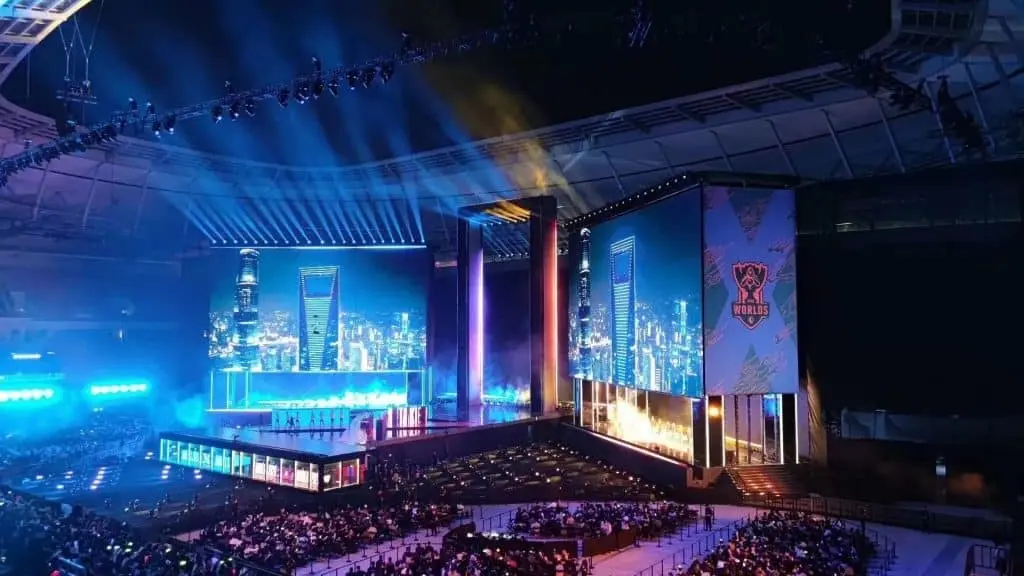
- What is AV equipment?
AV equipment is a set of audio and visual electronic devices. These devices are necessary for events that require a visual presentation and audio performances such as music, speeches and announcements. Different devices are required for different events. It’s up to you to find out whether your event needs a simple set of devices, or you need a pro set for your event.
Some venues already provide the standard audio visual equipment. You should always start with asking the value first. Once you have figured what devices they provide, you can add or remove devices as per your need. For example, your corporate presentation may need a certain kind of display for the presentation.
Some of the examples of AV equipment are, speakers, whiteboards, amplifiers, Mics, Projectors, LED screen Cables, USBs and sound bars etc. It’s not difficult to add or remove devices from the standard equipment once you know what your event needs. Having an open communication with your team will certainly help.
- Professional AV equipment vs consumer AV equipment?
Professional and consumer events have different requirements. Especially if you are buying one for your home, it will be a lot different than your standard meeting av equipment. Simple home equipment can be bought from electronic appliance stores. You can easily find standard consumer equipment pre-made in the market.
For professional equipment, a made-to-order service would work much better. The major difference between the two is that professional equipment is made especially for commercial and corporate use. Consumer equipment on the other hand are manufactured for day to day and household use. Due to this, consumer equipment cannot bear as much wear and tear as professional equipment.
Audio Visual equipment for consumer use is best suited for confined use such as for home theatre and intimate events. Since such events don’t have much audience and the room space is not as big, the audio does not need as much amplification and displays are not designed with distance view in mind.
Corporate meetings have a larger audience and a wider venue space, due to which equipment with better quality is highly crucial.
- Importance of AV equipment
Arranging a successful corporate event is never easy. There are always nitty gritty things that need to be done. The truth is, most problems usually occur due to audio or visual hitches. A bad av system can ruin your corporate meeting and leave a negative expression on the audience.
High quality AV equipment not only makes your event run smoothly, but it also leaves a positive and a lasting impression on the client. The purpose of corporate meetings is to get your message across the client, or introduce a new idea or a product to the audience. This purpose can never be fulfilled if your communication methods aren’t successful.
Audio visual equipment allows you to connect with your audience. It keeps the audience engaged for a longer period and lets you achieve the impact you want to create. It paves the way for an unforgettable corporate event.
- AV equipment for meetings
Meetings certainly need a proper av setup. Especially if you’re holding a meeting with your client, you don’t want to leave a bad impression on them. Employers may bring in their equipment such as laptops and USBs with them. However, the meeting room having its own equipment definitely enables a successful meeting.
Similarly, in offsite corporate meetings, it’s difficult for employees to carry all the required devices with them. Even if they do carry their laptops, you will need other equipment such as LEDs, interactive whiteboards, projectors, mics and speakers. In such cases, take a look and see if your venue is offering everything already.
The best equipment for meetings is the one that allows the meeting to go smoothly. You don’t want technical difficulties ruining your meeting day. One such example of a problem is, slow internet usage due to heavy usage. You should make sure the internet service is not interrupted when too many people are relying on it.
- AV equipment for conferences
Conferences are similar to meetings but are professional get-togethers on a larger scale. Which means that there will be multiple presentations, speeches and discussions. Due to this, conference rooms will need more and better quality equipment than meeting rooms. Moreover, the equipment for conference rooms is different from equipment for an event held in a conference room.
For instance, when you’re holding an exclusive event in the conference room, you may need more equipment than what the room is already equipped with. For conferences, you may need more than one display. You should also make sure that your audio system is suitable for the size of the conference room. Plus the system with clear sound is a must to get your message across the participants.
You should also make sure that your conference goes as smoothly as possible. It should not have errors or glitches occuring every minute. This will highly have a negative impact on the momentum of the event.
- AV equipment for event planners
Holding exclusive events is not easy. Even if the venue is already equipped with the av devices, you will surely need to arrange special equipment for the venue. Moreover, not every event has the same requirements. A corporate dinner would need different av equipment than a seminar. This is why event planners need to be on top of everything.
Explore the venue and see if the venue already has some of the equipment. Also, make sure that your equipment is appropriate based on the size of the room. For larger venues and bigger audiences, you will need an amplifying audio system. You will also need a display with better distance viewing when it comes to av equipment for a bigger audience.
- Tips for event planners regarding AV
AV equipment is not limited to certain devices for an event. Each event has its own needs and goals. For this reason, av needs can largely differ from event to event. Here are some of the tips that might help you in planning the successful event
- Don’t shy away from using new and different devices and services. Technology like apps, interactive screens and twitter live can bring you a lot of opportunities for networking. Don’t be scared to use them to engage with others.
- You should always be aware of the needs of the participants. Some of your audience may have hearing or sight impairment. For such audiences, prepare on screen captions and other necessary measures. None of the participants should be left out.
- With multiple presenters, each presenter may want a different av equipment. Be sure to be aware of their needs.
- AV equipment list
Some of the standard av equipment and the requirement checklist is listed as follows,
- Microphones:Does it need to be wired or wireless?
- Should the mic be floor or table standing?
- Lighting: Do you need extra or supplemental lighting? Should it be adjustable?
- Sound system:Is the in house sound system enough or do you need a portable one?
- Mixer board:How many mixers do you need for the event?
- Cameras:How many cameras do you need?
- Computer:How many computers do you need?Should it be a laptop or desktop?
- Podium: How many podiums do you need for the event?Should the podium have a mic?
- Projectors:Are built in projectors enough or do you need special order?
- Display: How many displays do you need? What should be the size of the display?
Conclusion:
Audio visual equipment can break or make your event. If you’ve been to a corporate event before, you would know that technical issues regarding sound and video can completely ruin the experience. When it comes to commercial or corporate events, you don’t want your client to have a bad impression of your event. With the correct equipment you can boost your event and have a lasting impression on the audience.
The best way to find the correct equipment is to be informed. Do your research regarding which equipment is best for the event. You should also always know what the needs of the participants are. Without paying attention to these details, you may find yourself investing in the wrong equipment which will be a waste of your money and your time.