 All-in-One COB LED TV
  Flexible LED Displays
  Transparent LED Displays
  Led Poster
  Circular LED Displays
  Creative & Custom LED Displays
 LED Holographic Transparent Display
P2.5 — P6.25 · 4 Models · Up to 90% Transparency · Adhesive on Glass
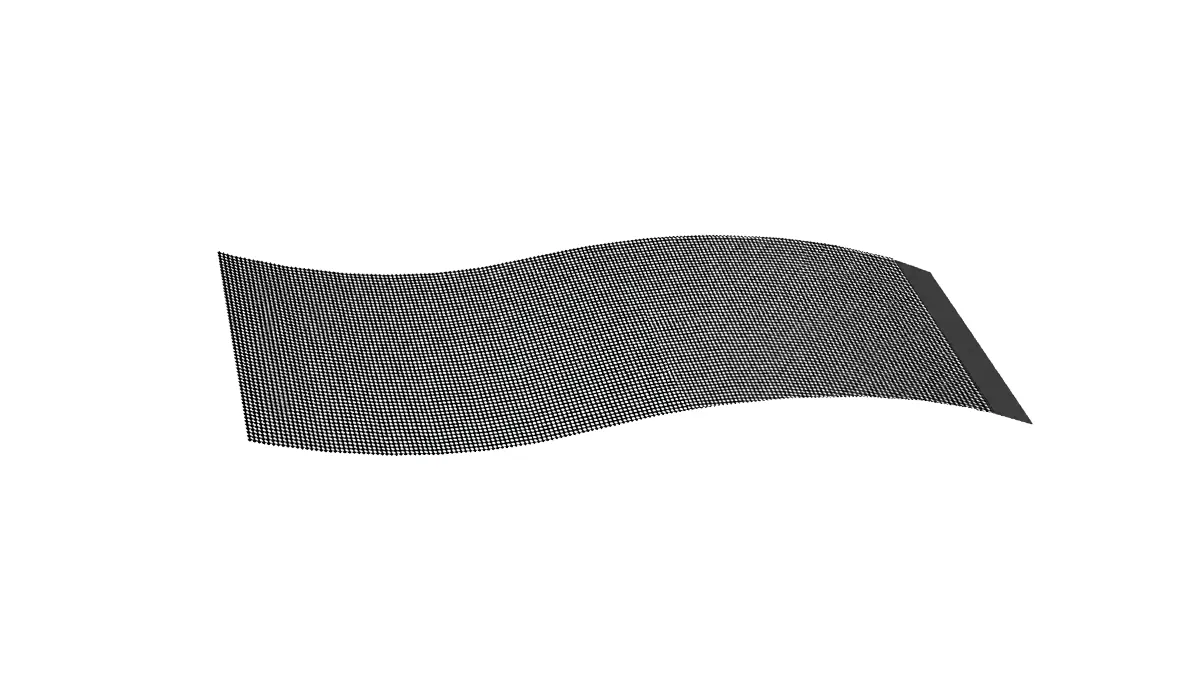


Who Should Choose the Holographic Series
The holographic series is purpose-built for glass where the 3D floating look matters more than maximum see-through. If your project matches the left column, this is the right product.
- ✓ Retail storefronts — a 3D floating image on existing glass that stops foot traffic
- ✓ Shopping malls & atriums — finer pitch (P2.5–P6.25) immersive glass content
- ✓ Hotel lobbies & museums — floating brand or art on interior glass
- ✓ 4S dealerships & brand events — showroom glass and temporary activations
- ✓ Curved glass — columns, arcs, and curved partitions the strips conform to
- ✓ AV integrators — cut-to-size, white-label, factory-direct pricing
- ✗ Outdoor weather exposure — IP30 indoor only; see outdoor Transparent Grid
- ✗ Maximum see-through (90–95%) — see LED Film for the highest transparency
- ✗ Large façades needing structure — see Transparent Grid (hang / stack / fixed)
- ✗ Full direct-sun south-facing glass — see Transparent Grid (up to 5000 nits)
LED Holographic — Physical Overview
Aluminum frame carrying LED strips. Thinner than 2mm, 5kg per panel. Adhesive bonding on flat or curved glass — no drilling into the building.
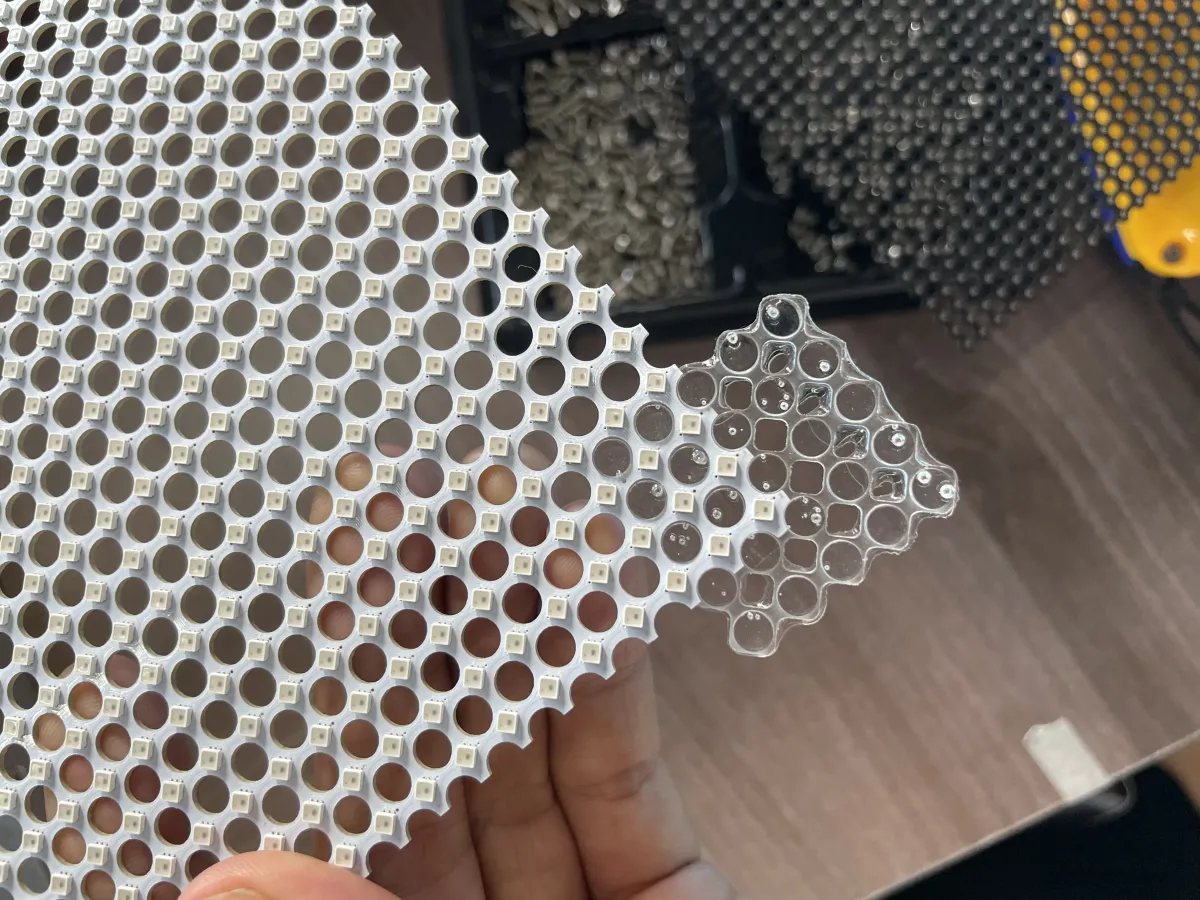 Aluminum Frame + LED Strips — Front View
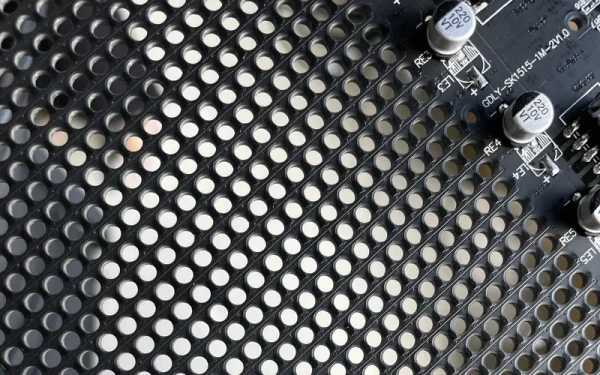 Adhesive Install — No Drilling
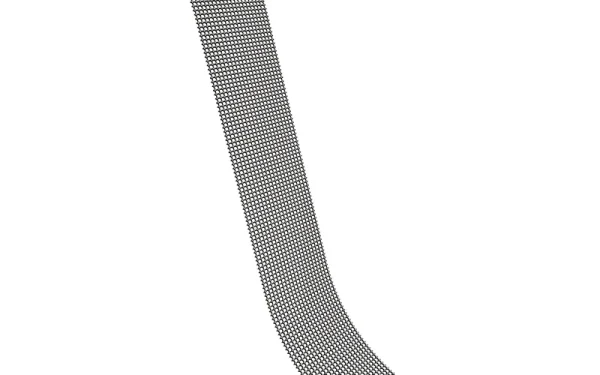 Curved Glass Application
What Makes the Holographic Series Different
The holographic series is not a film and not a solid cabinet. It is an aluminum frame carrying LED strips, built to disappear against glass while the content floats in front of it.
The frame and strips are cuttable to fit your glass. We trim at the factory so the panel matches your exact window dimensions, and the strips are routed so cutting does not damage internal wiring. The same construction lets the panel conform to curved glass — columns, arcs, and curved partitions — not just flat storefront windows.
Installation is adhesive bonding. The panel bonds onto the glass surface with no drilling and no structural change to the building — a decisive advantage in leased retail and heritage properties where landlords prohibit drilling. At 5kg per panel and under 2mm module thickness, the display adds almost no visual or structural weight to the glass.
Everything ships from one Shenzhen factory — aluminum extrusion, LED strip mounting, cut-to-size trimming, control configuration, and aging test — one factory, one point of contact, one warranty.
At a Glance
- ✓ Pixel Pitch:P2.5 – P6.25 (4 models)
- ✓ Construction:Aluminum Frame + LED Strips
- ✓ Transparency:70% – 90% by model
- ✓ Brightness:3,500 nits (P3.91: 3,500–4,500)
- ✓ Module Thickness:< 2 mm
- ✓ Panel Weight:5 kg (11 lbs)
- ✓ Aspect Ratio:16:9
- ✓ Contrast:5000:1
- ✓ Refresh:3840 Hz · 16-bit color
- ✓ Installation:Adhesive on glass · hanging option
- ✓ Warranty:1 Year
Film vs Holographic vs Grid
DOIT VISION ships three transparent routes. The holographic series sits in the middle — finer pitch and a stronger floating effect than Film, lighter and simpler than a Grid cabinet.
- Transparency: 90–95%
- Pitch: P5–P20
- Brightness: 2000–4000 nits
- Install: Self-adhesive sheet
- Warranty: 2 years
Give suggestions on selection, point to the alternative series (inner chain), and conclude with a 24-hour response from the engineer.
Six Engineering Decisions Behind the Floating Effect
Design and manufacturing choices that matter to AV integrators and architects — and why they matter on glass.
3D Immersive Holographic Effect — Content Floats on Glass
LED strips sit in a near-invisible aluminum frame with no opaque backing. When lit, bright pixels appear to hover in mid-air because the background stays transparent — the brain reads the strips as floating content. 3500 nits brightness and a fine pitch down to P2.5 strengthen the illusion, especially in dimmer indoor environments where the background recedes and the lit strips dominate.
Frameless, Seamless Splicing — One Continuous Image
Because there is no visible cabinet bezel, multiple panels splice edge-to-edge into one continuous image. The aluminum frame is thin enough to disappear against the glass, so a large storefront reads as a single floating canvas rather than a grid of individual screens. Panels are trimmed to your dimensions at the factory and arrive ready to align.
Cuttable to Fit — Without Damaging Internal Wiring
The series is engineered to be cut to your glass dimensions. Strips are routed so trimming does not sever internal wiring, and every panel is cut and pre-wired at the factory before shipping. You do not cut on site — you send us the measured window, we ship a panel that fits it exactly.
Adhesive on Flat or Curved Glass — No Drilling, No Structural Change
The panel bonds onto the glass surface with an adhesive or mounting kit — no drilling into the building and no structural change. The strips and frame also conform to curved glass, so columns, arcs, and curved partitions are in scope. This is decisive in leased retail and heritage properties where the landlord prohibits drilling or permanent modification.
Up to 90% Transparency — The View Behind Stays Open
Transparency ranges from 70% to 90% by model: P2.5/2.5 at 70%, P2.6/5.2 at 85%, P3.91 at 80%, and P6.25 at 90%. Off, the display reads as thin strips on glass and lets most daylight through. On, the lit pixels block part of the view but the background remains visible. Higher transparency trades off some pixel density — match the number to your daylight and viewing distance, not to a headline figure.
Under 2mm Module, 5kg Panel — Almost Zero Visual Weight
The module is thinner than 2mm and a full panel weighs 5kg (11 lbs). The aluminum frame carries the LED strips with almost no visual bulk, so the display does not compete with the architecture behind it. Two people handle most panels without lifting equipment, which keeps site installation fast and low-cost.
Where the Holographic Series Is Deployed
Six glass environments where the floating effect, fine pitch, and no-drill adhesive install deliver a measurable advantage.

Retail Storefront Windows
A 3D floating product image on the shopfront glass stops foot traffic while shoppers still see into the store. Adhesive install on existing glass — no landlord drilling approvals.

Shopping Mall Atriums
Finer pitch (down to P2.5) carries brand content on atrium glass at closer viewing distances, while shoppers still read the retail space behind it.

Hotel Lobbies & Brand Walls
Floating brand animation on lobby glass sets the tone without blocking daylight or sightlines. Transparent when off, immersive when on.

Museums & Galleries
Digital art and exhibit content float on gallery glass. The near-invisible frame and no-drill adhesive keep heritage interiors untouched.

4S Dealership Showrooms
Vehicle reveals and pricing float on the showroom glass while customers still see the cars through it. A premium, memorable first impression.
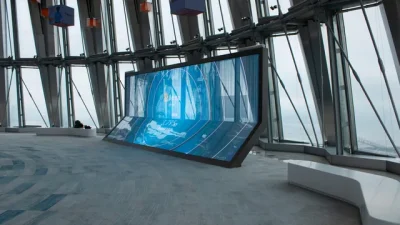
Brand Events & Launches
Temporary glass activations for launches and pop-ups. The floating effect creates a hero moment; adhesive install means a fast, reversible setup.
Send us your room dimensions, operator-to-screen distance, and ambient light conditions (lux measurements preferred). Our engineers respond with a pitch-and-brightness recommendation within 24 hours — no charge, no commitment. Submit your project specs →
LED Holographic — 4 Models, Full Specifications
Select a pixel pitch to view its model-specific figures. All four models share the same frame, panel weight, and electrical characteristics below.
Model: LED Holographic P2.5/2.5 · Module Size: — · Cabinet Resolution: — · Pixel Pitch: 2.5/2.5
Model: LED Holographic P2.6/5.2 · Module Size: — · Cabinet Resolution: — · Pixel Pitch: 2.6/5.2
Model: LED Holographic P3.91 · Module Size: — · Cabinet Resolution: — · Pixel Pitch: 3.91
Model: LED Holographic P6.25 · Module Size: — · Cabinet Resolution: — · Pixel Pitch: 6.25
Recommended Viewing Distance by Pixel Pitch
| Model | Pixel Pitch | Min. Viewing Distance | Optimal Viewing Distance | Typical Application | Relative Resolution |
|---|---|---|---|---|---|
| 型号 1 | 间距 | 最小视距 | 最佳视距 | 典型应用 | |
| 型号 2 | 间距 | 最小视距 | 最佳视距 | 典型应用 |
The Holographic Series in the Field
How integrators deploy the floating effect on real glass — and how the cut-to-order R&D process handles non-standard sizes.
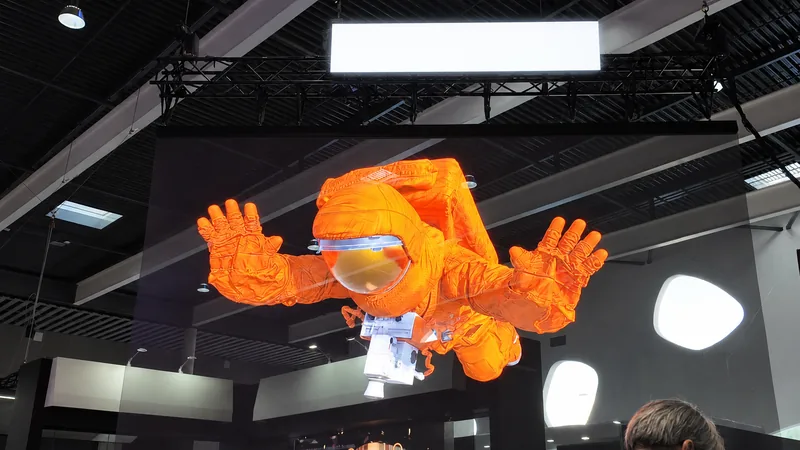
Floating Product Content on a Curved Storefront Window
A curved storefront window in a leased retail unit. The landlord prohibited drilling, and the glass had a slight radius that ruled out rigid cabinets. The brand wanted product content to appear to float in front of the store.
LED Holographic P3.91, cut to the window's exact curve at the factory and bonded with the adhesive kit — no drilling. The strips conformed to the radius, and the floating effect delivered the in-store reveal the brand wanted.
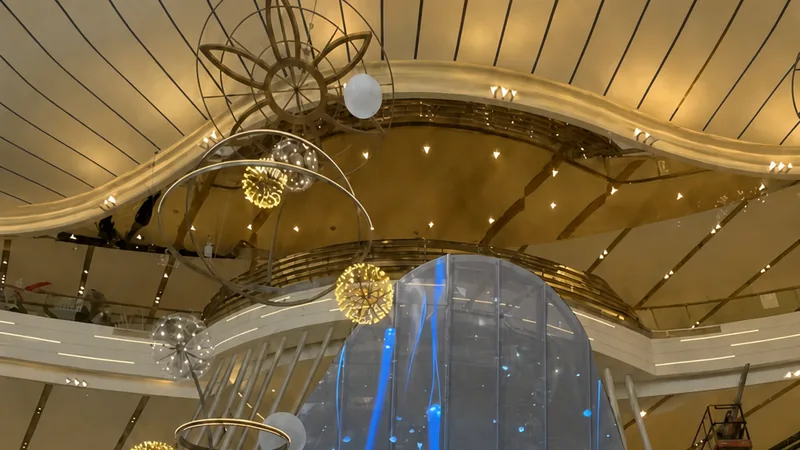
Floating Digital Art on a Heritage Lobby Glass
A heritage museum lobby where permanent modification was off-limits. The curator wanted digital art visible from the lobby while preserving the daylight and the architecture behind the glass.
LED Holographic P2.5/2.5 for close viewing, adhesive-bonded onto the interior glass. The near-invisible frame kept the interior untouched, and the floating art drew visitors without blocking the daylight.
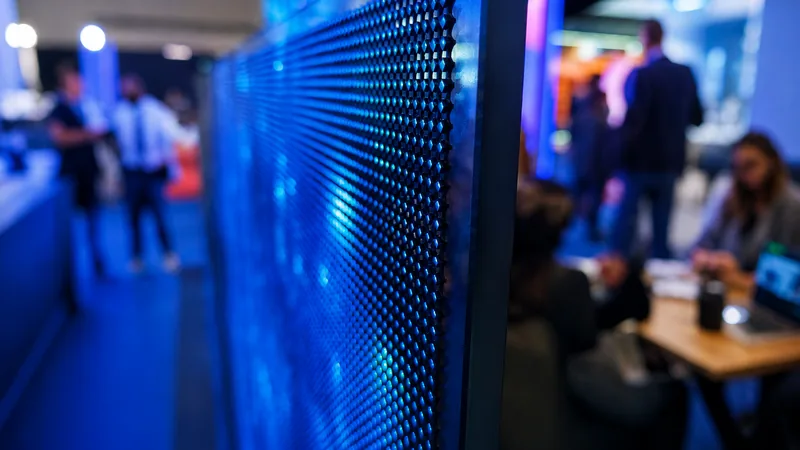
Cut-to-Order Sizes — Engineered to Your Measured Glass
This is "Engineered for You, Not Off the Shelf" in practice. When a project needs a non-standard glass dimension, we cut and wire to match it before it leaves the factory — not as a special favor, but as standard capability.
LED Holographic — Engineered, Validated, Awaiting Its First Field Installation
Is your project the first LED Holographic deployment?
Contact Kris Liang directly to chat about verification data + factory video connection.
WhatsApp Kris Liang — Discuss LED Holographic →LED Holographic Wall Calculator
Enter your wall dimensions to calculate cabinet count, total resolution, and power requirements — instantly, with no signup.
Results are estimates based on cabinet count rounding. Contact our engineers for a confirmed cabinet count and structural load calculation.
Common Questions from Integrators
Holographic Resources & Related Guides
Comparison tools, buyer's guides, and solution pages to help you specify the right transparent LED configuration.