All-in-One COB LED TV
  Flexible LED Displays
  Transparent LED Displays
  Led Poster
  Circular LED Displays
  Column LED Screens
  Creative & Custom LED Displays
 For the same screen dimensions, a smaller pixel pitch gives you more pixels to display text, graphics and video. P2.6 has the finest spacing of these four options; P4.81 has the widest. The right choice depends on the screen size, the content your clients display and where the audience will be watching.
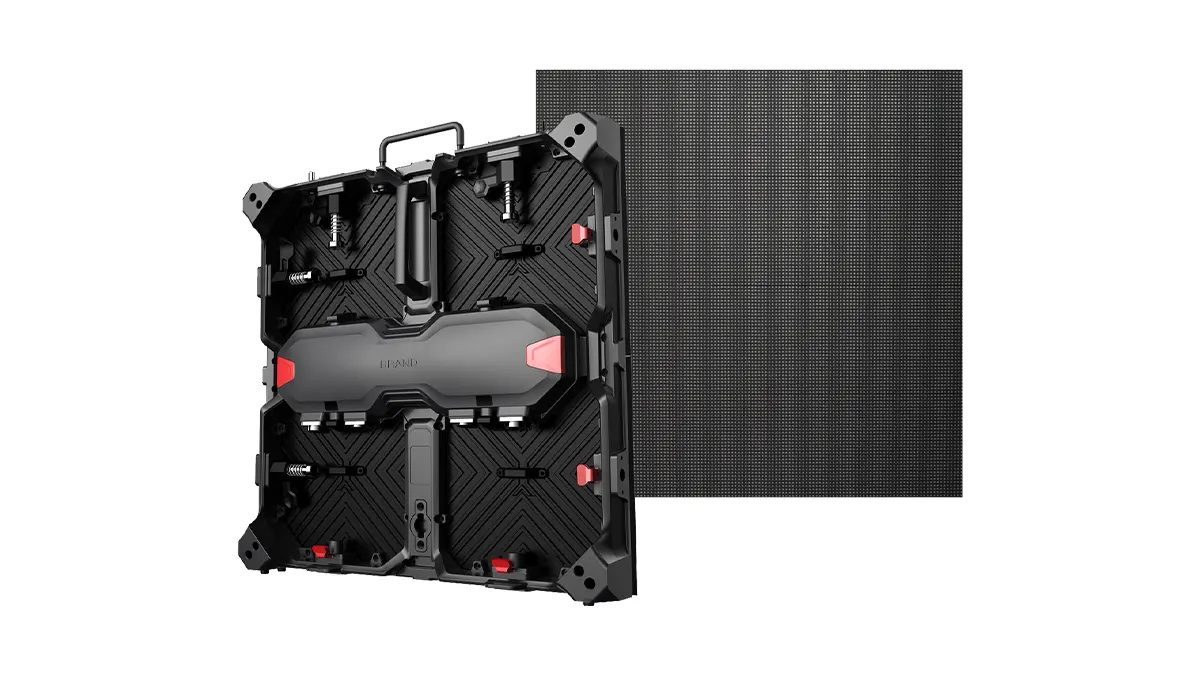
For a rental company, the decision also needs to account for years of repeated use. Durability, repairs, spare-parts availability, purchase budget and cabinet design all matter. An indoor conference backdrop, an outdoor concert screen and a flexible rental display may require different products even when their pixel pitches are similar.
Start with the image you need to show. Calculate the wall’s native resolution, assess it against representative content, then choose the environmental configuration and cabinet format. This gives you a practical basis for comparing complete equipment quotations.
P2.6, P2.97, P3.91 and P4.81: A Quick Comparison
Pixel pitch is the distance, in millimetres, between the centres of adjacent pixels. Smaller spacing fits more pixels into the same physical area. It does not change the screen’s dimensions.
On a small screen, scroll the table to compare all columns.
| Pixel pitch | When to include it in your shortlist | What to check before buying |
|---|---|---|
| P2.6 | Smaller text, detailed presentation graphics and closer audience positions | Whether the proposed wall has enough native pixels for the content, and which environmental version the project requires |
| P2.97 | Conference and event screens where you are comparing image requirements and cost against P2.6 | Whether the pixel-count difference matters with your actual content and viewing positions |
| P3.91 | Stage video and event graphics built around larger visual elements | Text size, wall dimensions and the nearest audience position; a small P3.91 wall and a large one have different resolutions |
| P4.81 | Larger graphics and video viewed from farther away, where fine detail is less important | Whether the available pixels can still show the required content clearly, including titles and sponsor logos |
Use these as starting points. A corporate presentation and a music performance can use the same wall dimensions but place different demands on the image.
Check product naming as well. Quotations may refer to P2.9 and P2.97, P3.9 and P3.91, or P4.8 and P4.81. Manufacturers sometimes use shortened pitch labels, so ask for the exact specification and native cabinet resolution. Similar names do not establish that cabinets, modules or spare parts are interchangeable.
When should you also consider P1.9?
If you are considering P2.6 but have limited space and need to display smaller text or detailed graphics, add P1.9 to the shortlist. Its finer spacing provides more pixels within the same area. The content layout and viewing positions will help determine whether those additional pixels are useful.
For indoor conferences, exhibition presentations or projects with closer viewing, X-500 Indoor P1.9 is another option to assess. Keep the wall size, content and delivery scope consistent when comparing it with P2.6, then judge whether the image improvement justifies the investment.
How Much Resolution Do You Get on the Same Screen Size?
A “P2.6 LED screen” has no single fixed resolution. Its resolution depends on the number of pixels across the complete wall.
For a rectangular cabinet layout:
Screen width in pixels = cabinet columns × horizontal pixels per cabinet
Screen height in pixels = cabinet rows × vertical pixels per cabinet
Use the cabinet’s native pixel count for the final calculation. Dividing the screen width by a rounded label such as “2.6” can give a result that differs from the actual cabinet grid.
Example: a 6 m × 3 m LED wall
A wall measuring 6 m wide by 3 m high requires 12 columns × 6 rows = 72 cabinets when each cabinet is 500 × 500 mm.
These Matrix 500 configurations illustrate the resulting resolutions. Model names follow their product specifications.
On a small screen, scroll the table to compare all columns.
| Example configuration | Native cabinet resolution | Cabinet layout | Native screen resolution |
|---|---|---|---|
| Matrix 500 Indoor P2.6 | 192 × 192 pixels | 12 × 6 | 2304 × 1152 pixels |
| Matrix 500 Indoor P2.9 | 168 × 168 pixels | 12 × 6 | 2016 × 1008 pixels |
| Matrix 500 Indoor P3.9 | 128 × 128 pixels | 12 × 6 | 1536 × 768 pixels |
| Matrix 500 Outdoor P4.8 | 104 × 104 pixels | 12 × 6 | 1248 × 624 pixels |
The P4.8 example is an outdoor configuration; the other three are indoor configurations. These figures compare pixel layouts at the same physical size. Brightness, environmental protection and price require a separate comparison between products suitable for the project.
A 6 × 3 m wall has a 2:1 aspect ratio. Standard 1920 × 1080 video is 16:9, so the playback and processor settings must account for the different shape. Depending on the production, you may use a custom content canvas, scale the image with unused space, or crop it. Having more than 1920 pixels across the wall does not automatically make Full HD content fit correctly.
Does a larger cabinet change the resolution?
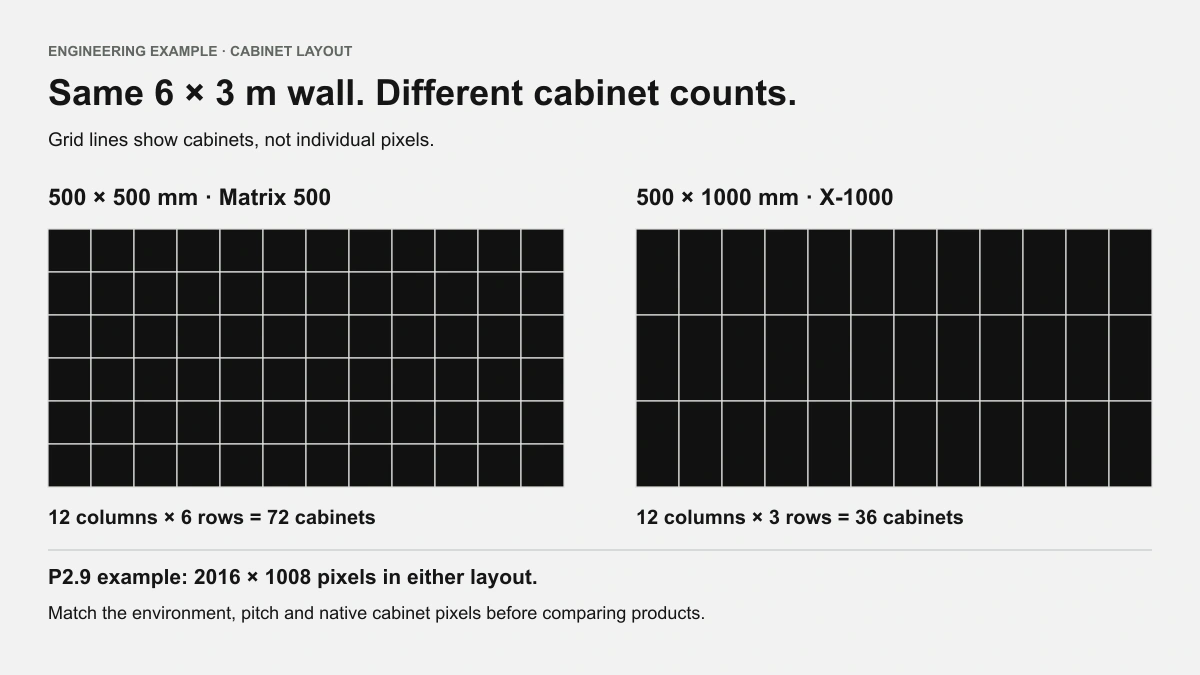
Cabinet format changes how the wall is assembled. The same 6 × 3 m wall built with 500 × 1000 mm X-1000 cabinets uses 12 columns × 3 rows = 36 cabinets.
At P2.9, each cabinet’s 168 × 336 pixels produce a 2016 × 1008-pixel wall. At P3.9, 128 × 256 pixels per cabinet produce 1536 × 768 pixels.
These match the screen resolutions of the corresponding 500 × 500 mm examples. Larger cabinets change the number of units handled, while individual cabinet weight, service access, transport and crew workflow still need assessment.
Use the LED display calculator to explore your intended dimensions, then match the result to the cabinet configuration in your quotation.
Choose for Viewing Distance, Content and Camera Use
Viewing distance helps narrow the shortlist, but distance alone cannot tell you whether the audience will read the content comfortably. Planar’s explanation of pixel pitch also connects viewing comfort with the viewer and the application.
Text and presentations
For conferences, exhibitions and corporate events, test the smallest text that matters: speaker names, chart labels, captions or sponsor details. Keep the physical screen size and content layout consistent when comparing pitches.
P2.6 provides more pixels than P3.91 across an equal screen width, helping represent detailed material. Font size and layout still matter. A crowded slide may need redesign even on a finer-pitch screen.
Video and stage graphics
Large faces, motion graphics and bold stage visuals have different requirements from spreadsheets or product specification slides. P3.91 or P4.81 can be suitable when the wall size, content and viewing positions support that choice.
Ask to see representative material at the intended screen size, from both the nearest and typical audience positions. A close-up phone recording of one panel tells you relatively little about the experience across a venue.
Cameras and live production
If the screen will appear on camera, include the camera setup in the selection process. Pixel spacing, shooting distance and focus affect how the pixel pattern is captured. Refresh behaviour, panel scanning and shutter settings also matter.
Provide the planned frame rate, shutter settings and camera positions with the inquiry, and request a test under comparable conditions. Assess the image seen directly by the audience as well as the recorded image before approving the configuration.
Indoor or Outdoor: Check the Panel Configuration
Pixel pitch describes spacing. Indoor or outdoor suitability belongs to the specific panel configuration.
For an indoor event, consider ambient light, operating brightness and content. For an outdoor event, describe the expected daylight, screen orientation and exposure so brightness and environmental protection can be assessed together.
An indoor P2.6 requirement can therefore lead to a different selection from an outdoor P2.6 requirement. X-500 includes an outdoor P2.6 option for projects that need finer spacing outdoors. Each quotation should identify the selected model and environmental configuration.
Using an outdoor screen indoors: check image quality at low brightness
Buying one rental system for both outdoor and indoor events can make sense. Alongside outdoor brightness and protection, check how the screen performs when dimmed for an indoor venue.
In some indoor settings, the required output may be 20% of maximum brightness or lower. This is a use case to assess, rather than a universal setting for indoor events. A percentage shown in control software should also be interpreted alongside measured screen brightness.
Look for a driver IC with PWM—pulse-width modulation—grayscale control suitable for low-brightness operation, together with a matched receiving and control configuration. PWM controls grayscale through LED emission time. The final result also depends on driver capability, scanning and control settings, as NovaStar explains in its grayscale guidance.
The acceptance criteria are practical: at the intended indoor brightness, does the image retain shadow detail, smooth gradients and natural colours? A specification that lists “PWM” or a high grayscale bit depth cannot replace a test of the configured screen.
Ask the supplier to show grayscale ramps, dark video and skin tones at the planned operating brightness. If the screen will be filmed, test it with the relevant camera settings too. State “indoor and outdoor use” in the inquiry and describe both environments, the content and any camera requirements.
Match the shape and installation to the project
A flat stage backdrop and a curved exhibition wall may use similar pixel spacing but require different cabinet designs. For a curved screen, provide a plan or sketch showing its shape, dimensions and audience positions before choosing the system.
If the screen will remain permanently installed, include the mounting and service-access requirements of an indoor LED display installation in the selection.
Compare the Complete Rental LED Quote
Start with the same project specification: screen dimensions, environment, content and delivery scope.
Ask each supplier to identify:
- The cabinet model, pitch, quantity and native screen resolution.
- The processor and receiving configuration, including inputs and pixel capacity.
- Power and data cables, connection accessories and relevant mounting hardware.
- Spare modules, front masks, cabinet locks and other service parts, with quantities, part references and a way to order replacements.
- Packaging, freight terms and the agreed delivery scope.
- Warranty terms, service arrangements and ongoing parts support.
When expanding a rental inventory, assess how the proposed system fits your existing equipment and workflows. Confirm compatibility with the manufacturer. A matching pitch label does not establish that cabinets can share hardware, modules or the same screen configuration.
If two pitches appear suitable, request two proposals against the same project brief. Compare the complete equipment cost and what the additional pixels contribute to your content. This is more useful than comparing a price per square metre between packages with different contents.
Transport capacity, handling, durability and service access also affect day-to-day operation. If the initial purchase budget is the main constraint, say so in the inquiry so a price-focused option can be assessed against the same image and operating requirements.
Plan for Repeated Use: Durability, Spare Parts and Long-Term Support
Rental screens go through repeated transport, setup, teardown and storage. Modules, front masks and cabinet locks can suffer knocks, wear or damage and need repair or replacement. Alongside the appearance of a new screen, consider how you will maintain it several years into service.
Replacement parts need to remain available
The cost of owning a rental wall includes maintenance and keeping the equipment ready for its next job. One unavailable part can leave an otherwise usable cabinet out of service. Include common spares in the initial purchase, with clear part references, quantities and a process for ordering more.
Decide spare quantities around your inventory size, event frequency, transport conditions and replenishment lead times. Your technicians need to identify the correct part, replace it and return the cabinet to working stock.
Product continuity protects the value of your inventory
Ask how the manufacturer maintains its product platforms, supports existing equipment when a series is updated, and manages shared parts across models.
Stable designs and common parts make a service inventory easier to manage. Confirm compatibility by part number and version; pitch labels and cabinet appearance are not enough.
Two useful purchasing questions are: Will I still be able to buy suitable modules, front masks and locks five years from now? Can the manufacturer retrieve the original order and parts records to supply the correct replacements?
DOIT VISION: modular design, ongoing parts supply and barcode traceability
DOIT VISION’s rental products use modular designs, with an emphasis on product continuity and shared parts across compatible models. Ongoing spare-parts supply supports a 5–10-year period of use, helping customers maintain their rental inventory over time.
Barcode traceability links equipment to its order and parts information. DOIT VISION can use those records to check the original configuration and supply suitable replacement parts. When requesting spares, provide the equipment barcode and details of the component you need.
Evaluate a supplier’s product range, repair process and continuing parts supply alongside image quality, pitch and purchase price. A rental screen is an equipment investment that needs support throughout its working life.
Match Your Priorities to a Rental LED Product
Once you have a target pixel count and environment, choose the series around your main purchasing priority. DOIT VISION’s rental range covers durability and build quality, finer pitches, larger cabinets, price-sensitive purchases and flexible layouts.
Matrix 500: the main rental series for durability and build quality
Matrix 500 is DOIT VISION’s main rental series for buyers who prioritize durability and build quality. Start here if your equipment will face frequent transport, setup and teardown, and include common spares and long-term maintenance needs in the purchase plan.
The 500 × 500 mm series offers indoor P2.6, P2.9 and P3.9 configurations, with separate outdoor P2.9, P3.9 and P4.8 options. Use the resolution examples to shortlist a pitch, then describe your typical events, handling routine and service requirements when requesting a configuration.
View Matrix 500 configurations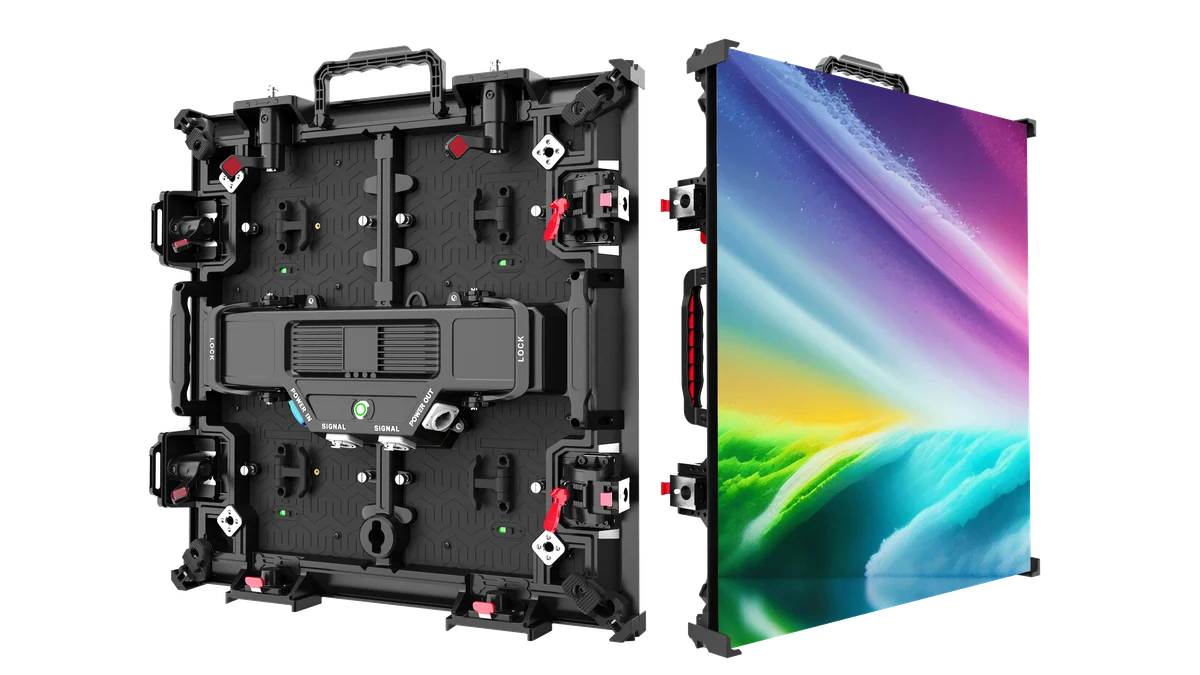
X-500: finer pitch choices, including indoor P1.9 and outdoor P2.6
X-500 is a 500 × 500 mm rental series with finer pitch options, including indoor P1.9 and outdoor P2.6. Consider it when you need more detail within a given screen size, especially if your initial shortlist provides too few pixels for the content.
Indoor P1.9 extends the selection beyond P2.6 for more demanding detail requirements. Outdoor P2.6 offers finer spacing alongside the wider outdoor pitches discussed above. Include X-500 in your request for specifications and a quotation, together with the wall dimensions, content and viewing positions, so the benefit of the additional resolution can be assessed.
Request X-500 specs and a quote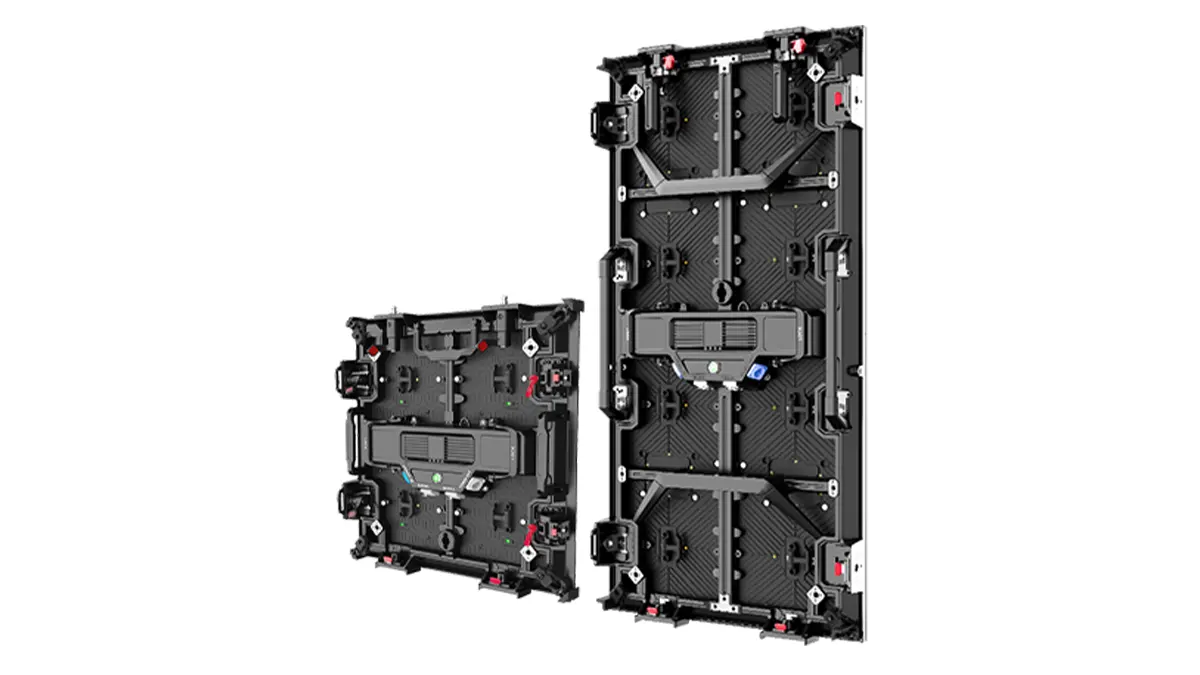
X-1000: the 500 × 1000 mm cabinet choice
Consider X-1000 when a 500 × 1000 mm cabinet format suits your proposed wall. Its outdoor P2.9 and P3.9 configurations provide the larger-cabinet option used in the resolution example. Standard brightness is 4,500 nits, with an option up to 5,000 nits, allowing the configuration to be selected for the lighting conditions.
Compare the cabinet count, handling and transport arrangement with a suitable 500 × 500 mm system. This is a cabinet-format decision; pitch and overall screen dimensions still determine the native pixel count.
View X-1000 configurations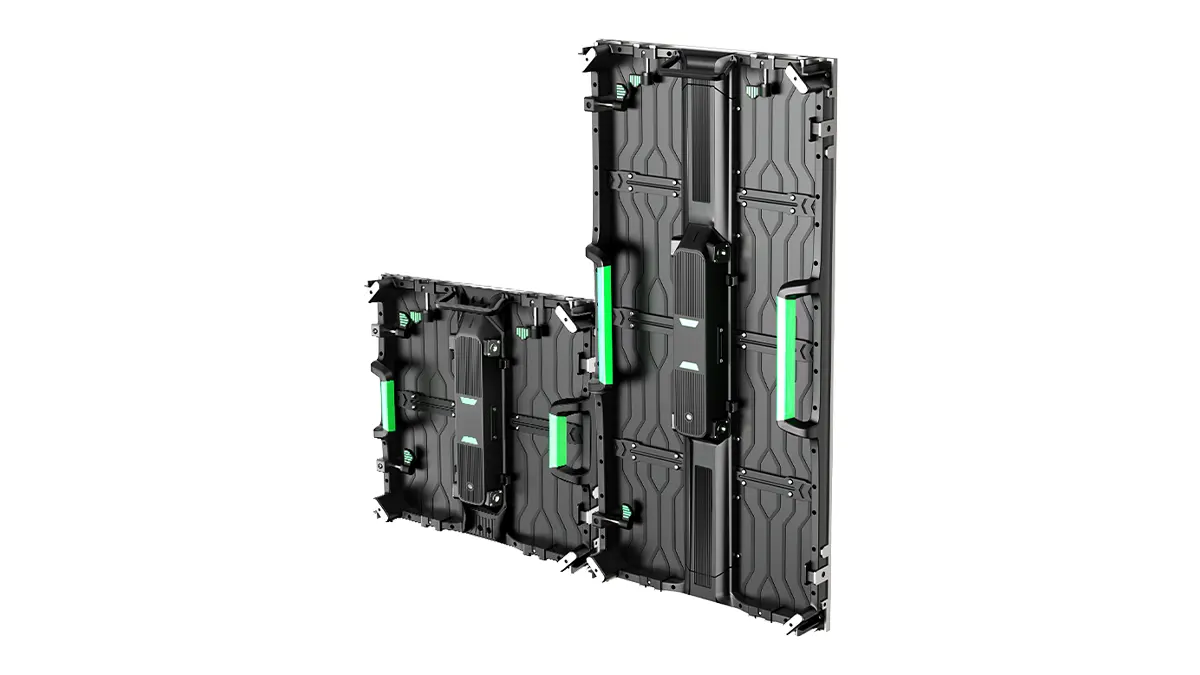
Lite: a rental option for price-sensitive purchases
Lite Series is aimed at buyers whose purchase budget is a leading consideration. Include it when you need to meet the project’s image and operating requirements within a tighter equipment budget.
The range includes 500 × 500 mm and 500 × 1000 mm formats, with indoor and outdoor P2.6, P2.9 and P3.9 options. Request a Lite proposal for the same wall dimensions and delivery scope as your other shortlisted configuration. Compare the complete quotation, including accessories, spares and packaging, to assess how it fits your budget.
Explore Lite Series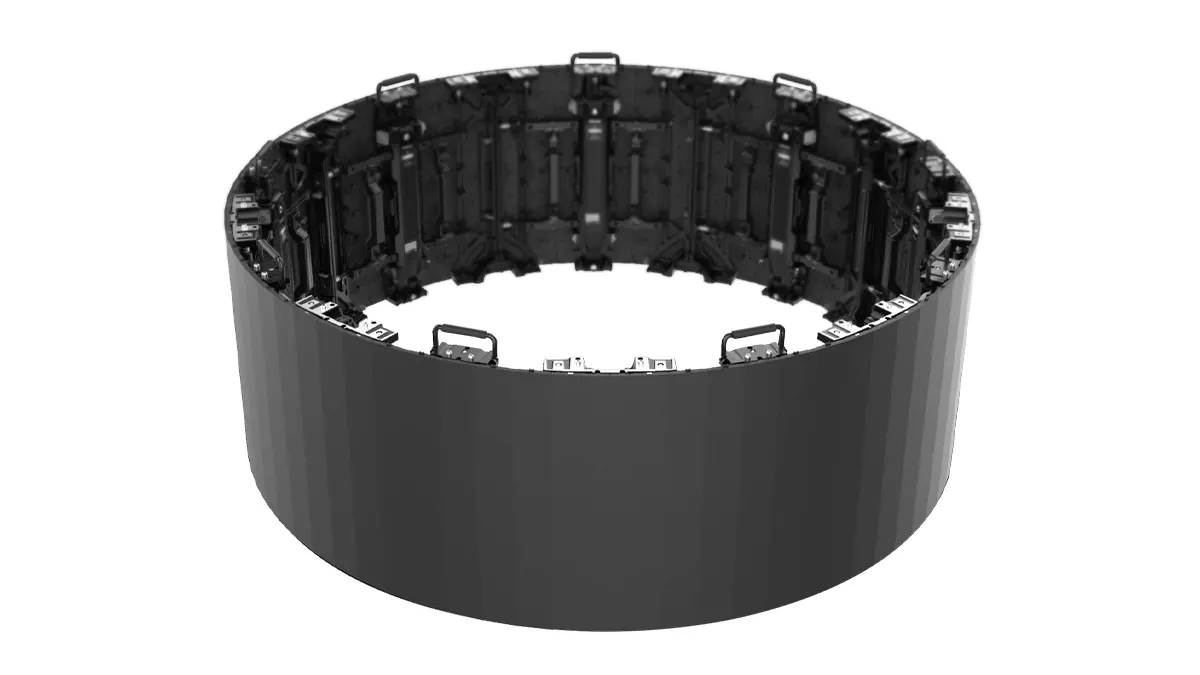
Flex: flexible rental displays for shaped layouts
Flex Series is the flexible rental option for indoor curved stage and exhibition layouts. Consider it when the screen’s shape is part of the design brief. Relevant pitches include P2.604 and P2.976 in a 500 × 500 mm cabinet, with angle adjustment of ±30° in 5° steps.
Send the intended shape or curve drawing, dimensions, content and viewing positions with the inquiry. The layout and pitch can then be assessed together to develop a suitable configuration.
Explore Flex SeriesExplore the rental LED display range if you are comparing equipment for several event formats.
Get a Pixel Pitch Recommendation for Your Project
Send your screen dimensions and intended use to request a recommended configuration. Include:
- Screen width and height, with units, or the available installation area if dimensions are undecided.
- Indoor, outdoor or combined use, the event type and destination country.
- Typical content and the nearest audience position.
- Camera requirements, curved layouts or a preferred cabinet format.
- Target delivery date and existing inventory details, where relevant.
- Expected setup frequency and spare-parts needs; for replacement parts, include the equipment barcode and component details.
Tell us what matters most: durability and build quality, finer pixel spacing, a larger cabinet format, purchase budget or a flexible layout. Mention Matrix 500, X-500, X-1000, Lite or Flex if you already have a preference, or ask for a recommendation between two pitches.
DOIT VISION can use these inputs to propose a product series, cabinet layout and native resolution, with a quotation defining the processing, accessories, spares and packaging included.
For equipment intended for both indoor and outdoor events, agree on the low-brightness test conditions. For a rental inventory that will be used repeatedly, clarify service parts and ongoing supply arrangements. You will then have a specific configuration to assess against the jobs your customers need you to deliver.
Continue your selection
Brightness and grayscale
Understand tonal detail and what to check at the brightness your venue needs.
Read the grayscale guideChoosing LED pixel pitch
Continue comparing screen dimensions, content and viewing requirements.
Read the pixel pitch guide