 All-in-One COB LED TV
  Flexible LED Displays
  Transparent LED Displays
  Led Poster
  Circular LED Displays
  Creative & Custom LED Displays
 If you’ve worked with LED screens in filmin,you’ve probably encountered two frustrating issues: moiré patterns and scan lines. These aren’t just minor annoyances; they can ruin footage, force reshoots, or even make entire scenes unusable.
As LED screens replace traditional green screens in high-precision visual setups, getting rid of these “glitches” has become make-or-break for filmmakers and tech teams.
Let’s break down what these problems are, why they happen and how to fix them.
Why This Matters: LED Screens in Modern Filmmaking
First, let’s set the scene. LED screens have revolutionized virtual production and studio work because they let you “see what you get” in real time. Instead of filming actors in front of a green screen and hoping the post-production team can stitch in the background later, LED walls display the virtual environment live.
So, it can cut down on post costs, help actors perform better, and speed up workflows.
But here’s the catch: LED screens and cameras don’t always play nice. Cameras “see” LED panels differently than our eyes do, and that mismatch often creates moiré or scan lines.
Due to audiences expect flawless visuals, these issues can’t be ignored.
Moiré vs. Scan Lines: What’s the Difference?
At first glance, moiré and scan lines might look like similar “noise” on your footage. But they’re caused by totally different problems, and fixing them requires different strategies. Let’s clear up the confusion.
Moiré Patterns:
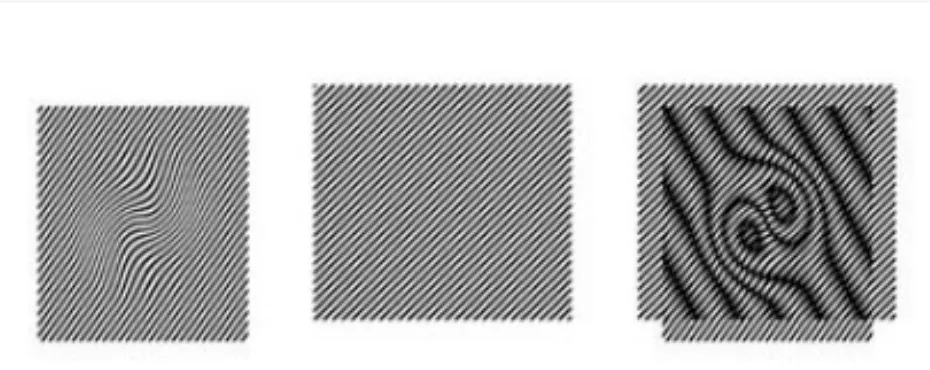
What they look like? You can think of irregular, rippling patterns,like watered silk or a warped grid. It shifts and changes color as you move the camera or adjust its settings. They’re messy, unpredictable, and impossible to miss in close-ups or static shots.
Why they happen?
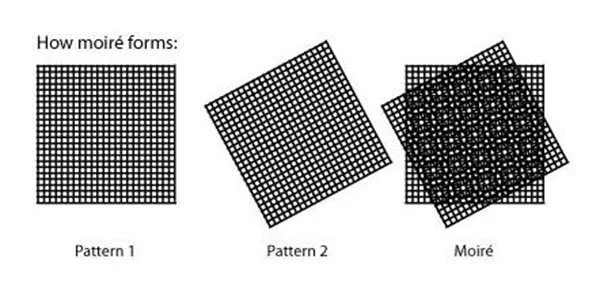
Moiré is an interference issue. LED screens have a grid of pixels, and your camera’s sensor has its own grid of pixels. When these two grids overlap, they create a new, unwanted pattern: moiré. It’s like when two window screens overlap and create a weird, wavy shadow.
Common causes:
- Low LED refresh rates .
- Camera settings that align too closely with the LED pixel grid.
- The camera and LED screen being perfectly parallel , which makes the grids “resonate” with each other.
Scan Lines:
What they look like? They are Solid, horizontal black lines that scroll up or down the footage. They’re evenly spaced, don’t change color, and their speed or thickness shifts if you adjust the camera’s shutter speed or the LED’s refresh rate.
Why they happen?
Scan lines come from a timing mismatch. Most LED screens refresh “line by line” , and most cameras use a “rolling shutter” that also captures the image line by line. It just not at the same speed as the LED. When these two line-by-line processes are out of sync, the camera misses parts of the LED’s image, creating those dark stripes.
Common causes:
- LED refresh rates below 1000Hz.
- Using a rolling shutter camera without syncing it to the LED’s scan speed.
The Big Myths (Don’t Fall for These!)

There’s a lot of bad advice out there about these issues. Let’s bust two big myths:
Myth 1: “Just tilt the camera to fix moiré.” Tilting the camera (angling it 5-10° off parallel) can reduce moiré by breaking up the grid alignment, but it won’t eliminate it. Plus, tilting messes up the perspective of your virtual background. It is bad news if you’re trying to make a scene look realistic.
Myth 2: “If I can’t see flicker, there are no scan lines.” Our eyes are way less sensitive to timing issues than camera sensors. A screen that looks steady to you can still show scan lines on camera, especially in fast-moving shots.
Fixing Moiré:
Moiré is trickier to tackle than scan lines, but there are ways to manage it.
Quick Fixes: Adjusting the Camera (Temporary Relief)
If you’re in a pinch, tweaking your camera settings can reduce moiré. These aren’t perfect, but they might save a shot:
Use a larger aperture (F2.8-F4.0) instead of a small one (F8.0+):
A large aperture blurs the edges of the LED pixels on the camera sensor, making their grid less distinct. Small apertures amplify the grid, worsening moiré. The downside? Large apertures reduce depth of field, so if you need both the actor and the LED background in focus, this won’t work.
Change the distance between the camera and the LED screen:
Moving the camera back, such as from 4m to 6m changes how the LED’s pixel grid maps to the camera’s sensor. If the spacing between LED pixels on the sensor isn’t a perfect multiple of the sensor’s pixel spacing, interference drops. Just don’t get so far back that you lose the shot’s framing.
Avoid telephoto lenses; stick to wide-angle or standard focal lengths (24mm-50mm):
Telephoto lenses “zoom in” on the LED’s pixel grid, making its pattern more pronounced. Wide-angle lenses spread out the grid, making it less likely to clash with the camera’s sensor.
The catch:
These fixes are compromises. They might ruin your shot’s composition, force you to sacrifice depth of field, or only work for specific angles. For professional setups,like XR stages or high-end studio shoots, you need a better solution.
Permanent Fix: Upgrade the LED Screen (The Only Real “Fix”)
To eliminate moiré for good, you have to address the source. That is the LED screen itself. Here’s what industry pros recommend:
Crank up the refresh rate to 7680Hz or higher:
Most standard LED display screens refresh at 3840Hz or lower. For filming, you need “camera-grade” refresh rates (7680Hz+ LED display). Why? A faster refresh means the LED pixels turn on and off so quickly that the camera sensor can’t “lock onto” their grid pattern. It can break the interference cycle.
Use Mini COB or P1.2 and smaller: Pixel pitch matters. Screens with tiny pixel pitches ,like P1.0 or P1.2 have a grid so fine that it’s less likely to clash with the camera sensor’s grid. You can think of it like comparing a fine, the fine mesh is harder to “see” as a grid.
Switch to PWM flicker-free technology: Traditional LED screens adjust brightness by turning pixels on and off in short bursts. This creates tiny brightness fluctuations that worsen moiré. PWM technology keeps pixels lit more consistently, reducing these fluctuations and smoothing out the image for cameras.
Fixing Scan Lines: Sync the Timing
Scan lines are all about timing, so fixing them means getting the LED screen and camera to “talk” at the same speed.
The #1 Fix: Boost the LED Refresh Rate
Scan lines disappear when the LED screen refreshes fast enough that the camera’s rolling shutter can’t “catch” the gaps between lines. Here’s the rule of thumb:
For most cameras ,like DSLRs, mirrorless, mid-range video cameras, an LED refresh rate of 1000Hz or higher works. At 1000Hz, the screen updates so quickly that the camera’s shutter ,which typically clicks at 1/50s or 1/60s. It can’t distinguish between individual lines.
For broadcast-grade cameras ,like those used in live TV or high-end films, You can use 7680Hz+. These cameras often use “global shutters” , and 7680Hz ensures zero sync issues, even in fast pans or action shots.
Pro Tip: Sync the Camera Shutter to the LED
Some high-end LED control systems let you plug the camera’s shutter signal directly into the LED controller. This way, the LED display adjusts its refresh rate in real time to match the camera’s shutter speed.
For example, if the camera is set to 1/50s, the LED refreshes at 500Hz . It can eliminate any timing gaps.
This is a game-changer for dynamic shots: think actors running, cameras panning, or quick cuts. No more scan lines popping up mid-scene.
Real-World Results:
Let’s look at two scenarios:
A virtual production studio in LA was struggling with moiré in close-ups of actors. They switched from a P2.5 LED wall with refresh 3840Hz to a P1.2 Mini COB wall with refresh 7680Hz with PWM.
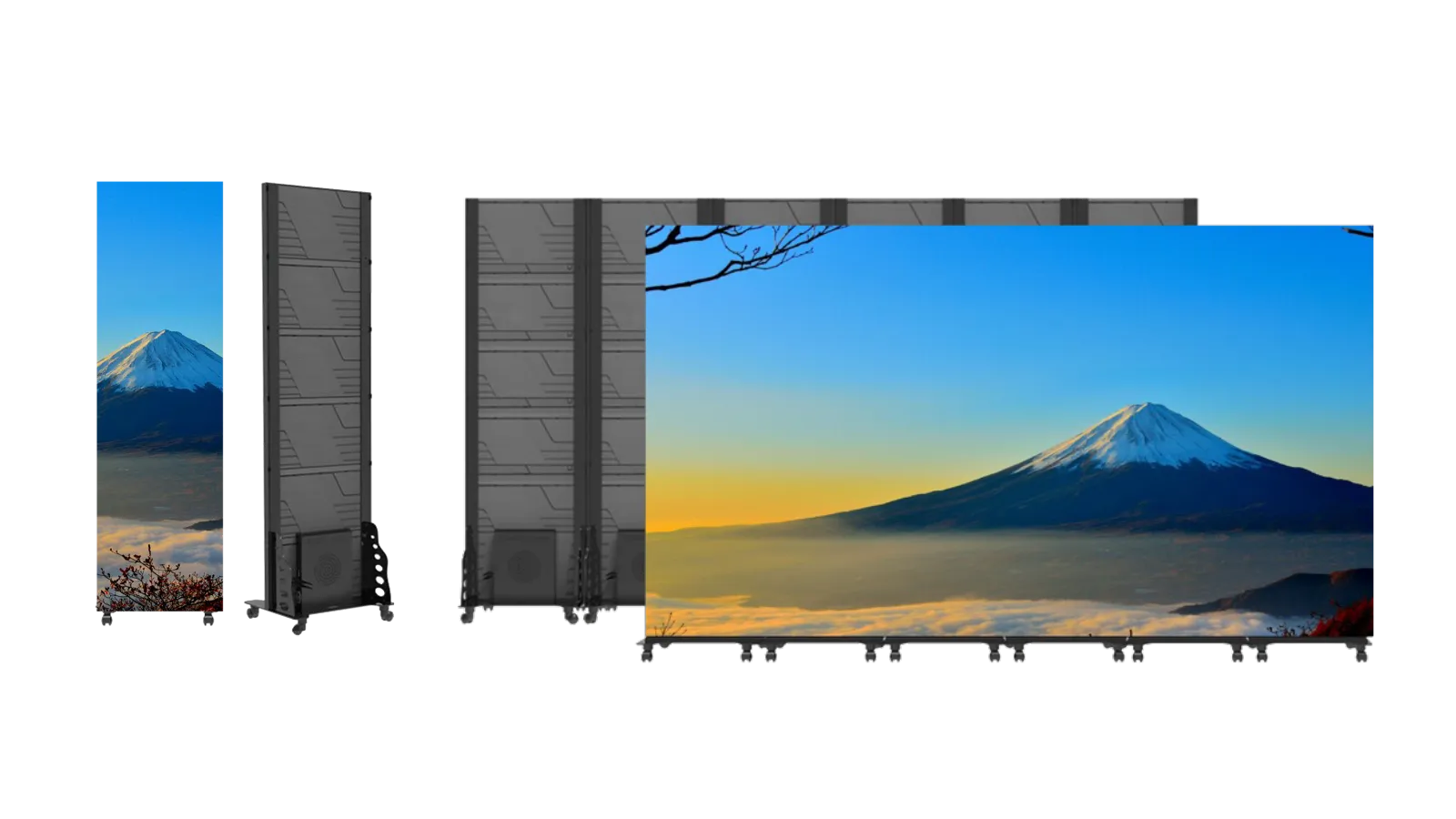
The moiré vanished, even with the camera 2m from the screen and using a small aperture (F5.6) to keep both the actor and background sharp.
A live concert team in London kept getting scan lines in their broadcast footage. Their LED screen was set to 500Hz, and the broadcast camera used a rolling shutter at 1/60s. Cranking the LED to 1200Hz made the scan lines disappear.
The Bottom Line:
Moiré and scan lines aren’t unavoidable evils. They’re solved by the right LED screen technology. For casual shoots, camera tweaks might work, but for professional setups , you need a screen built for filming. You can choose Doitvision’s 7680Hz+ refresh, P1.2 or smaller, and PWM flicker-free driving COB LED display.
Next time you’re on set, remember: a great LED wall isn’t just about brightness or color. it’s about playing nice with cameras. Get that right, and you’ll never have to delete a shot because of moiré or scan lines again.