 All-in-One COB LED TV
  Flexible LED Displays
  Transparent LED Displays
  Led Poster
  Circular LED Displays
  Creative & Custom LED Displays
 If you’ve ever shopped for an LED screen , you’ve probably heard terms like “32-scan” or “64-scan”. But what do these numbers actually mean?
Scanning technology is the unsung hero of LED displays. It’s how the screen lights up pixels fast enough to create a seamless image. Today, we will guide you the 32-scan and 64-scan LED display details.
The Basics of LED Display Scanning Technology

Let’s start with the fundamentals. At its core, an LED screen’s “scan rate” refers to how the screen lights up rows of pixels to form a frame. You can think of it like this: A single frame of video is made up of hundreds or thousands of rows of LEDs. The scan rate determines how many of these rows are lit up at the same time, and how quickly they switch.
To put it simply: The scan rate is the ratio of rows lit simultaneously to the total number of rows on the screen. For example, a 1/32 scan means the screen lights up 1 row out of every 32 at a time, cycling through all rows in milliseconds to create a full image. A 64-scan does the same but with 1 row out of 64.
Static vs. Dynamic Scanning:
Before diving into 32 vs. 64, let’s clarify the two main scanning categories: static and dynamic.
Static Scanning:
Uses a “one-to-one” control method. Each pixel has its own dedicated driver circuit. No rows are cycled; every pixel stays lit the entire time a frame is displayed. It can bring the sharpest, brightest, most stable image with zero flicker. But it’s expensive. You need way more driver chips. Static scanning is rare outside high-end outdoor screens or critical displays.
Dynamic Scanning:
Uses a “shared” control method. The driver chips alternate between rows, lighting them up one after another. This is cheaper but comes with tradeoffs: slight brightness loss, potential flicker, and less stability at high refresh rates.
32-scan and 64-scan are both dynamic scanning methods. They’re the most common choices for commercial LED screens.
How to Calculate Scan Rate

If you ever need to figure out a screen’s scan rate , here’s a simple trick :
Count the total number of LEDs on the unit panel.
Count the number of 74HC595 chips (a common driver chip) on the panel.
Do the math:
(Total LEDs) ÷ (Number of 74HC595 chips) ÷ 8
= Scan rate (e.g., 1/32 or 1/64).
For example:
A 16×8 full-color module (2R1G1B) has 512 total LEDs. If it uses 8 MBI5026 driver chips (16-bit):
512 ÷ 16 (chip bits) = 32;
So, it’s a 32-scan. Use 4 chips, and you get 64-scan. Easy, right?
What Are 32-Scan and 64-Scan LED Display Screens?
Now, let’s get specific. 32-scan and 64-scan commercial LED screens.
32 Scan:
A 32-scan LED screen splits each frame into 32 separate rows (or “zones”) and cycles through them in rapid succession. You can Imagine a stage with 32 spotlights. Each one turns on for a split second, illuminating its section of the stage, before turning off and letting the next one take over. Your eyes blend these quick flashes into a single, smooth image.
64-Scan:
A 64-scan screen does the same, but splits the frame into 64 smaller zones. It’s like doubling the number of spotlights on that stage. Each one covers a smaller area, turning on and off even faster. This finer division means more control over individual pixels, leading to smoother images and better color transitions.
How They Work?
The core difference between 32 and 64-scan lies in how they handle current load and refresh speed.
- Scan Mechanics
Each driver chip controls 32 rows of LEDs, alternating between them at a rate of ~100-200Hz (frames per second).
Since fewer rows are lit at once, the screen uses less current per cycle. It can reduce heat buildup and saving energy.
The tradeoff:
With larger zones, fast-moving images might show slight flicker or “ghosting” if the refresh rate isn’t high enough.
64-Scan Mechanics
Each driver chip controls 64 rows, cycling at ~200-300Hz (faster than 32-scan).
Smaller zones mean each driver chip handles fewer LEDs at a time, lowering current load per zone even further. This reduces heat and extends LED lifespan.
The tradeoff:
Faster cycling can lead to slight brightness loss since each LED is lit for a shorter time per frame. LED display Manufacturers fix this by boosting driver current. However, this can increase power consumption slightly.
Key Features: 32-Scan vs. 64-Scan
32-Scan Features
Energy Efficiency: Lower current load per cycle means less power use. It is great for 24/7 installations .
Durability: Balanced heat distribution reduces wear on LEDs and driver chips, leading to a longer lifespan .
Cost-Effective: Uses fewer driver chips than static scanning .
Stable Performance: Works well for most static or slow-moving content.
64-Scan Features
Superior Image Quality: Finer zone division delivers smoother color transitions and sharper details. It is ideal for high-definition videos or detailed graphics.
Higher Refresh Rates: Faster cycling (200+Hz) eliminates flicker. Therefore, it is perfect for photography or video recording ,no more “stripe” effects in photos.
Longer Lifespan: Lower current per zone reduces LED wear, extending lifespan by 1-2 years compared to 32-scan.
Brightness Optimization: Even with slight brightness loss per cycle. LED display manufacturers can boost current to match 32-scan brightness for outdoor use.
The Big Differences: When It Matters Most
Now, let’s dive into the practical differences .
Refresh Rate and Flicker
32-Scan: maxes out at 200Hz. For most casual use ,like indoor signs, this is fine. But for fast-moving content or photography, you might notice flicker or “rolling stripes” in photos.
64-Scan: Hits 300Hz+ easily. Flicker is virtually nonexistent, even in high-speed videos or photos. It is good for broadcast studios, concert stages etc.
Image Quality for Dynamic Content
32-Scan: Struggles with fast motion. Sports, action movies, or scrolling text might show ghosting or blurring.
64-Scan: Excels at dynamic content. The finer zone division and faster refresh rate keep moving images smooth and sharp. It’s the best choice for screens that play videos regularly.
Brightness and Power Consumption
32-Scan: Naturally brighter per watt, since each LED is lit for a longer time per cycle. Uses 10-15% less power than 64-scan .
64-Scan: Slightly dimmer by default, but manufacturers compensate with higher driver current. This brings brightness in line with 32-scan but increases power use by 5-10%.
Cost and Complexity
32-Scan: Cheaper upfront. Uses fewer driver chips and simpler control circuits. Installation is straightforward, and repairs are easier .
64-Scan: More expensive. It requires more driver chips and advanced control software to handle faster cycling.
Lifespan and Reliability
32-Scan: Reliable for 5-7 years (indoor) or 3-5 years (outdoor). Balanced heat distribution reduces failure risk, but fast cycling can wear out LEDs faster if used 24/7.
64-Scan: More durable. 6-8 years (indoor) or 4-6 years (outdoor). Lower current per zone reduces heat and LED wear for long-term installations.
Common Issues to Watch For
32-Scan: Risk of flicker in fast-moving content or photos. It may develop “caterpillar lines” (horizontal stripes) if driver chips overheat.
64-Scan: Risk of color distortion if current is boosted too high. In addiiton, it may have slight brightness unevenness in large screens
How to Choose: 32-Scan vs. 64-Scan for Your Project
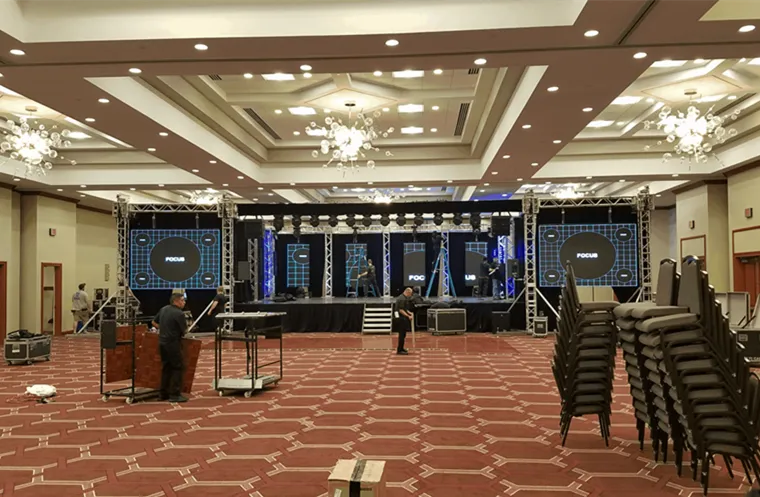
The right scan rate depends on three things: your budget, your use case, and your performance needs.
Choose 32-Scan If:
Budget is tight: You want a reliable screen without overspending. 32-scan is the most cost-effective option for mid-range projects.
Content is static or slow-moving: Use it for retail signs, menu boards, office info displays, or data dashboards. These don’t require ultra-fast refresh rates.
Indoor use only: 32-scan works great in controlled lighting.
You prioritize energy efficiency: Lower power use saves money on electricity bills for 24/7 installations.
Choose 64-Scan If:
Image quality is non-negotiable: You need sharp, smooth videos or photos. 64-scan is perfect for broadcast studios, concert stages, or event backdrops.
Outdoor or bright indoor use: 64-scan handles high brightness better and resists glare better than 32-scan.
Long-term installation: You want a screen that lasts 6+ years. 64-scan’s lower LED wear makes it worth the upfront cost.
Content is dynamic: Use it for sports bars, live event screens, or digital billboards that play videos regularly.
Common Myths About Scan Rates
Let’s clear up some misconceptions that often trip up buyers:
Myth 1:
Higher scan rate = brighter screen.
In Fact, 64-scan is slightly dimmer by default, but manufacturers can boost current to match 32-scan brightness. Brightness depends more on LED quality than scan rate.
Myth 2:
32 scan is always better. In Fact, the 64-scan is overkill for static content. It costs more and uses more power for no benefit if you’re just showing text or images.
Myth 3:
32-scan is low-quality. In Fact, 32-scan is perfectly fine for most indoor uses. It’s the industry standard for a reason—it balances quality, cost, and efficiency.
Myth 4:
Scan rate doesn’t affect lifespan. In Fact, 64-scan’s lower current per zone reduces LED wear, leading to a longer lifespan.
Final Thoughts:
32-scan and 64-scan LED screens aren’t “better” or “worse”. They’re designed for different jobs. Before you buy, you can ask yourself three questions:
- What will I show on the screen (static vs. dynamic content)?
- Where will it be installed (indoor vs. outdoor, bright vs. dim lighting)?
- How long do I want it to last (short-term vs. long-term)?
Answering these will make your choice easy.
If you Want help about LED dislay project? Please Share your project details ,like size, location, content type, and We will help you!