 All-in-One COB LED TV
  Flexible LED Displays
  Transparent LED Displays
  Led Poster
  Circular LED Displays
  Column LED Screens
  Creative & Custom LED Displays
 LED screen Aging tests aren’t just about “burning in” the screen to check for dead pixels; they’re a make-or-break step for long-term color stability, consistency, and lifespan.
The core goal of aging testing is to simulate years of use in weeks. It can expose hidden color issues ,like tinting, uneven brightness fade, or faulty LEDs before the screen leaves the factory.
By calibrating colors during this process, LED display manufacturers ensure red, green, and blue (RGB) LEDs work in harmony for years. Let’s break down why color is such a big deal in aging tests.
Why Color Is the Heart of Aging Testing

LED screens create every color from red, green, and blue LEDs. But here’s the catch: these three colored LEDs are fundamentally different. Their materials, how efficiently they emit light, and how fast they degrade all vary. That’s why color needs special attention during aging.
Different LEDs, Different Degradation Rates
Not all LED beads are made the same. Red and green LEDs use materials like GaP or GaAlAs , while blue LEDs rely on InGaN. These differences in their “quantum well” structures. It means they fade at different speeds.
In most cases:
- Green LEDs fade the fastest thanks to less stable phosphors .
- Blue LEDs come next because they’re more sensitive to heat.
- Red LEDs fade the slowest due to their materials hold up better over time.
If you don’t account for this during aging, a screen that looks balanced new will start to tint. In other words, It will turn red after a year because green and blue have faded faster.
Color Inconsistencies
Even if LEDs come from the same batch, tiny variations in manufacturing . So, their color and brightness aren’t identical. You can think of it like a batch of cookies. Even the same recipe, but some are slightly darker or sweeter.
Without aging and calibration, these small differences get amplified over time. A screen might develop “color patches” or look blotchy, because one area’s green LEDs faded faster than another’s. Aging testing weeds out these inconsistencies early.
How Color Is Tested During Aging?
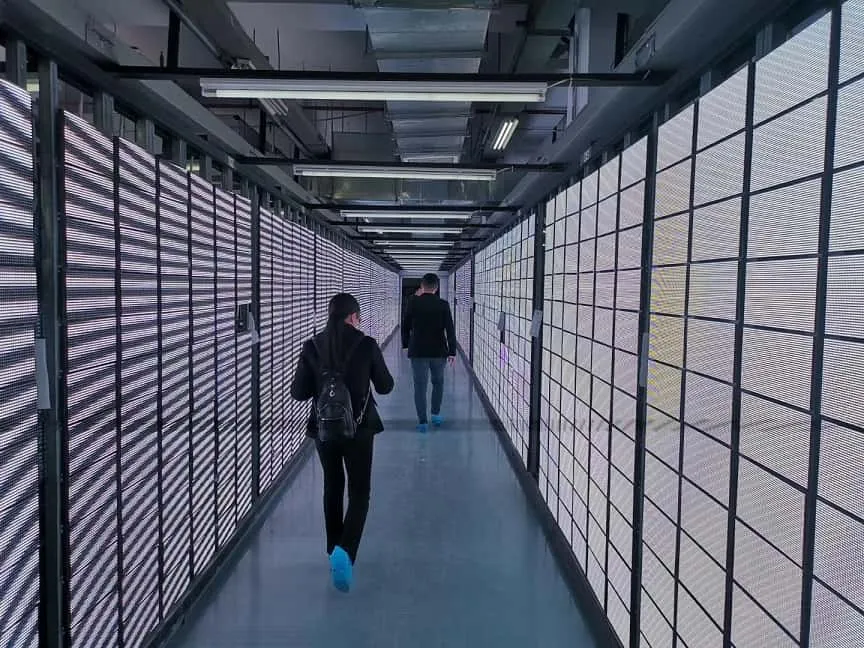
Aging testing for color isn’t just “turning the screen on and walking away.” It’s a targeted process that focuses on RGB cooperation and individual performance. Here’s how manufacturers get it right:
Choosing the Right Aging Modes
Different modes test different aspects of color performance. The best tests combine three key modes:
Monochromatic Aging (Red/Green/Blue Alone)
This mode lights up only one color at a time. It can make manufacturers spot faulty LEDs early. If a green LED has a bad solder joint or uneven phosphor coating, it’ll fail faster under constant high-load aging. Maybe it’ll dim suddenly or stop working entirely.
Key metrics here:
- After 24–72 hours of aging, each color’s brightness fade should be ≤5%.
- No dead or flickering LEDs
- Full-Color Aging ,like White Balance/Color Gradients
This mode simulates real-world use by blending RGB LEDs or a full spectrum of colors. The goal is to check if the blend stays consistent across the entire screen.
If one area’s LEDs fade at different rates, you’ll see tinted patches, like a corner that looks slightly blue or a strip that’s green.
Key metrics:
- White balance shift (color coordinate deviation) ≤±0.015 .
- Color uniformity ≥90%
- Dynamic Color Aging (Videos/Images)
This mode plays fast-paced videos or color-shifting images to test how LEDs handle sudden brightness or color changes. It prevents issues like “color trailing”. It is a red object leaves a faint red blur when moving by ensuring LEDs switch on/off quickly and consistently.
Monitoring and Calibrating Key Color Parameters
During aging, LED display manufacturers use tools like spectrometers and color analyzers to track critical metrics. After aging, they calibrate the screen to fix any inconsistencies:
Color Coordinates (x,y Values)
These values pinpoint exactly . After aging, each LED’s color coordinate is adjusted . For example, every red pixel on the screen is the same shade of red. No more “some reds are brighter than others” issues.
Brightness Fade Rate
LED display Manufacturers measure how much each color fades during aging. If green LEDs faded 10% while red only faded 3%, they’ll tweak the driver current for green LEDs to boost their brightness slightly. It can balance the three colors so the screen still looks consistent.
Color Temperature Stability
After aging, the screen’s color temperature should stay within ±200K of its original setting. A 6500K screen shouldn’t drift to 6000K (warm) or 7000K (cool).
Color Uniformity
Using gamma correction and white balance calibration, manufacturers smooth out any “hot spots” or dim areas. The result? A screen has the same color looks identical from corner to corner.
Tailoring Tests to Use Cases
Not all LED screens need the same color aging tests. The focus shifts based on where the screen will be used:
Outdoor Screens
Outdoor LED display battle heat, UV rays, and bright sunlight. Blue LEDs are the most sensitive to high temperatures, so aging tests happen in environmental chambers set to 40–60℃. The goal is to ensure blue LEDs don’t fade too fast. Otherwise, the screen will look red-tinted in direct sunlight.
Indoor HD Screens
These screens need pinpoint color accuracy. Aging tests run at lower brightness and focus on color coordinate calibration. No one wants a presentation where the brand’s blue looks purple.
Video Walls
Video walls are made of multiple panels, so color consistency across panels is critical. During aging, all panels are tested together to ensure the color at the edge of one panel matches the edge of the next (deviation ≤±0.003). No more “one panel green, one panel red” lines between modules.
Aging Duration:
LEDs fade fastest in the first 10000 hours of use, losing 10–15% of their brightness before settling into a slow, steady fade. Aging tests need to cover this “fast fade” period to predict long-term color stability:
- Basic Factory Aging: 24–72 hours. This screens out early failures and does a quick color calibration.
- Premium Screen Aging: 100–200 hours.This simulates 1–2 years of use, ensuring colors stay stable for the long haul. It is common for indoor HD or video walls.
- Military/Medical Screens: 500+ hours. These screens need to perform in extreme conditions, so extended aging tests verify color reliability under stress.
What Happens If You Ignore Color in Aging Testing?
Cutting corners on color during aging leads to costly, frustrating problems.
Short-Term Issues
- The screen looks tinted right out of the box .
- Visible color patches or “clouding” in corners.
- White balance is off. The text looks yellow or blue instead of neutral.
Long-Term Issues
- After 3–6 months, the tint gets worse. A screen that was slightly green might turn fully green as green LEDs fade faster.
- Uneven fade creates “stripes” or “blotches”.
- Some LEDs fail early, leaving dark spots that are expensive to repair
Cost Waste
Repairing color issues post-installation is a nightmare. For a large video wall, you might have to replace entire modules or hire a technician to calibrate each pixel.
The Bottom Line:
Aging testing for LED screens isn’t just about durability. A screen that skips proper color aging might look good on day one, but it won’t stand the test of time. The best LED screens are the ones where color was a priority from the start.
Next time you buy an LED video screen, don’t just ask about brightness or resolution. You can ssk about their aging process. Specifically, how they handle color. It’s the difference between a screen that wows for months and one that wows for years.As a reliable LED display manufacturer, Doitvision strictly adheres to LED display aging requirements, so you can buy our high-quality LED displays with confidence.